Technology
How to Find Local Businesses With Missing Email Addresses
Learn how to find and verify missing email addresses for local businesses discovered on Google Maps. This guide covers enrichment, verification, and cleaner lead generation workflows.
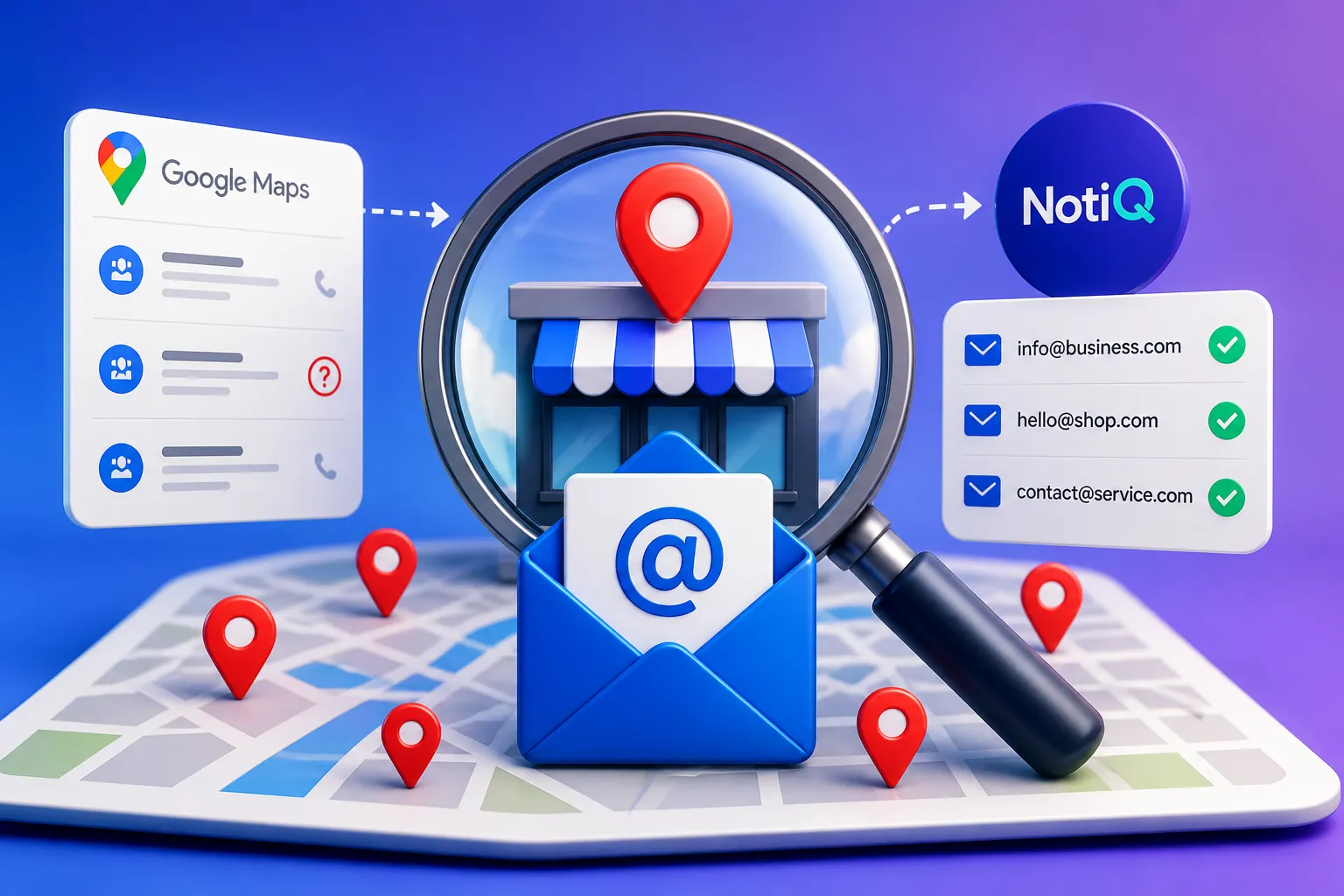
1. Introduction: Why Missing Business Emails Are a Prospecting Opportunity
For marketers, agencies, and sales professionals conducting intermediate-level local prospecting, discovering a perfect prospect on Google Maps only to find they lack an email address is a common frustration. However, these missing business emails represent a hidden prospecting opportunity.
When a relevant local business appears on Google Maps without a visible email address, it does not automatically mean the business is unqualified or unreachable. Often, the address is publicly available through another business channel, listed on a dedicated contact page, or simply requires a confidence-based review to uncover.
This article outlines a staged process for local email prospecting that covers discovery, data capture, enrichment, verification, compliance, and outreach preparation. The goal here is not to guess email addresses or blindly build the largest possible list. Instead, it is to create a smaller, highly relevant, and meticulously documented prospect dataset. Whether you are dealing with service-area businesses, multi-location companies, contact-form-only websites, or businesses with outdated profiles, structured Google Maps lead enrichment can transform incomplete listings into actionable leads.
As a practical solution for identifying businesses with missing visible email contacts, NotiQ helps enrich prospect records with verified business data. While not every missing email can be found, a systematic approach ensures you capitalize on the ones that can.
2. What Counts as a Missing Business Email?
To effectively find business email addresses, you must first define the problem precisely. This allows researchers to distinguish between an email that is absent, hidden, uncertain, or genuinely unavailable.
There is a distinct difference between:
• No email being displayed on the Google Maps or business listing profile.
• An email that is available on the company website but omitted from the listing.
• A business that utilizes a contact form, booking page, or phone number but offers no public email.
• An address that appears outdated, generic, or completely unrelated to the correct business location.
In local business contact information research, "missing" should be treated as a temporary research status, not definitive proof that the business has no email address.
To improve list quality and prevent researchers from treating incomplete records as verified leads, implement a simple classification system for your business contact enrichment efforts:
• `Visible`: Readily available on the primary listing.
• `Found during enrichment`: Discovered through secondary public sources.
• `Needs verification`: Found, but requires structural and contextual checks.
• `Alternative contact only`: No email exists, but a phone number or form is available.
• `No usable public contact found`: The business cannot be reached through public channels.
The Difference Between Discovery, Enrichment, and Verification
A robust workflow separates data collection into three distinct phases:
• Discovery: Finding a relevant local business that matches your target category and geography.
• Enrichment: Adding missing fields to the profile, such as the website, domain, email, business type, or contact path.
• Verification: Checking whether the collected email is structurally and contextually likely to reach the intended business.
Never present an inferred or guessed address as verified business data. Email verification for prospecting requires precision. These stages should appear as separate fields in your spreadsheet, CRM, or local business lead generation workflow to maintain absolute data integrity.
Capture Business Identity Before Searching for an Email
Before attempting to find an email, researchers must lock down the business's identity. Failing to do so often results in matching an email to a similarly named business in the wrong city.
Always record:
• Business name
• Category or service
• City, neighborhood, or service area
• Street address (when available)
• Phone number
• Website URL and domain
• Google Maps profile URL or source reference
• Date the information was collected
These identifiers serve as your anchor during Google Maps prospecting. By recording the original listing details before making any business data enrichment changes, you ensure that the local business leads you generate are accurate and correctly attributed.
3. The Local Email Prospecting Workflow
This step-by-step process takes you from local discovery to a verified, outreach-ready prospect record. Framed as a quality-control sequence—discover, capture, flag, investigate, enrich, verify, and review—this local email prospecting workflow ensures high standards. Researchers can use a lightweight manual process for small lists or a more automated workflow for repeatable, higher-volume Google Maps lead enrichment to generate verified local business leads.
Step 1 — Build a Focused Google Maps Prospect List
Begin with a defined geographic area, business category, and strict qualification criteria rather than searching broadly. Record relevant businesses whose services, location, size, or customer profile match your campaign goals.
Use visible listing signals—such as category, website, phone number, opening information, and recent activity—as research inputs, not as proof that a business is ready for outreach. Google Maps is highly useful for local business lead generation and discovery, but it should never be treated as a complete email database for local businesses. Create separate fields in your CRM for "discovered on Google Maps" and "contact information found elsewhere."
Compliance Note:Before engaging in Google Maps prospecting or describing any automated extraction, users must review and adhere to the Google Maps Platform scraping restrictions. Scraping is not universally permitted; all data collection must comply with platform terms and utilize authorized APIs or manual, public-facing research methods.
Step 2 — Flag Listings With Missing or Incomplete Email Fields
Next, create clear rules for flagging records that require further investigation:
• No email is visible in the primary listing.
• The listing links to a website but provides no contact email.
• The only available channel is a form, phone number, booking link, or social profile.
• The visible email appears unrelated, malformed, or outdated.
Separate high-priority records from low-priority ones based on business fit, location, website availability, and data confidence. While missing business emails serve as a prioritization signal, they should not override the actual relevance of the business. Do not assume that all businesses without email addresses should be automatically enriched; focus on local business contact information that aligns with your ideal customer profile.
Step 3 — Investigate the Website and Public Contact Paths
Move beyond the listing to investigate the business's digital footprint. Check the homepage, contact page, about page, footer, team page, booking page, and privacy or legal pages.
Look for business-specific contact paths such as:
• A role-based inbox (e.g., info@, sales@).
• A named business contact.
• A location-specific address.
• A booking or quote request form.
• A social profile that confirms the business identity.
Always match the website domain to the business name, location, phone number, and services before adding an email to the record. Treat contact forms and phone numbers as legitimate alternative channels rather than incomplete failures. A business with no public email may still be an excellent candidate for a phone-first or form-based outreach approach. To understand how to document these findings systematically, review this systematic prospect research and workflow documentation guide.
Step 4 — Enrich and Match the Correct Business Contact
When you find business email addresses, you must verify they belong to the correct entity. Compare the enriched email against the business name, website domain, address or service area, phone number, business category, and location or branch identifier.
Distinguish a general business inbox from a personal or decision-maker address. Record the source or method used to find the email, the date collected, and any uncertainty.
Practical Example:If you are enriching a record for "Apex Plumbing" in Chicago, do not accidentally append an email from "Apex Plumbing" in Dallas. Cross-reference the domain (apexplumbingchicago.com vs. apexplumbingtx.com), the local phone area code, and the street address to ensure verified business data.
Never guess addresses from common patterns unless the result is clearly labeled as unverified and pushed through a strict verification process. If the identity match is ambiguous, move the record to manual review. This diligence is crucial when trying to find decision-maker email for small business targets.
Step 5 — Verify the Email and Assign a Confidence Status
Verification goes beyond checking email syntax. Practical checks for a business email finder include:
• Correct email formatting.
• Domain alignment with the business.
• Whether the domain appears active.
• Whether the address is role-based, personal, generic, or unknown.
• Whether the business identity and location match exactly.
Assign confidence labels such as:
• `Verified or high confidence`
• `Likely business match—review before use`
• `Alternative contact only`
• `Unverified—do not use for automated outreach`
• `No public email found`
A smaller list with documented confidence statuses is vastly more useful than a massive list with an unknown bounce risk. Note that technical email verification for prospecting confirms the structural validity of the address; it does not guarantee deliverability or imply outreach permission.
4. How to Handle Common Missing-Email Scenarios
Local business contact information is rarely perfect. By turning common research obstacles into decision rules, you can process Google Maps leads without email addresses effectively.
Contact Form, Phone-Only, or Booking-Only Businesses
When a contact form, phone number, or booking link is the only option, record it as the primary available contact path. Add fields for`contact_method`,`source_url`,`date_checked`, and`follow-up status`.
Do not artificially create or guess an email address merely because a form exists. Instead, adapt your outreach approach to the channel the business actually publishes. For businesses without email addresses, a tailored phone call or a well-crafted contact form submission is often the most effective local email prospecting strategy.
Businesses With No Website or Weak Digital Presence
Many local businesses have no linked website, an inactive domain, or a generic landing page. Use the phone, address, category, and listing details to determine whether the record is worth manual review.
If no reliable contact path can be matched, mark the record as`no public email found`. In local business lead generation and Google Maps prospecting, exclusion is a quality decision, not a failure of the workflow. It ensures your list of verified local business leads remains pristine.
Multi-Location Businesses and Conflicting Records
Location-specific pages, shared inboxes, and corporate domains complicate matching. For multi-location businesses, capture the branch address, local phone number, location name, and domain path where available.
Distinguish a corporate contact from a local branch contact, and clearly document which one your outreach concerns. When listing data, website data, and enriched business contact enrichment data disagree, always route the record for manual review to ensure accuracy.
Generic Inbox Versus Decision-Maker Email
Role-based addresses (like general, sales, bookings, or support inboxes) serve a different purpose than named individual contacts. For a small owner-operated business, a generic inbox may actually be the most appropriate channel if no individual contact is publicly identified.
Avoid presenting a personal address as inherently better if it is not clearly connected to the business or intended for commercial communication. Include a practical field for`contact_type`:`general inbox`,`location inbox`,`named contact`, or`unknown`. This nuance is vital when aiming to find decision-maker email for small business campaigns.
5. Manual Research vs. Automated Google Maps Lead Enrichment
Choosing between manual and automated workflows depends on your volume, geography, accuracy requirements, and available review capacity. Google Maps is primarily a discovery source; enrichment and verification require additional steps.
Unlike scraping tools or broad sales databases that stop at extracting a listing, a quality workflow emphasizes missing-email classification, business matching, verification, and fallback contact paths.
When Manual Research Is the Better Choice
Manual prospect research is the better choice for:
• Small, highly targeted lists.
• Ambiguous business identities.
• Multi-location companies.
• Businesses with conflicting or outdated information.
• Records requiring deep context from websites or booking pages.
While manual research provides stronger context and guarantees verified business data, it becomes difficult to maintain at higher volumes. Use a standardized checklist to keep local email prospecting work consistent and auditable.
When Automation Can Improve Repeatability
Automation helps identify missing fields, organize records, route leads for enrichment, and standardize verification statuses. However, automation should never replace human review for ambiguous matches or complex compliance decisions.
To organize repetitive local prospecting tasks into a repeatable process, consider using[NotiQ](/)as your AI workflow orchestrator. NotiQ connects local-business discovery, enrichment, verification, and review steps, keeping your focus on verified business data and scalable, repeatable research.
How to Evaluate Any Local Enrichment Workflow
Evaluate any local business lead generation workflow using these criteria:
• Can it distinguish missing from unavailable data?
• Does it preserve the original business identifiers?
• Does it match emails to the correct domain and location?
• Does it record source date and confidence?
• Does it support manual review?
• Does it handle businesses with no public email?
• Does it account for platform terms and outreach requirements?
A quality-first workflow produces fewer but better-documented records, easily outperforming large-volume extraction in both safety and conversion.
6. Practical Local Lead Record Template and Quality Checklist
To maintain verified local business leads, you need a reusable structure for organizing enriched prospect data in your spreadsheet, CRM, or workflow system.
Recommended Prospect Record Fields
Include the following fields to track business contact enrichment effectively. (For more details on structuring your CRM, view this lead-record and research-workflow template).
Pre-Enrichment Fields:
• Business name
• Business category
• City, neighborhood, and service area
• Street address
• Google Maps or discovery source
• Phone number
• Visible email (if any)
Post-Enrichment Fields:
• Website URL
• Business domain
• Enriched email
• Contact type
• Alternative contact method
• Verification status
• Confidence level
• Source URL or source note
• Date checked
• Location-match notes
• Outreach permission or compliance notes
Pre-Outreach Quality-Control Checklist
Before launching a local email prospecting campaign, confirm the following:
• [ ] The business matches the target category and geography.
• [ ] The website and domain correspond to the correct business.
• [ ] The email is not merely guessed.
• [ ] The email’s confidence and source are documented.
• [ ] The record is not duplicated across locations.
• [ ] The outreach message is relevant to the business.
• [ ] Opt-out and suppression handling is available.
Exclude records that cannot pass identity or contact-quality checks to ensure high email verification for prospecting standards.
7. Responsible Prospecting, Compliance, and Data Freshness
Responsible local prospecting requires strict adherence to compliance and data freshness standards. Requirements vary heavily by jurisdiction, audience, data type, and outreach method; readers must obtain appropriate legal advice for their specific situation.
Always separate these three issues:
1. Collection: Whether data may be legally and ethically collected from a source.
2. Personal Data: Whether a person’s business contact information constitutes personal data.
3. Outreach: Whether commercial outreach is permitted and what disclosures or opt-out processes apply.
Public availability does not automatically mean unrestricted use. Collect only information relevant to your prospecting purpose.
• CAN-SPAM: Ensure accurate sender information, truthful subject lines, physical address inclusions, and clear opt-out handling by following the FTC CAN-SPAM compliance guide.
• GDPR: Understand that an identifiable employee’s business email may constitute personal data. Review the GDPR rules for business email addresses.
• PECR/UK Law: For UK-focused campaigns, consult the ICO direct marketing guidance regarding direct marketing and business contact data.
• Platform Terms: Always respect the Google Maps Platform scraping restrictions regarding the extraction, bulk downloading, storage, or reuse of Maps-derived information.
For adjacent prospecting and outreach workflows that prioritize compliance and verified business data,Repliq serves as a related resource for managing business-data outreach safely. Finally, refresh your records regularly, as local business data decays quickly.
8. Conclusion: Turn Incomplete Local Listings Into Better Prospect Records
Finding missing business emails is a structured process of discovery, investigation, and verification. By defining your target market, discovering relevant businesses, capturing identity fields, flagging missing emails, and investigating public contact paths, you can cautiously enrich and verify contact data.
Remember that finding a contact form, a phone number, or concluding a "no public email found" status are all valid, high-quality outcomes. In local email prospecting, quality always trumps volume. Accurate business matching and clear source records will always yield better results than a massive, unverified list.
Combine automation with manual human review to create a repeatable Google Maps lead enrichment process. To organize your AI-assisted local-business research and ensure you are working with verified business data, explore NotiQ. NotiQ focuses on identifying businesses lacking visible email contacts and enriching those records with the highest data integrity.
Frequently Asked Questions
- How can I find local businesses with missing email addresses?
- The process begins with a focused Google Maps search to identify target companies, followed by structured checks of the business website and other public contact paths. Always record the business identity before attempting enrichment. The final outcome may be a verified email, an alternative contact method, or a documented "no public email found" status.
- Can I enrich Google Maps business listings with verified email addresses?
- Yes, but with caution. Google Maps is excellent for identifying businesses, but it may not provide a complete or verified email field. Enrichment is a separate process involving website, domain, identity, and verification checks. Always review platform terms and applicable data-protection requirements before enriching data.
- What should I do when a business has no public email?
- Record the available phone number, contact form, booking page, or social contact path. If no email can be verified, mark the record as alternative-contact-only or exclude it from your email campaign. Never guess an email address without structural verification and a strong business match.
- How do I verify that an enriched email belongs to the right business?
- Compare the email domain with the official website and match the business name, location, phone number, and service category. Record the source date and confidence status. If multiple businesses share similar names or domains, push the record to manual review to ensure you have verified local business leads.
- Is it legal to find and use business email addresses for prospecting?
- Legality depends on your jurisdiction, the type of contact information, the source, the purpose, and the outreach method. Consult the FTC, European Commission, and ICO guidance cited above. Always use accurate sender details, provide required opt-out mechanisms, respect suppression requests, and seek legal advice for your specific responsible local prospecting situation.
- How often should local business contact data be refreshed?
- Refresh records based on the business type, your campaign frequency, and the likelihood of website or staff changes. Prioritize updating records with outdated websites, conflicting details, failed delivery signals, or recently changed listings. Keep the original source date so you can distinguish current verified business data from older research.
Continue Reading
More articles you might find useful
How to Find Businesses With Strong Ratings but Almost No Reviews
Learn how to find local businesses with strong ratings but too few reviews. This guide shows how to qualify better review-growth leads using competitor gaps, recency, and activity signals.
Read the article →
Google Maps Prospecting for Commercial Kitchen Equipment Suppliers
A practical blueprint for commercial kitchen equipment suppliers to use Google Maps and Google Business Profiles to find, score, and target better local hospitality leads. Learn how to turn public business signals into CRM-ready outreach opportunities.
Read the article →
How to Find Businesses With Inconsistent Opening Hours
Learn how to spot inconsistent business hours across Google Business Profiles, websites, and directories using a repeatable audit workflow. This guide shows how to turn hours mismatches into qualified local SEO opportunities.
Read the article →Popular industry lead playbooks
Maps search examples and niche outreach for the verticals teams prospect most.