Technology
How to Find Businesses With No Online Contact Form
Learn how to find local businesses with missing or weak inquiry paths using a practical website contact form audit workflow. This guide shows how to verify issues, score opportunities, and turn website gaps into qualified prospects.
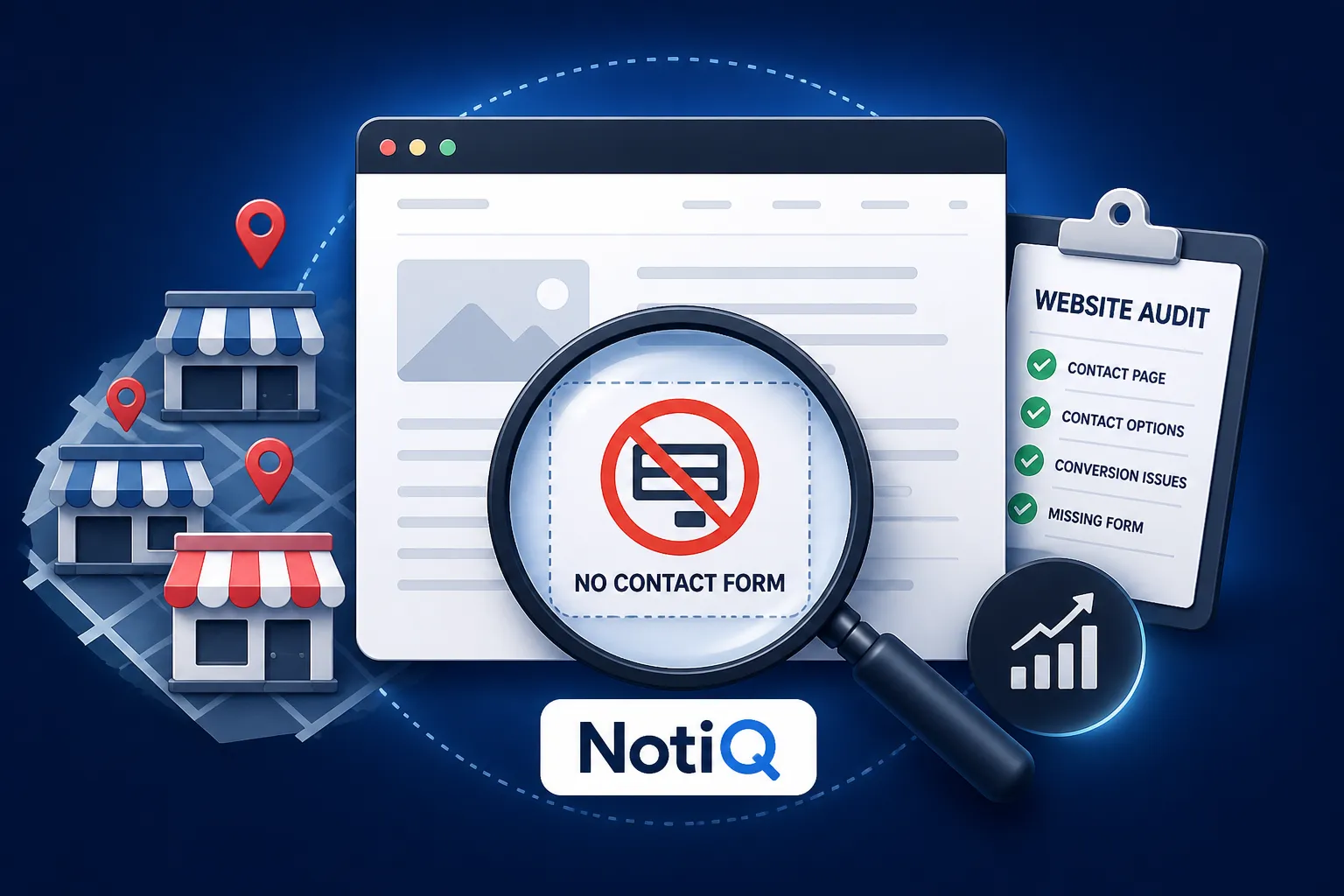
1. Introduction: Why Missing Contact Forms Are Prospecting Signals
A business can have a beautifully designed website, steady traffic, and a strong local reputation, yet still lack a clear, usable way for visitors to make an inquiry. For agencies, marketers, and web professionals, learning how to find businesses with no online contact form serves as a highly effective digital-audit workflow.
The core opportunity in website prospecting is not simply identifying businesses that forgot to add a form. It is finding businesses with a verified conversion-path weakness that directly aligns with the web or marketing services you provide. A missing form does not automatically mean a business is losing revenue or has a defective website; rather, it highlights a moment of friction for potential customers.
This guide provides a comprehensive workflow to discover local businesses, inspect their contact options, verify the user experience, score the opportunity, and document evidence. By following these steps, you can conduct personalized, highly relevant outreach for local lead generation. Expect practical search methods, strict audit criteria, spreadsheet frameworks, automation considerations, and outreach templates designed to turn verified gaps into qualified conversations without resorting to unsupported performance claims.
2. What Counts as a Business With No Usable Contact Form?
To distinguish a genuine opportunity from a business that uses an intentional alternative contact strategy, you must define your prospecting criteria clearly.
Define the Contact-Path Categories
Not all missing forms represent the same level of friction. When evaluating lead capture gaps, it is essential to understand the difference between:
• No website or an entirely inactive website.
• No visible contact form anywhere on the site.
• A contact form hidden behind unclear or broken navigation.
• A form that is broken, slow, inaccessible, or completely unusable on mobile devices.
• An email-only path, requiring a visitor to manually copy an email address or click a `mailto:` link.
• A phone-only path.
• A third-party booking, live chat, social messaging, or marketplace inquiry path.
A “no usable form” prospect is a business with meaningful friction in its inquiry path, not necessarily a business with zero contact options. Consider this simple classification table when auditing businesses without contact forms:
Avoid Treating Every Phone-First Business as a Bad Prospect
Some businesses deliberately prioritize calls, referrals, appointments, or platform-native messaging. A local plumber or emergency locksmith, for example, may want a phone-first strategy to handle urgent requests.
To distinguish a deliberate phone-first strategy from an accidental conversion gap, ask these questions during your website conversion audit:
• Is the phone number prominent and clickable on mobile?
• Does the site clearly explain what happens when a visitor calls?
• Is there a booking or quote-request alternative for non-emergencies?
• Can visitors easily contact the business after hours?
The goal of local business prospecting is to identify a relevant improvement opportunity, not to label every business without a form as defective. Use cautious language such as noting “potential inquiry friction” rather than claiming the business is definitely losing leads.
3. How to Find Businesses Without Online Contact Forms
A repeatable discovery process starts with targeted local-business sources and ends with rigorous manual website verification.
Start With a Defined Category and Location
Before initiating a search, choose one specific business category, service area, and prospecting goal. Focused searches create significantly more relevant lists than broad, unstructured searches for "local businesses."
Organize your searches by:
• Business category and city (e.g., roofing contractors in Austin).
• Service type and neighborhood.
• “Near me” or highly specific local-intent variations.
• Industry directories and niche local business lists.
Use these example query structures to uncover how to find local business leads (note that these are standard search queries, not guaranteed search operators):
• `[service] in [location]`
• `[business category] [city]`
• `"[service]" "[location]" contact`
By narrowing your focus, your business directory prospecting becomes highly targeted and manageable.
Use Google Maps, Search, and Business Directories for Discovery
Local search platforms are invaluable for initial discovery. Google Maps lead generation workflows can provide foundational records, including:
• Business name.
• Category.
• Location.
• Website URL.
• Phone number.
• Booking, messaging, or other profile options.
Use business directories and industry lists as additional discovery sources, but do not treat any single source as perfectly complete. Always record the source URL and the date you checked each prospect, as directory data may be stale, incomplete, or inconsistent with the current website. For best practices regarding business profile information, consult Google Business Profile and Maps guidance.
Build an Initial Prospect List Before Auditing
Collect a manageable batch of businesses before performing detailed website reviews. Separating discovery from qualification ensures you do not waste equal time on every listing.
Suggested initial fields for your website prospecting list include:
• Business name.
• Website URL.
• Location.
• Category.
• Directory or search source.
• Phone number.
• Available profile messaging or booking options.
• Initial website status.
Flag businesses with outdated-looking sites, unclear contact paths, or high-value services for a deeper website audit for lead generation.
Verify the Website Manually
Automated tools cannot fully replace human verification. To find businesses without contact forms reliably, manually check the homepage, header, primary navigation, footer, and contact page.
Search for navigation labels such as:
• Contact.
• Request a quote.
• Get started.
• Book now.
• Schedule a consultation.
• Send an inquiry.
Crucially, test whether the listed route actually works rather than assuming a button leads to a usable path. Record the exact page URL and a brief description of what was observed. Human verification is strictly required during a contact form audit to account for JavaScript forms, embedded tools, CAPTCHA blocks, mobile-only contact experiences, and dynamic forms that automated detection frequently misses.
4. How to Audit the Entire Website Conversion Path
To make a compelling prospecting recommendation, expand your website conversion audit beyond the mere presence of a form so that your outreach is based on the visitor’s complete experience.
Check the Homepage and Calls to Action
Review whether the homepage makes the next logical step obvious to a visitor. Look for lead capture gaps by checking for:
• A highly visible contact or quote CTA.
• Clear, service-specific calls to action.
• A phone number that is easy to find in the header or hero section.
• A dedicated booking or inquiry button.
• Consistent CTAs across both desktop and mobile views.
Note whether the CTA describes the visitor’s likely goal (e.g., "Get a Free Estimate") instead of relying on weak calls to action like a vague “Learn more.”
Review Contact Pages, Email Links, and Phone Options
Determine whether a dedicated contact page exists and if it is easily reachable within the main navigation. When evaluating website lead generation prospects, check if an email link opens a mail client correctly or forces visitors to copy an address manually. Verify that phone numbers are clickable on mobile devices.
Additionally, note whether the page explains:
• What specific information the visitor should provide.
• Expected response timing.
• Available service areas.
• What happens after the submission or initial contact.
While email-only or phone-only contact may be a valid model for businesses missing contact forms, it can still represent a high-value opportunity depending on the target audience and service complexity.
Test Mobile Usability and Accessibility
A desktop-only contact form audit is incomplete. Check whether contact buttons, phone links, forms, and booking tools function smoothly on a mobile screen.
Look for:
• Buttons that are too small or difficult to tap.
• Forms that require excessive zooming or scrolling.
• Text or input labels that are difficult to read.
• Responsive layout problems that hide the contact path entirely.
• Missing labels or unclear instructions for screen readers.
Include accessibility as a core part of the conversion audit rather than treating it as an optional technical detail. However, avoid claiming legal compliance or noncompliance without a proper, certified assessment.
Compare Forms With Alternative Contact Paths
Create a balanced review of the available contact form alternatives. Compare:
• Traditional contact forms.
• Quote-request forms.
• Appointment scheduling software.
• Live chat widgets.
• Social direct messages.
• Click-to-call links.
• Email links.
• Directory-native messaging.
The critical question is whether the business provides a clear, accessible, trustworthy path that matches the visitor’s intent. Identify the lowest-friction improvement rather than automatically recommending a standard form. For insights on website quality, discoverability, and user-focused experiences, reference Google Search Central. Note that Google's guidance focuses on user experience and does not make a contact form mandatory.
Record Technical and Trust Signals
A successful website conversion optimization strategy relies on trust. Check whether the contact experience includes:
• Clear privacy or consent language where appropriate.
• Spam protection (like reCAPTCHA) that does not create unnecessary user friction.
• A confirmation message or next-step expectation upon submission.
• Secure, functioning page behavior (HTTPS).
• Accurate, up-to-date business details.
Distinguish between an observed issue (e.g., no confirmation message) and an issue that requires deep technical testing. Note broken forms, failed submissions, or unclear follow-up expectations as distinct findings.
5. How to Score and Prioritize Website Prospects
Turn qualitative audit findings into a repeatable prioritization system to ensure you spend time on the most qualified web design prospects.
Create an Opportunity-Scoring Framework
Introduce a simple scoring model using the following dimensions:
• Contact-path severity: Is there no path, a weak path, a broken path, or just minor friction?
• Business relevance: Does the service commonly depend on written inquiries, quotes, consultations, or appointments?
• Local intent: How clear is the service area and physical location?
• Website quality opportunity: Is the contact issue isolated, or is it part of a wider website conversion problem?
• Evidence quality: Can the finding be clearly and cleanly documented?
• Outreach fit: Does the business appear highly relevant to your specific web or marketing services?
Use a transparent rating system (Low, Medium, High) for local business prospecting instead of inventing precise, unverifiable revenue estimates.
Separate High-Priority Opportunities From False Positives
Prioritize businesses where:
• The website has a clear service or inquiry intent.
• No usable form or equivalent path is visible.
• The issue is observable on both desktop and mobile.
• The business provides a service where written inquiries or estimates are highly plausible.
• The finding can be explained in one or two specific sentences.
Deprioritize or recheck:
• Businesses with highly effective, clear booking systems.
• Businesses with prominent click-to-call paths that perfectly fit their operating model (e.g., towing companies).
• Businesses whose websites redirect to a legitimate platform-native inquiry experience.
• Listings with completely outdated or inaccessible websites that indicate a closed business.
Using a local business website audit checklist prevents you from wasting time on businesses without contact forms that actually have a superior alternative in place.
Explain the Business Outcome Without Overclaiming
Connect the audit finding to possible friction. Examples include:
• Visitors being unable to send a detailed written inquiry.
• Prospects having difficulty contacting the business after hours.
• Reduced lead qualification before a phone call occurs.
• Additional effort required by the user to copy an email address or manually dial a phone number.
Avoid saying that the missing form definitely causes lost revenue. Instead, position the recommendation as a testable improvement, such as adding a short inquiry form, a clearer CTA, or a streamlined booking path for better contact form conversion optimization.
6. How to Document Findings in a Prospecting Spreadsheet
A practical record-keeping structure supports verification, prioritization, and highly personalized outreach for local lead generation.
Recommended Prospect-Research Fields
Set up your website prospecting spreadsheet with the following columns:
• Business name.
• Website URL.
• Location.
• Business category.
• Discovery source.
• Homepage checked (Yes/No).
• Contact page checked (Yes/No).
• Form status.
• Alternative contact methods.
• Mobile experience status.
• Evidence URL.
• Audit observation.
• Opportunity score (Low/Medium/High).
• Recommended improvement.
• Outreach channel.
• Last-checked date.
• Outreach status.
The last-checked date matters immensely because website content and contact tools change frequently. Store concise observations rather than copying large amounts of website text.
Capture Evidence That Makes Outreach Credible
To make your website audit for lead generation credible, document:
• The specific page where the issue was observed.
• The exact missing or confusing path.
• Whether the issue appeared prominently on mobile.
• Available alternatives (phone, email, booking, social messaging).
• A recommended next step.
Use screenshots or internal notes where appropriate, but strictly avoid unnecessary collection of personal information. Evidence should support a helpful, consultative observation—never function as a scare tactic for businesses missing contact forms.
7. How to Turn a Verified Website Gap Into Relevant Outreach
Transforming an audit finding into concise, personalized outreach is the final step in lead generation for web design agencies and marketers.
Structure an Audit-Led Outreach Message
A successful website prospecting outreach message follows a helpful, observation-based structure:
1. Identify the business and demonstrate relevance: Show you understand their local market and category.
2. Mention one specific, verified website observation: State exactly what you found.
3. Explain the visitor friction in neutral language: Describe how a user might struggle.
4. Suggest one low-friction improvement: Offer a practical fix.
5. Offer a useful next step: Suggest a short audit, a mockup, or a brief call.
6. Make it easy to decline or opt out: Respect their inbox.
Personalization based on the actual website always outperforms generic claims about “improving conversions.”
Include Outreach Templates for Different Findings
Adapt these website audit outreach templates based on the specific friction observed:
• No visible inquiry form: "I noticed your site doesn't have a way for visitors to request a quote in writing. A visitor checking your site after hours may have difficulty leaving their project details. One possible improvement would be adding a simple 3-field inquiry form to the footer."
• Buried or difficult-to-find contact page: "I was browsing your site and noticed the contact page isn't linked in the main menu. A visitor might struggle to figure out how to reach you quickly. Moving the 'Contact Us' link to the top right could reduce this friction."
• Phone-only contact experience: "I see you rely heavily on phone calls, which is great for urgent requests. However, some clients prefer to send initial details via email. Adding an optional contact form could capture leads who can't call during the workday."
• Broken or unusable form: "I tried testing the contact form on your service page, but the submit button appears to be unresponsive on mobile devices. One possible improvement would be updating the form script to ensure you aren't missing mobile inquiries."
Make the language opportunity-focused. Avoid guaranteeing more leads, more revenue, or a specific conversion increase.
Connect the Opportunity to NotiQ and Related Resources
Managing discovery, scoring, and outreach requires an organized system.[NotiQ](/)is an excellent resource for turning website and business-data research into structured, opportunity-focused workflows. Utilizing AI-assisted lead generation tools can help orchestrate this entire digital audit workflow efficiently.
For deeper insights into refining your digital-audit processes, the NotiQ blog serves as a robust supporting resource. Additionally, if you are working with businesses that need help improving website experiences, lead capture, or digital execution after an audit,Repliq is a valuable related resource.
8. Tools, Automation, and Human Verification
Discovery and research tools support the process, but automated detection should never be treated as final proof.
Compare Discovery, Technology, and Enrichment Tools
Different local prospecting tools serve different stages of the workflow:
• Google Maps and Business Profiles: Ideal for category-and-location discovery.
• BuiltWith: Useful for technology-intelligence and identifying website technology signals.
• Clay: An enrichment and workflow platform for combining data sources and qualification steps.
• Hunter: An email-finding service utilized in the later contact-research stage.
None of these signals alone proves that a business has no usable contact form. To truly find businesses without contact forms, you must combine local discovery with conversion-path review, evidence capture, prioritization, and compliant outreach.
Use Automation for Triage, Not Unchecked Decisions
Automation is highly effective for:
• Organizing business records.
• Detecting likely contact-page URLs.
• Flagging pages containing terms such as “contact,” “quote,” or “book.”
• Identifying missing or inconsistent website fields.
• Preparing records for human review.
However, human review remains strictly necessary for:
• JavaScript-rendered forms.
• Embedded third-party booking tools.
• CAPTCHA and anti-bot behavior that blocks crawlers.
• Mobile-specific layouts.
• Intentional phone-first experiences.
• Stale directory or website data.
Leveraging AI-assisted website research through platforms like NotiQ provides workflow orchestration, but accuracy checks, transparent limitations, and human verification must occur before any outreach.
Distinguish This Workflow From Generic Scraping
This workflow is entirely distinct from indiscriminate data collection. Briefly contrast this audit-led workflow with typical manual scraper tools: generic scrapers pull thousands of unverified emails to spam, whereas this method relies on narrow category and location targeting, minimal data collection, and evidence-based qualification.
Emphasize respect for website terms of service and access controls. Human review must always take place before commercial contact to ensure you are offering a genuine website conversion audit, not just executing a mass email blast.
9. Compliance, Privacy, and Ethical Prospecting
Ethical lead generation requires strict adherence to trust and accuracy guidance before utilizing directory data, email research, or automated workflows.
Handle Business and Contact Data Responsibly
Publicly visible business information is not automatically free from privacy or marketing obligations. To ensure privacy-conscious prospecting, always:
• Collect only the information absolutely needed for the stated prospecting purpose.
• Keep records accurate and current.
• Avoid collecting unnecessary personal data.
• Identify the sender clearly in all communications.
• Respect unsubscribe and opt-out requests immediately.
• Review applicable local requirements before contacting prospects.
Researching a business website’s conversion path is fundamentally different from harvesting personal contact details. For comprehensive rules on sender identification, honest subject lines, physical address disclosure, and opt-out mechanisms, review the FTC CAN-SPAM compliance requirements.
Consider Regional and Third-Party Data Rules
Data requirements vary significantly by location, recipient type, communication channel, and data source. If you are working with data from directories, public sources, or third-party providers, consult authoritative guidelines:
• ICO guidance on collecting and generating leads.
• Email marketing compliance guidance.
• European Commission guidance on third-party marketing data.
Always consult applicable laws, platform terms, and organizational policies before using automated collection or outreach. This article provides operational guidance for ethical website prospecting, not legal advice.
10. Real-World Prospecting Examples by Business Category
The audit framework adapts depending on the business model and the specific intent of the visitor.
Contractors and Home-Service Businesses
For contractor lead generation, assess whether the website offers a clear quote-request path. Check for explicit service-area information, click-to-call functionality for urgent repairs, and a project or job details form. Differentiate between emergency (e.g., burst pipe) and non-emergency (e.g., kitchen remodel) contact options. A request a quote form is highly recommended here, as visitors usually need to describe a project before speaking with the business.
Professional Services
When evaluating professional services prospecting (lawyers, accountants, consultants), review whether visitors can easily request a consultation or provide context before a call. Look for consultation CTAs, service-specific inquiry paths, trust signals, and contact options for visitors who cannot call during standard business hours. However, never present a standard consultation form as a substitute for privacy-sensitive intake or regulated processes without appropriate legal review.
Healthcare and Appointment-Based Businesses
A healthcare website audit requires a focus on appointment booking websites, phone usability, and clear patient instructions. Check whether the website directs visitors to the correct, secure, or approved channel (like a patient portal). Because regulated or sensitive industries require strict privacy and security, completely avoid encouraging the collection of sensitive personal health information through an unsuitable, unencrypted general form.
11. Conclusion and Next Steps
To successfully find businesses with no online contact form and turn those website gaps into qualified prospects, you must rely on a structured, evidence-based approach.
The process is straightforward but requires diligence:
1. Define a specific category and location.
2. Discover businesses through Maps, search, and directories.
3. Verify the website and every relevant contact path manually.
4. Score the opportunity based on friction, relevance, and evidence.
5. Document the finding clearly in your spreadsheet.
6. Reach out with a specific, helpful, and highly relevant recommendation.
Remember that a missing form is a prospecting signal—not undeniable proof of lost revenue or a universal website failure. Always assess the entire conversion path, including phone, email, booking, chat, social messaging, mobile usability, accessibility, privacy, and follow-up expectations. By using evidence to verify assumptions, you can recommend practical improvements that genuinely match each business’s actual contact strategy.
To streamline your structured website research and orchestrate your AI-assisted workflows compliantly, explore[NotiQ](/)and start turning digital observations into better-qualified opportunities today.
Frequently Asked Questions
- How can I find businesses that do not have a contact form?
- Search by a specific category and location, collect website URLs from maps and directories, inspect the homepage and contact page manually, test alternative paths, and record evidence of friction to find businesses without contact forms.
- Does a phone number count as an online contact method?
- Yes, a phone number is a contact method. However, you must evaluate whether it is visible, clickable on mobile, appropriate for the business model, and ideally supported by another option for non-urgent inquiries.
- Should businesses with only an email address be included?
- It depends on the friction. Distinguish a clear, clickable`mailto:`link from a difficult-to-copy or poorly formatted text address. Document the level of friction to identify lead capture gaps rather than categorizing every email-only site identically.
- How do I verify whether a contact form actually works?
- Check the form on both desktop and mobile devices. Review field usability, observe validation messages by clicking submit on empty fields, and record whether a confirmation or next step appears. Avoid submitting unnecessary personal information or repeated test data during your form verification.
- What should I say when contacting a business about a missing form?
- Use a website audit outreach template that is concise and neutral. Base your message on one verified observation and suggest one practical improvement. Never guarantee lost revenue or imply that the business is failing.
- Can AI identify websites without contact forms?
- AI and automation can assist with triage, URL detection, classification, and record organization. However, manual verification is always needed for dynamic forms, alternative booking paths, mobile experiences, and false positives in automated website audits.
Continue Reading
More articles you might find useful
Google Maps Lead Generation for Moving Companies
Learn how movers can use Google Maps to build targeted prospect lists, qualify local opportunities, and turn outreach into booked jobs. This guide covers territory research, segmentation, messaging, and tracking.
Read the article →
Google Maps Prospecting for Commercial Cleaning Equipment Suppliers
Learn how commercial cleaning equipment suppliers can use Google Maps to find, verify, and prioritize better local prospects. This guide covers segmentation, qualification, outreach, and pipeline tracking.
Read the article →
How to Find Local Businesses With Expired SSL Certificates
Learn how to find local businesses with expired SSL certificates using a verification-first workflow. This guide shows how to validate issues, avoid false positives, and turn findings into qualified website security leads.
Read the article →Popular industry lead playbooks
Maps search examples and niche outreach for the verticals teams prospect most.