Technology
How to Find Local Businesses With Expired SSL Certificates
Learn how to find local businesses with expired SSL certificates using a verification-first workflow. This guide shows how to validate issues, avoid false positives, and turn findings into qualified website security leads.
1. Introduction
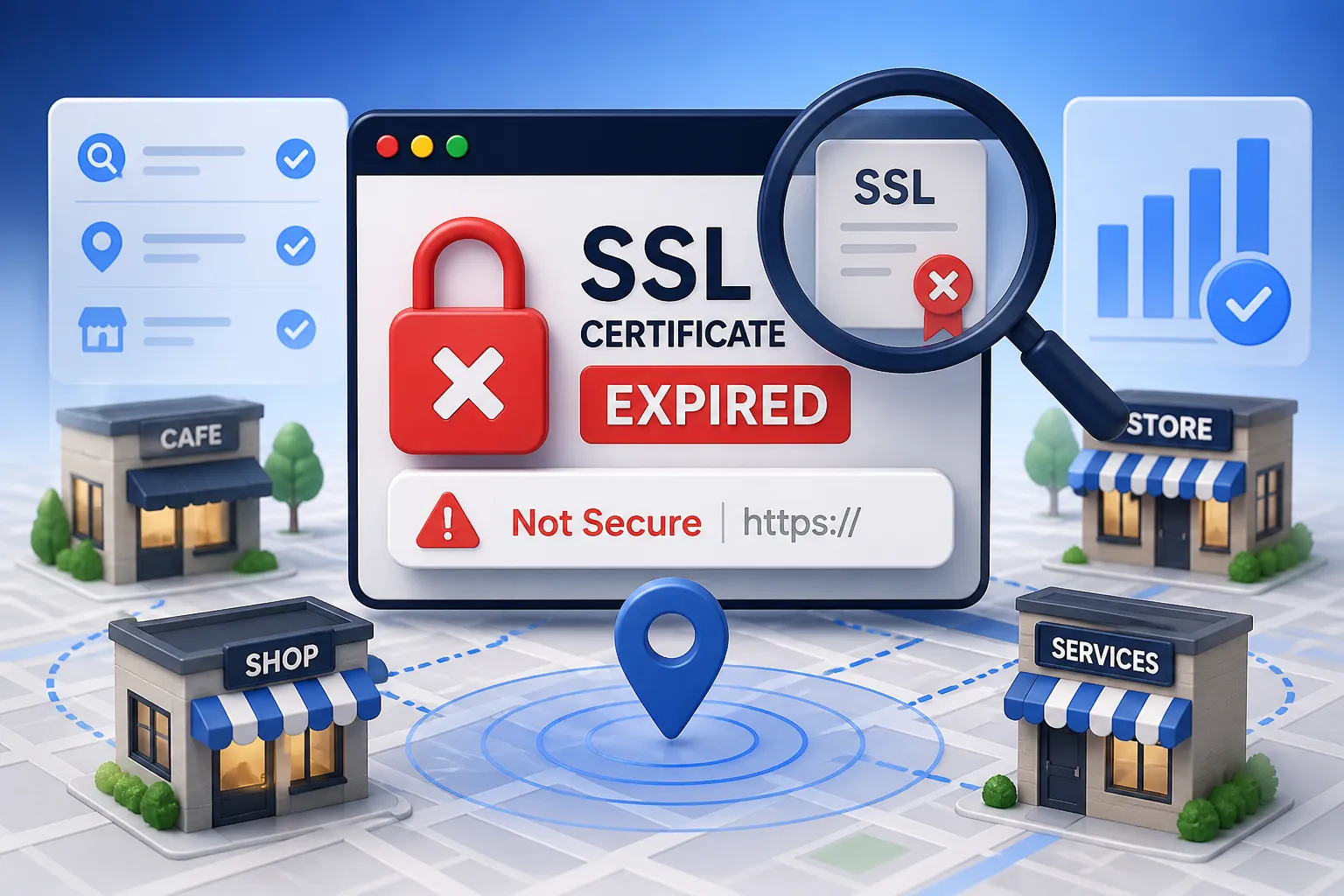
An expired HTTPS certificate is a highly visible technical failure. For local businesses, this oversight immediately produces alarming browser warnings, interrupts important website journeys, and drastically reduces visitor trust. For advanced website maintenance providers, MSPs, IT service firms, and web agencies, these expired certificates represent highly qualified expired SSL business leads.
However, effective website security prospecting requires more than blindly scanning domains. Certificate status must be verified against the live hostname rather than inferred from a third-party technology database or historical certificate record. This article outlines a precise, operational workflow covering local business outreach, discovery, live validation, qualification, evidence capture, and responsible communication.
It is crucial to clarify that an expired certificate does not automatically prove a breach or broader security compromise; it is an availability and maintenance signal. As a technical, audit-focused resource, NotiQ advocates for responsible-use boundaries: professionals must check only publicly exposed services, use low-impact methods, respect rate limits, and strictly avoid unauthorized access. By adhering to these standards, you can convert observable website maintenance issues into relevant, evidence-based outreach opportunities.
2. Why Expired SSL Certificates Matter to Local Businesses
While "SSL" remains the common industry shorthand, modern secure connections rely on TLS (Transport Layer Security) certificates. Understanding this distinction is the foundation of a credible local business website security audit. When a TLS certificate expires, modern browsers block access to the site, displaying a stark warning that the connection is not private.
For a local business, the effects are immediate and damaging. Discouraged visits lead to interrupted contact forms, abandoned booking flows, inaccessible client logins, and failed checkout journeys. The exact impact depends heavily on the affected hostname, the specific user journey, browser behavior, redirect configurations, and whether the expired certificate is served on the primary website or a secondary subdomain.
It is vital to communicate accurately. Certificate expiration is a maintenance failure, not proof that an attacker has accessed the site. When conducting outreach, use precise language such as "the certificate observed on this hostname was expired" rather than claiming the business was hacked. Following the NIST TLS implementation guidelines ensures your understanding of secure TLS deployment is accurate. Highlighting this issue connects directly to valuable services like certificate renewal, deployment support, uptime monitoring, hosting coordination, and broader website maintenance.
Expired Certificates Versus Other HTTPS Problems
An expired SSL certificate checker may flag a site, but the underlying issue might not actually be expiration. You must define the difference between an expired certificate, a hostname mismatch (where the certificate is valid but issued to a different domain), an untrusted certificate chain (missing intermediate certificates), protocol problems (using deprecated SSLv3 or TLS 1.0), redirect loops, and mixed-content warnings (loading HTTP assets on an HTTPS page).
Each of these conditions requires a completely different remediation path and should never be lazily combined into one generic "SSL problem" label. Furthermore, a valid certificate only encrypts data in transit; it does not establish that every aspect of a website’s security posture is flawless. During SSL certificate expiration monitoring, always record the exact observed condition in your lead record to ensure your website security audit is factual and actionable.
3. Build a Local Business Prospect List Before Checking Certificates
Effective website maintenance prospecting begins with a defined geography, a specific business category, and a clear service fit—not by indiscriminately scanning random domains. Use local business discovery sources such as Google Maps to identify business names, physical locations, categories, website URLs, phone numbers, and public contact paths.
Once you have this raw data, sanitize your list. Remove duplicates, closed listings, irrelevant domains, directory pages, social media profiles, and businesses without an identifiable primary website. Prioritize businesses whose websites support high-value user journeys. A medical clinic relying on appointment bookings or an e-commerce store requiring secure transactions represents a much higher-priority lead than a dormant placeholder page.
Keep this discovery process strictly separate from certificate validation so that each stage of your IT service prospecting can be audited. While Google Maps supplies essential local-business context, it does not natively filter businesses by certificate expiration. The true value lies in connecting this discovery with independent live validation. Using a platform like[NotiQ](/)provides a powerful workflow destination for organizing this local-business discovery, logging technical findings, and managing prospecting context.
Use Technology Data for Discovery—Not Proof
Technology detection tools like BuiltWith and Wappalyzer offer valuable context, but they contrast sharply with direct certificate checks. Identifying an SSL-related technology or hosting provider does not prove that the currently served certificate is expired. Technology databases and historical records are frequently incomplete, delayed, or unable to accurately represent every hostname and CDN edge location.
Similarly, certificate transparency services such as crt.sh are excellent discovery and inventory aids, but they require current live validation. Issuance history reveals when a certificate was created, but it absolutely does not prove the current live certificate served by the host is expired.
4. Verify Whether the Live SSL/TLS Certificate Is Actually Expired
Live verification is the central technical step before any business is treated as a qualified lead. You must record the exact hostname, URL, timestamp, certificate validity window, and the observed result.
Check the primary domain and relevant subdomains separately. Certificate coverage frequently varies across the apex domain,`www`, booking portals, login gateways, mail servers, or application hosts. Follow all redirects carefully and note whether the initial hostname and the final destination hostname serve different certificates. To avoid creating unnecessary traffic, repeat important checks carefully to identify transient deployment or DNS issues, ensuring your TLS certificate expiration data is perfectly accurate.
Minimum Certificate Evidence to Capture
When monitoring for certificate validity during a local business website security audit, specific evidence must be captured. Include the certificate subject and relevant Subject Alternative Names (SANs) where visible. Record the issuer, the "not before" date, the "not after" date, the exact affected hostname, and the precise timestamp of your observation.
Capture the exact browser warning, diagnostic output, or evidence URL used to support the finding. Note whether the problem affects the primary website, a redirect target, or only a secondary subdomain. Crucially, avoid collecting private keys, user credentials, personal data, or any unnecessary technical information. Adhering to NIST TLS certificate management guidance will ensure you understand proper certificate inventories, ownership, renewal, monitoring, and lifecycle management without overstepping ethical boundaries.
Browser-Based and Technical Validation Options
A browser check reveals the immediate user-facing impact (the warning screen), while a technical diagnostic provides the underlying certificate and TLS configuration details. Utilizing the SSL Labs Server Test serves as a recognized validation reference for certificate, chain, hostname, and TLS configuration analysis, though it is a diagnostic tool, not a local-business prospecting system.
When documenting findings, use accurate terminology based on the TLS 1.3 protocol standard rather than treating "SSL" and "TLS" as interchangeable protocols. Use command-line or technical examples only to demonstrate low-impact observation of publicly exposed services. Always timestamp your tool results, as certificates may be renewed or rotated moments after your check.
5. Investigate Redirects, CDNs, Subdomains, and False Positives
The certificate seen by one hostname, network path, or Content Delivery Network (CDN) edge may differ entirely from another. Before confirming an expired HTTPS certificate warning, check whether the business redirects from HTTP to HTTPS, from the apex domain to`www`, or from an old service provider to a new one.
You must distinguish a truly live expired certificate from a recently renewed certificate that has simply not propagated across all relevant infrastructure. Consider the presence of staging environments, abandoned subdomains, legacy hosting setups, reverse proxies, and third-party booking systems that may trigger a certificate hostname mismatch.
Always include a methodology note in your records stating the test date, hostname tested, route followed, limitations of the check, and whether the result was independently reproduced. A qualified website security prospecting workflow does more than surface a raw technical signal; it verifies the scope, current status, business relevance, and appropriate remediation path, eliminating false positives.
6. Qualify Expired SSL Findings as Genuine Business Opportunities
To generate high-quality website maintenance lead generation, you must combine the technical finding with local-business identity, service fit, and likely user impact. Confirm that the domain actually belongs to the identified business rather than a generic directory, a franchise parent company, a former owner, a vendor, or an unrelated organization.
Identify the likely technical owner. Is it the business owner, an internal IT team, a freelance web developer, the hosting provider, a managed service provider, or a platform vendor? Estimate whether the opportunity relates to a simple renewal, complex certificate deployment, DNS coordination, ongoing monitoring, or a broader website maintenance contract. Reject or hold any findings that are stale, isolated to irrelevant infrastructure, impossible to attribute, or already resolved.
Lead Qualification Questions
To filter expired SSL business leads effectively for local business outreach, ask the following:
• Does the issue affect the primary public website or only a secondary, unused hostname?
• Are important user journeys such as contact forms, booking engines, logins, or checkouts affected?
• Is the certificate actually expired, or is it mismatched, untrusted, or affected by another TLS configuration issue?
• Is the website actively promoted through local listings, social media, or other business channels?
• Can your agency offer a relevant remediation or ongoing website maintenance prospecting service?
7. Prioritize Leads by Urgency, Impact, and Service Fit
Not every expired certificate is equally valuable. Introduce a transparent scoring model to prioritize your SSL expiry lead generation efforts. Score the severity and visibility of the condition, the importance of the hostname, the business’s local relevance, and your provider’s ability to help.
Include whether the site remains actively promoted, possesses prominent local visibility, or appears dependent on secure transactions. It is critical to separate technical urgency from commercial fit: a technically urgent issue on a dormant blog may be a poor prospect if ownership or service alignment is unclear. Always manually review the highest-priority website maintenance leads before initiating outreach.
Suggested Lead-Scoring Framework
Implement a simple internal model to support human review:
• Certificate status: Expired, near expiry, valid, or another TLS error.
• User impact: Visible browser warning, affected form/booking flow, or limited subdomain impact.
• Business relevance: Primary local website, active business listing, and clear service fit.
• Remediation fit: Simple renewal, deployment, SSL certificate expiration monitoring, hosting coordination, or full IT service prospecting opportunity.
• Evidence confidence: Reproducible, timestamped, hostname-specific, and recently checked.
This score should dictate where your team focuses its manual review, rather than acting as a trigger for automated, unverified outreach.
8. Create an Audit-Ready Lead Record
A structured lead record allows a sales or delivery team to independently reproduce the observation. Your record must include the business name, category, location, website URL, affected hostname, check timestamp, certificate subject, issuer, validity dates, observed condition, redirect path, and evidence URL.
Add business-context fields such as the likely decision-maker path, technical owner, relevant service offering, priority score, outreach status, and next action. Clearly separate observed facts from assumptions, interpretations, and recommended remediation steps. Include a strict status field for "unverified," "confirmed," "resolved," "not attributable," or "do not contact." Documenting your methodology ensures the record remains auditable and does not overstate the result. For advanced technical and prospecting workflow guidance, explore the NotiQ blog.
9. Conduct Responsible and Relevant SSL Security Outreach
Outreach should describe an observed technical condition calmly and factually. Never imply compromise, negligence, or guaranteed revenue loss. Include the affected hostname, the exact observation date, a concise explanation of the user-facing impact, and a suggested next step.
Offer verification or remediation help without ever requesting credentials, private keys, or unauthorized access. Recommend contacting the site owner or their appropriate technical provider rather than attempting to exploit or modify the issue. Provide a clear opt-out mechanism and avoid repeated or high-volume messages that could be perceived as abusive. Following the OWASP Web Security Testing Guide ensures your testing boundaries and evidence-based communication remain ethical. Furthermore, citing Mozilla web security guidelines helps when recommending proper HTTPS, secure redirects, HSTS, and secure resource-loading practices.
Outreach Template for a Verified Expiration Finding
• Subject Line: Factual and specific (e.g., "Observed HTTPS certificate issue regarding [Hostname]").
• The Observation: State exactly what was observed, when it was observed, and how the recipient can independently verify it in their own browser.
• The Impact: Explain the potential visitor-facing consequence (browser warnings) without claiming the site was breached.
• The Solution: Offer a narrow remediation path: renewal, deployment verification, hosting coordination, or monitoring.
• The Opt-Out: Invite the recipient to confirm whether the issue has already been resolved, rather than assuming the finding is still active.
10. Tools, Sources, and Workflow Limitations
A successful website security prospecting workflow relies on understanding the limitations of your tools:
• Local discovery: Google Maps and other permitted public business sources provide identity, not technical status.
• Technology enrichment: BuiltWith and Wappalyzer-style technology databases provide context, not live proof.
• Certificate discovery: Certificate transparency services such as crt.sh provide history, not current deployment status.
• Live validation: Browser checks and SSL Labs-style diagnostics provide the actual proof.
• Lifecycle guidance: NIST, Mozilla, IETF, and CA/Browser Forum resources provide the standards for remediation.
No single tool establishes ownership, current certificate status, business urgency, or outreach permission. Certificate transparency data can be historical, and technology detection can be incomplete. Always utilize conservative request rates, public-surface checks, minimal data collection, and human review. If you require practical prospecting or service-delivery context,Repliq is a relevant internal resource for workflow enhancement, though it should not be presented as evidence that a particular business has a security issue. The true differentiator is the connection between discovery, validation, qualification, evidence, and responsible outreach.
11. Turn a One-Time Certificate Finding Into a Maintenance Relationship
A verified expiration issue is the perfect entry point for broader, relevant services, provided you do not use the initial finding as a deceptive pretext for unrelated selling. Discuss certificate renewal coordination, deployment checks, expiration monitoring, hostname inventory, redirect validation, and ongoing website maintenance prospecting.
Document the client’s certificate ownership, renewal process, hosting provider, and escalation path. Because automated certificate systems and shorter certificate lifecycles are becoming the standard, the value of continuous TLS certificate management and monitoring is higher than ever. Referencing the NIST TLS certificate management guidance supports discussions on inventory, ownership, and renewal automation. Additionally, utilizing the CA/Browser Forum TLS certificate baseline requirements supports accurate explanations of publicly trusted certificate issuance and lifecycle standards. Define a clear handoff from prospecting to remediation, and ultimately to recurring maintenance.
12. Conclusion: Make Certificate Prospecting Accurate, Useful, and Responsible
Finding local businesses with expired SSL certificates requires a meticulous workflow: discover local businesses, identify domains, validate the live certificate, investigate false positives, qualify business impact, prioritize leads, document evidence, and conduct factual local business outreach.
Certificate expiration is a specific observable condition, not proof of compromise or a complete security assessment. Technical precision improves both trust and conversion quality for website security prospecting. Create a repeatable process with timestamps, hostname-specific checks, rate limits, human verification, and clear remediation paths to ensure your expired SSL business leads are highly qualified.
NotiQ provides a technical, audit-focused perspective emphasizing accurate verification, responsible communication, and relevant website maintenance support. To organize your technical observations, local-business context, qualification criteria, and responsible outreach workflows, start using[NotiQ](/)today.
13. FAQ: Expired SSL Certificate Prospecting
How can I find local businesses with expired SSL certificates?
To find expired SSL business leads, follow a sequence of local-business discovery, domain collection, live hostname validation, evidence capture, and business qualification. Map listings and technology databases act as discovery inputs to build your list, but they are not proof of certificate expiration. You must manually or programmatically verify the live certificate on the specific hostname to confirm how to find local businesses with expired SSL certificates accurately.
How do I verify that an SSL certificate has expired?
To check SSL certificate expiry by domain, inspect the live certificate’s validity window for the exact hostname and record the observation timestamp. Use browser-based checks and technical validation tools such as SSL Labs. An expired SSL certificate checker must account for redirects, CDNs, alternate hostnames, and recent certificate rotations, which all require additional human review to avoid false positives.
Is it legal to contact a business about an expired SSL certificate?
Yes, provided you follow applicable marketing, privacy, anti-spam, and responsible disclosure requirements in your jurisdiction. Responsible SSL outreach must be factual, relevant, and non-deceptive, featuring clear identification and opt-out handling. Public observation of a website security prospecting signal does not authorize access, exploitation, modification, or the collection of sensitive information during your local business outreach.
What information should be included in an SSL security outreach message?
An effective SSL security outreach message must include the affected hostname, the timestamp of the check, the observed condition, a concise user-facing explanation, a verification path for the owner, and a relevant remediation offer. Never claim that the business was hacked, that customer data was exposed, or that a specific financial loss occurred unless it has been independently established. Keep your website maintenance outreach strictly factual.
What is the difference between an expired certificate and another HTTPS error?
An HTTPS certificate expired warning specifically means the certificate's "not after" date has passed. This is different from a certificate hostname mismatch (wrong domain on the certificate), a trust-chain failure (missing intermediate certs), a protocol issue (outdated TLS version), a redirect problem, or mixed content. Each finding requires its own specific label and TLS certificate validation remediation recommendation.
How should I prioritize expired SSL leads?
Prioritize SSL expiry lead generation by combining the certificate status, primary-domain impact, visible browser behavior, business importance, local relevance, evidence confidence, and service fit. Encourage human review before any IT service prospecting outreach, and immediately remove resolved or weakly attributable findings to ensure your website maintenance leads are of the highest quality.
Continue Reading
More articles you might find useful

Google Maps Lead Generation for Moving Companies
Learn how movers can use Google Maps to build targeted prospect lists, qualify local opportunities, and turn outreach into booked jobs. This guide covers territory research, segmentation, messaging, and tracking.
Read the article →
How to Find Businesses With No Online Contact Form
Learn how to find local businesses with missing or weak inquiry paths using a practical website contact form audit workflow. This guide shows how to verify issues, score opportunities, and turn website gaps into qualified prospects.
Read the article →
Google Maps Prospecting for Commercial Cleaning Equipment Suppliers
Learn how commercial cleaning equipment suppliers can use Google Maps to find, verify, and prioritize better local prospects. This guide covers segmentation, qualification, outreach, and pipeline tracking.
Read the article →Popular industry lead playbooks
Maps search examples and niche outreach for the verticals teams prospect most.