Technology
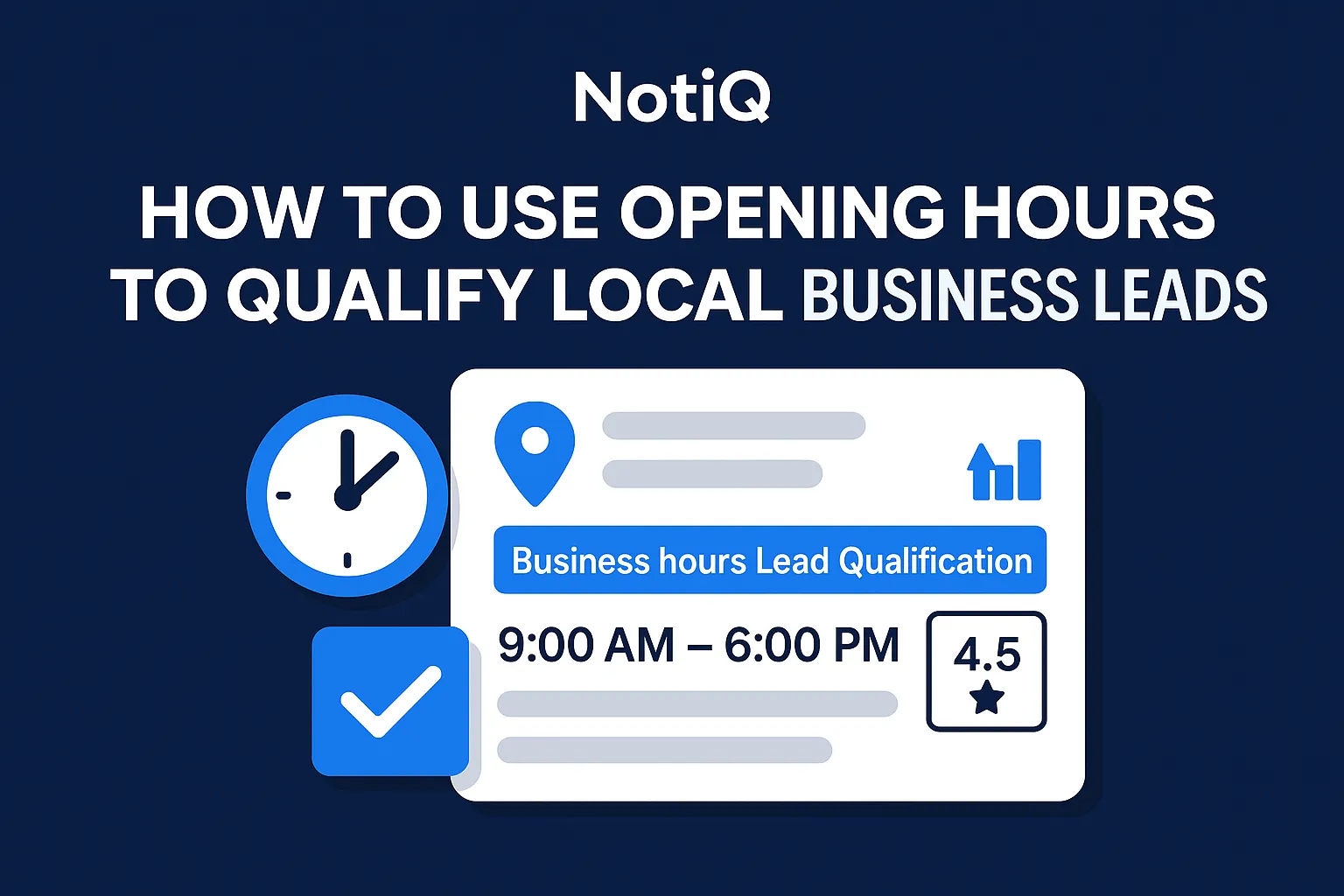
How to Use Opening Hours to Qualify Local Business Leads
Opening hours can reveal demand windows, staffing complexity, and commercial activity before you dig deeper. This guide shows how to turn Google Maps and GBP hours into a simple local lead scoring framework.
1. Introduction
Most local prospecting lists tell you who a business is, but not how it operates. You might have a name, address, and phone number, but basic contact data rarely shows staffing complexity, customer demand windows, or how commercially active a location really is. Opening hours can fill that gap fast.
When you know how to use opening hours to qualify local business leads, you transform a standard local SEO field into a powerful operational signal for your sales team. This article will show you how to read hour patterns, combine them with other local company data, verify their accuracy, and turn them into a simple, repeatable lead scoring system.
By applying these practical heuristics, your sales operations can prioritize high-value prospects over dormant listings. At NotiQ, our perspective is rooted in operational local prospecting workflows—moving beyond just managing listings to actually interpreting public data for sales intelligence. Readers can explore more practical local prospecting workflows on the NotiQ blog.
2. Why Opening Hours Matter for Lead Qualification
Opening hours are a high-signal, low-cost way to qualify local business leads before you invest time in deeper manual research. Instead of relying solely on firmographics or broad category tags, business hours lead qualification acts as a proxy for operational complexity, customer demand dependence, and staffing intensity.
For SMB sales reps, agency prospectors, and sales ops teams building local lists at scale, this is invaluable. While typical extraction-first tools focus merely on collecting fields, the real advantage lies in interpretation and prioritization. The value isn't in the hours alone, but in what those hours imply about a company's responsiveness, demand windows, and commercial urgency. Eligible businesses interact with customers during their stated hours, a standard reinforced by Google Business Profile eligibility guidelines. If you want to turn public local business signals into prioritized lead lists, platforms like[NotiQ](/)offer a broader AI workflow to streamline this exact process.
What Opening Hours Can Reveal That Basic Contact Data Cannot
Basic contact data provides a static snapshot; opening hours analysis provides an operational pulse. Hours can suggest whether a business is heavily walk-in dependent, strictly appointment-based, owner-operated, or running complex multi-shift operations.
For example, weekend, evening, or split-shift availability often indicates stronger demand coverage and greater operational complexity—key business model indicators. Conversely, limited hours can also be meaningful, though they often require more context before assigning lead value. Ultimately, local company data like opening hours should serve as an early-stage filter for local business lead scoring, not a final qualification decision.
Why This Signal Is Especially Useful in Local Prospecting
Google Maps and Google Business Profile surface hours publicly, making this signal widely accessible and perfectly suited for prospecting local businesses. Speed is the primary benefit here: reps can review hour patterns much faster than they can conduct deep manual research on every individual business.
Furthermore, operational availability is directly tied to high-intent local activity, such as phone calls, store visits, and direction requests. This data is highly structured, as detailed in the Google Places opening hours fields documentation, reinforcing that Google Maps business hours are a standardized, reliable metric for early-stage qualification.
3. How to Read Hour Patterns by Business Model
To effectively qualify leads, you need a practical pattern library to infer a prospect's likely business model, staffing pressure, and lead relevance. Different industries have different operational norms, so it is crucial to interpret these patterns within their category context. As noted in BLS research on work schedules by sector, schedule structures vary meaningfully across industries.
Standard Office-Hour Patterns
Standard business hours typically reflect weekday daytime availability (e.g., 9 AM to 5 PM) with minimal evening or weekend coverage. This pattern often implies lower walk-in dependence, more appointment-based schedules, or smaller owner-led operations.
This can still be an excellent lead, particularly for professional services, B2B consultants, or specialized medical clinics that depend on booked demand rather than spontaneous foot traffic. Never assume a business has low value just because its hours are limited; context from the category is essential for accurate local business lead scoring.
Extended Evening or Late-Night Hours
When businesses remain open well beyond normal work hours, it signals extended business hours. This implies significant after-hours customer demand, requiring more staffing coordination and stronger availability dependence.
Industries where this matters most include gyms, restaurants, urgent care clinics, and convenience-driven retail. For sales teams, after-hours demand creates strong outreach angles tied to responsiveness, scheduling software, or customer acquisition, making store hours data for sales incredibly valuable.
Weekend-Heavy Trade
A weekend-heavy trade pattern features significant Saturday and Sunday hours, or stronger weekend coverage than weekday coverage. Weekend hours reveal a high dependence on walk-in revenue and consumer demand timing.
This pattern often indicates stronger local competition pressure and a greater need for visibility, responsiveness, or workflow support. In categories where availability affects revenue directly—like retail, salons, or hospitality—weekend-heavy trade is a critical Google Maps prospecting signal for local lead prioritization.
Split-Shift and Multi-Window Schedules
Split-shift hours occur when businesses open in separate daily blocks, such as a lunch and dinner window for a restaurant, or morning and evening dispatch windows for a service business.
These staffing and shift patterns indicate complex operational rhythms and concentrated peak hours analysis. It is important to note that these split schedules are legitimate setups, supported by how Google Business Profile hours are set, and should not automatically be treated as bad data. They are especially useful for personalizing outreach timing to avoid calling during a lunch rush.
Irregular, Reduced, or Frequently Changed Hours
Irregular business hours—such as inconsistent schedules, short openings, or recently updated hours—can suggest staffing volatility, seasonality, ownership transitions, or operational complexity.
Rather than treating outdated business hours as an immediate disqualification, view them as a trigger for verification. These businesses often benefit from outreach angles focused on support, operational efficiency, or handling fluctuating customer demand.
4. How to Combine Hours with Other Local Signals
Hours become exponentially more predictive when paired with adjacent public signals. By building a richer view of local company data, you avoid over-relying on a single field. While many tools collect hours, true small business sales intelligence comes from interpreting them alongside reviews, category, website quality, and responsiveness. For teams looking to scale local business data enrichment across larger lists, platforms like ScaliQ can streamline this multi-signal qualification.
Pair Hours with Category and Business Type
A 6-day, 12-hour schedule means something entirely different for a restaurant than it does for a dentist or an auto repair shop. Industry segmentation is vital. Encourage category-normalized interpretation rather than applying universal rules. Grouping businesses into a few operational archetypes allows for faster interpretation of business model indicators and lead qualification signals for SMBs.
Pair Hours with Reviews and Review Velocity
Review count and recency help validate whether listed hours reflect an actively operating business. Active reviews combined with extended hours indicate strong demand and high-value lead potential. Conversely, a lack of recent reviews paired with odd hours may signal stale listings or low commercial relevance, impacting your local business lead scoring in Google Maps prospecting.
Pair Hours with Website Quality and Conversion Readiness
Website quality scoring reveals whether a business with strong operating coverage is underperforming digitally. Look for missing booking links, outdated websites, poor mobile UX, or weak calls to action. When a business has long hours but a poor website, it creates a much stronger outreach story for prospecting local businesses than hours alone.
Pair Hours with Responsiveness and Contact Availability
Visible call buttons, booking options, live chat, and quick response patterns reinforce the commercial importance of a business's operational availability. Note whether the business appears equipped to capture demand during its stated hours. Poor call responsiveness despite long hours signals a clear pain point, making store hours data for sales highly actionable.
Pair Hours with Location Context and Multi-Location Presence
Businesses situated in dense commercial zones or those with a multi-location business model often show stronger scaling potential. Consistent long or weekend hours across multiple locations indicate mature operations and a larger commercial opportunity. Location context helps distinguish a serious operator from a marginal listing using Google Maps prospecting signals.
5. Verification and Data Quality Checks Before Outreach
Verification is essential before using hours in outreach or scoring. While hours are a highly useful signal, inaccurate listed hours can lead to false assumptions. Always prioritize a compliant verification workflow to ensure you are acting on accurate data. Understanding how Google Business Profile hours are set helps clarify special hours, split-day hours, and 24-hour schedules. Trustworthiness in your outreach comes from cross-checking public signals before making claims about a prospect's operations.
Common Reasons Business Hours Are Wrong or Misleading
Google Business Profile hours can be outdated due to holiday schedules, temporary changes, seasonal demand, ownership turnover, or simply unmaintained profiles. Some categories update their hours more diligently than others. Limited accuracy does not make hours useless; it simply changes how strongly they should be weighted in your scoring model.
A Simple Cross-Check Workflow
To ensure accurate local business data enrichment, use this 3-step verification workflow:
1. Check the Company Website: Look for consistency in booking links, footers, and contact pages.
2. Review Recent Customer Feedback: Scan recent reviews for comments about timing, availability, or closed doors.
3. Verify Social Profiles: Cross-reference Google Maps business hours with recent posts on social media channels, which are often updated faster during emergencies or holidays.
When to Treat Hours as a Strong Signal vs a Weak Signal
Stable, category-consistent hours supported by fresh reviews and an active web presence should be weighted heavily as strong lead qualification signals. Conversely, irregular hours paired with weak digital signals should trigger a manual review. Because manual local research is slow, use opening hours analysis to set practical thresholds for when to automate outreach versus when to investigate further.
6. A Simple Lead Scoring Framework for Local Prospecting
To make this actionable, you need a lightweight scoring model that combines hours with other local signals. The weighting logic is simple: hours indicate the operating pattern, while reviews, category, website quality, and responsiveness validate commercial relevance. Operating patterns often reflect changing business conditions, a concept supported by U.S. business trends and operating conditions.
Step 1 — Assign an Hours Pattern Score
Start by assigning an hours pattern score on a simple 1–5 scale based on operational complexity and revenue dependence on availability.
• Standard/Appointment-based schedules: 2-3 points (depending on category).
• Extended/Weekend-heavy schedules: 4-5 points.
• Irregular schedules: 1 point (flag for review).
This business hours lead qualification score reflects complexity, not whether they are a "good" or "bad" business.
Step 2 — Add Validation Signals
Add points for strong validation signals to confirm whether unusual hours reflect real opportunity or messy local company data.
• +1 for recent, positive reviews (reviews and hours alignment).
• +1 for a high-quality website.
• +1 for clear booking/contact paths.
• +1 for strong category fit.
These validation points finalize your local business lead scoring.
Step 3 — Sort Leads into Action Tiers
Sort your leads into three action tiers for local lead prioritization:
• High Priority (7-9 points): Immediate outreach. These businesses have complex hours and strong validation signals.
• Medium Priority (4-6 points): Nurture/Watchlist. Standard hours or missing a few validation signals.
• Manual Review (1-3 points): Verify first. Irregular store hours data for sales or poor digital presence.
Worked Example: Turning Raw Google Maps Hours into a Prioritized List
Imagine evaluating three businesses:
1. A Salon: Shows weekend-heavy hours (4 pts), active reviews (+1), but a broken booking link (+0). Total: 5 points (Medium Priority). Outreach angle: Fixing the booking link to capture weekend demand.
2. An Auto Repair Shop: Standard weekday hours (2 pts), great website (+1), strong reviews (+1). Total: 4 points (Medium Priority).
3. A Gym: Extended late-night hours (5 pts), highly responsive chat (+1), active reviews (+1). Total: 7 points (High Priority).
This framework scales easily into a spreadsheet or CRM. For teams looking to standardize enrichment, verification, and prioritization, workflow layers like[NotiQ](/)automate this small business sales intelligence.
7. Real-World Prospecting Scenarios and Outreach Angles
Moving from scoring to messaging is what makes Google Maps prospecting signals truly actionable. Different hour patterns should dictate both your outreach timing and your sales angle.
Businesses with Long or Evening Hours
For businesses with extended business hours, frame your outreach around after-hours customer demand, staffing coordination, and customer responsiveness. Time your outreach for when the business is likely reachable but not at peak customer load (e.g., mid-morning for a late-night restaurant). This proves you understand their local business lead scoring profile.
Businesses with Limited or Appointment-Based Hours
When targeting appointment-based schedules or limited business hours, focus on efficiency, managing booked demand, and reducing friction in customer scheduling. Lower hour coverage does not mean low value; in specialized service categories, these business model indicators highlight a need for streamlined operations.
Businesses with Inconsistent or Recently Changed Hours
For irregular business hours or outdated business hours, use a softer outreach angle. Acknowledge their changing operations, seasonality, or potential staffing challenges. Emphasize personalization and highlight how your solution can help manage operational complexity.
8. Tools, Workflow Tips, and What to Watch Next
The market is rapidly moving toward AI-assisted local prospecting that blends map data, hours, reviews, and web signals into a cohesive intelligence layer. While manual extraction is useful, the real advantage comes from enrichment, verification, and prioritization. Teams must leverage structured operational signals rather than relying on static firmographics.
Authoritative public sources like Google Maps and Google Business Profile should anchor your workflow, ensuring all data use remains legal and compliant. If your team is ready to scale these prospecting and qualification workflows, explore platforms like ScaliQ. For more insights on workflow and automation, check out the NotiQ blog.
9. Conclusion
Opening hours are an underrated but highly practical signal for qualifying local business leads. Instead of treating hours as a static listings field, treat them as an operational clue about demand windows, staffing intensity, and commercial relevance.
The process is straightforward: read the pattern, compare it to category norms, validate it with reviews and website responsiveness, verify the data, then score and prioritize. This framework helps sales teams reduce wasted research time and personalize outreach more intelligently. Apply this scoring model to your next local lead list, and explore broader workflow automation with NotiQ to integrate operational local signals into your AI-driven qualification workflows.
Frequently Asked Questions
- How can opening hours help qualify local business leads?
- Opening hours reveal a business's operating intensity, likely customer demand windows, and staffing complexity. When you understand how can opening hours help qualify local business leads, you use them as a highly effective early qualification filter, though they should be paired with other signals rather than used as a standalone decision factor for business hours lead qualification.
- Can Google Maps business hours be used as a prospecting signal?
- Yes, Google Maps business hours are an excellent prospecting signal, provided they are verified and paired with other validation metrics like reviews and website quality. Google Maps and Google Business Profile are the most visible and reliable public sources for this data, answering the question: can Google Maps business hours be used as a prospecting signal?
- What do long or limited business hours reveal about a local company's business model?
- Long hours often suggest a strong dependence on availability, after-hours demand, or multi-shift operations. Limited hours typically suggest owner-led, highly specialized, or appointment-based models. When asking what do long or limited business hours reveal about a local company's business model, always remember that industry context is crucial for interpreting these business model indicators.
- How accurate are Google Business Profile opening hours for lead research?
- They are highly useful but not infallible due to special hours, seasonal changes, and occasionally neglected listings. Understanding how Google Business Profile hours are set helps you spot anomalies. When wondering how accurate are Google Business Profile opening hours for lead research, the best practice is to always cross-check against websites, reviews, and social channels.
- How should sales teams combine business hours with other local company data?
- Sales teams should combine hours with category context, review velocity, website quality, responsiveness, and multi-location presence. If you are figuring out how should sales teams combine business hours with other local company data, remember that layering these metrics creates a much more reliable local business lead scoring system than relying on any single point of local company data.
Continue Reading
More articles you might find useful
How to Find Local Businesses With Very Few Website Pages
Learn how to find local businesses with very few website pages using a repeatable audit framework. This guide shows how to validate page count, spot missing pages, and prioritize the best outreach opportunities.
Read the article →
Google Maps Lead Generation for Window and Door Installers
Learn how window and door installers can use Google Maps to find, qualify, and prioritize better local prospects. This beginner-friendly guide shows a repeatable workflow for smarter local outreach.
Read the article →
How to Prioritize Businesses With Verified Google Profiles
A practical framework for ranking local leads beyond the verified badge. Learn how to prioritize Google Business Profiles using fit, freshness, completeness, and activity signals.
Read the article →Popular industry lead playbooks
Maps search examples and niche outreach for the verticals teams prospect most.