Technology
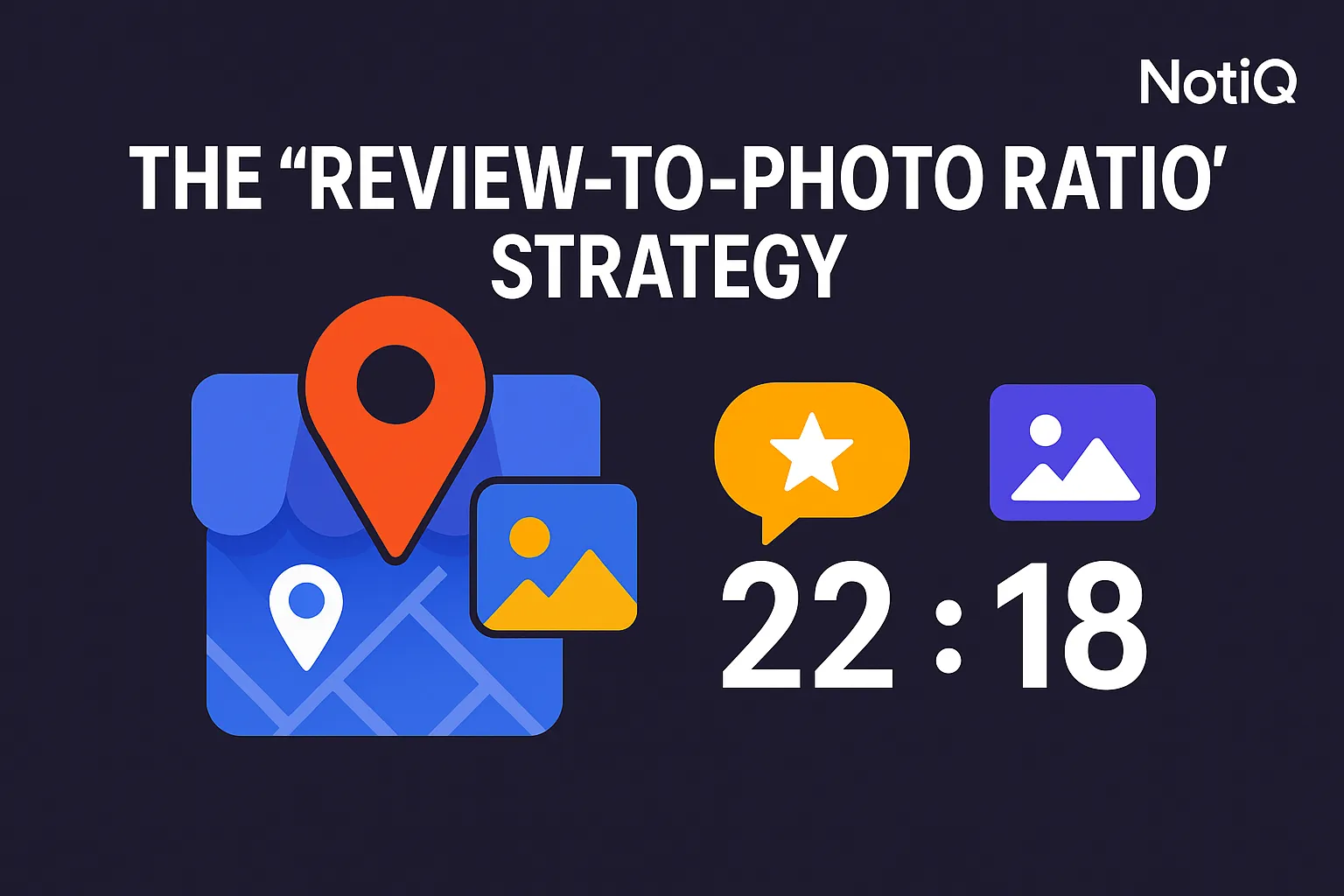
The “Review-to-Photo Ratio” Strategy for Detecting Business Engagement
Review count alone can miss real customer engagement. Learn how the review-to-photo ratio helps you benchmark Google Business Profile listings, spot under-engaged competitors, and uncover stronger local SEO insights.
1. Introduction
Most local SEO audits still overvalue review count, treating it as the ultimate metric of a location's success. However, a business with hundreds of reviews and almost no customer photos may not be generating the kind of real-world engagement that actually builds trust and local visibility. While reviews provide essential textual feedback, photos add the undeniable visual proof of visits, experiences, and authentic user-generated interaction.
Looking at both of these metrics together creates a far more useful benchmark than analyzing reviews alone. This article introduces the review to photo ratio—a practical framework for evaluating Google Business Profile engagement, comparing competitors, and spotting under-engaged listings. Designed for intermediate local SEOs, marketers, and competitive analysts, this guide will explore why reviews alone fall short, how to calculate this ratio, how to benchmark by category, the importance of layering in recency and owner responses, and how to act on your findings.
As a brand dedicated to applying AI-assisted analysis to public engagement signals,[NotiQ](/)uses this visual-versus-textual engagement lens to move beyond standard local SEO checklists. By evaluating these signals comprehensively, you can uncover exactly how customers are interacting with local businesses in the real world.
2. Why Reviews Alone Miss Real Engagement
Relying on the premise that review count alone is incomplete is the first step toward advanced local analysis. Review volume is undoubtedly useful, but it captures only one type of user contribution. Customer photos signal experiential quality, shareability, in-person interaction, and trust-building behavior on Maps.
When you contrast textual engagement with visual engagement, a clearer picture emerges. A listing with a high review count but weak photo activity might point to a low-shareability experience, a specific category effect, or simply an incomplete picture of customer satisfaction. Google Maps and Google Business Profile expose multiple public UGC engagement signals. Analyzing Google Maps reviews and photos together provides a more accurate reflection of real-world popularity.
What reviews measure well
Reviews function as a critical trust and sentiment signal, helping to demonstrate customer feedback volume and perceived satisfaction. They remain a cornerstone of local SEO engagement metrics and are essential for consumer decision-making. The goal of introducing a new framework is not to replace reviews but to contextualize them. Review counts work best for broad reputation analysis, baseline visibility checks, and understanding the general sentiment driving Google Business Profile engagement.
What photos reveal that reviews often miss
Customer photo uploads act as visual proof of real-world interactions, offering richer UGC engagement signals than text alone. Photos reveal whether customers felt compelled enough by their physical experience to document and share it publicly. Visually shareable businesses naturally generate stronger Google Maps photo uploads business activity. According to Google's own documentation on Google Maps reviews and photo updates, users are actively encouraged to contribute both text and visual media to help others navigate the real world.
Why the combination creates a better engagement signal
Comparing review volume against photo volume is far more insightful than analyzing either in isolation. The review to photo ratio serves as a lightweight diagnostic tool rather than a universal ranking factor. Unlike generic local SEO checklists that treat reviews and photos as separate checkboxes, this method combines them analytically to measure holistic local business engagement metrics. Evaluating these inputs together aligns with how Google views ecosystem health, as detailed in their insights on Google Maps contributed content protections, which emphasizes the importance of authentic, multi-format contributions to Google Business Profile engagement.
3. How to Calculate the Review-to-Photo Ratio
To effectively evaluate how to compare review volume against photo volume across competitors, you need a repeatable formula. The review to photo ratio is a straightforward heuristic: it compares the total number of reviews to the visible photo volume on a listing. It is a diagnostic lens, not a hard benchmark that applies equally across all industries. To get accurate insights from the review photo ratio maps data, always compare like with like—businesses in the same category, geography, and of similar maturity.
The basic formula
The calculation is simple: divide the total number of reviews by the total number of user-generated photos. If a business has 500 reviews and 100 photos, the ratio is 5:1. Interpreting this output is directional. A lower or more balanced ratio suggests strong visual participation, whereas a heavily skewed ratio suggests reviews are vastly outpacing photo contributions. There is no universally perfect answer to "what is a good review-to-photo ratio for a business on google maps." Instead, success is found in comparative benchmarking of review volume vs photo volume against direct competitors.
What data to collect from Google Maps
To build an accurate assessment of Google Maps business activity, you should collect specific public inputs: total review count, total photo count, review recency, photo recency (if visible), owner response rate, primary category, and overall listing completeness.
Be aware of one limitation: distinguishing between owner-uploaded media and customer-uploaded media can sometimes complicate interpretation. Focus primarily on customer contributions when assessing Google Maps reviews and photos. Conducting side-by-side listing teardowns makes this method tangible. For a deeper dive into transparent methodology and analysis frameworks, explore the NotiQ blog to understand how to safely and compliantly analyze Google Business Profile engagement.
How to read high, low, and balanced ratios
Different ratio patterns tell different stories about engagement signals:
• High reviews, low photos: This could indicate a transactional business, a highly incentivized review generation campaign, or an under-engaged google maps listing lacking visual appeal.
• Balanced reviews and photos: Often points to a highly experiential business with authentic, organic customer advocacy.
• Lower review volume but strong photo participation: Suggests a highly visual or "Instagrammable" location where customers prefer sharing images over writing text.
Interpretation heavily depends on the business type and customer intent. High reviews low photos google business profile patterns do not automatically indicate poor engagement if the industry doesn't naturally invite photography.
4. Benchmarking by Category and Competitor Set
You cannot benchmark google business profile by industry without understanding how category shapes customer behavior. Restaurants, salons, gyms, hotels, dentists, and home services naturally attract vastly different levels of photography. To avoid misleading conclusions, you must learn how should businesses benchmark review-to-photo ratio by industry by comparing businesses within the exact same category and geography first. This normalization is the key to actionable local SEO engagement metrics.
Experiential vs. transactional business types
Experiential businesses—such as restaurants, boutique hotels, gyms, and salons—are highly likely to generate visual sharing. Consequently, customer photo uploads google maps business activity will naturally be higher. Conversely, transactional or lower-visual-intent categories, like plumbers, accountants, or dentists, will naturally see lower photo participation. Recognizing this distinction prevents false positives when analyzing local business engagement metrics.
How to build a fair competitor set
When learning how to analyze google maps competitors, ensure your competitor set shares similar category labels, service models, and local demand conditions. Review competitors at the neighborhood or city level rather than comparing a local shop to a national chain in another state. Listing age and brand scale can heavily distort Google Business Profile engagement ratios if ignored, so group businesses of similar maturity.
Category-based interpretation examples
Applying the review to photo ratio requires category-specific nuance:
• Restaurants & Cafes: A balanced ratio is expected. Strong photo participation indicates great presentation. A lack of photos despite high reviews is a red flag.
• Salons & Spas: Highly visual. Customers frequently post before-and-after photos.
• Gyms: Moderate visual engagement, often featuring equipment or facility shots.
• Dentists & Medical: Low visual engagement is normal due to privacy. High reviews with almost no photos are standard here.
• Home Services (Plumbers/Roofers): Very low customer photo uploads. Photos are usually owner-generated to show completed work.
Recognized local SEO authorities like BrightLocal, Whitespark, and Sterling Sky frequently emphasize category-specific nuances in local search. While most traditional content treats photos and reviews as separate optimization tactics, combining them into a unified diagnostic model provides a sharper lens for evaluating Google Maps competitors and local SEO engagement indicators.
5. Combining Ratio with Recency and Owner Responses
A ratio alone can be misleading if a listing relies on old reviews, stale photos, or lacks owner interaction. To build a robust engagement framework, you must layer in temporal and behavioral signals. Recency and owner responses separate truly healthy engagement from surface-level vanity metrics. Think of this as building a multi-signal scorecard for how can review-to-photo ratio be combined with recency and owner response rate to accurately gauge Google Business Profile engagement and broader engagement signals.
Why recency changes the interpretation
A massive lifetime review count matters little if recent activity has flatlined. Current customer participation speaks volumes about active Google Maps business activity compared to historical volume. Scan for timing patterns, sudden bursts of reviews, or staleness when evaluating competitors. This is particularly crucial for identifying authentic local SEO review signals, as highlighted by recent FTC guidance on fake reviews and recency patterns, which warns against suspicious spikes in feedback.
Owner responses as a trust and activity layer
Owner responses indicate whether a business is actively managing its profile and valuing customer feedback. This behavior serves as a complementary signal to user-generated content. A listing might have a healthy ratio, but a lack of owner responses reveals operational gaps in customer service. Active owner responses heavily influence perceived Google Business Profile engagement and overall local SEO engagement metrics.
Listing completeness and signal stacking
Reviews, photos, recency, owner responses, and listing completeness are far more powerful when stacked together. Building a lightweight audit checklist from these signals helps uncover hidden winners and expose false leaders who rely solely on historical review volume. For complementary strategies on reputation management and review-response workflows, the Repliq blog offers valuable insights into maximizing Google Business Profile optimization and UGC engagement signals.
6. How to Spot Under-Engaged Listings and Act
The ultimate goal of this framework is to drive practical decisions for local SEO and optimization. By identifying an under-engaged google maps listing that appears strong on review count but weak on richer engagement signals, you can pinpoint exact areas for improvement. This shows how can review and photo counts indicate real customer engagement and provides a roadmap for improving Google Business Profile engagement.
Warning signs of under-engagement
Look for distinct warning signs: a high reviews low photos google business profile pattern (in an experiential category), stale recent activity, non-existent owner responses, or missing profile attributes. While these signals don't definitively prove a business is failing, they justify deeper investigation. Document these outliers in your competitor audit sheet to identify vulnerabilities in an under-engaged google maps listing.
Hidden winners your competitors may miss
Conversely, businesses with moderate review volume but exceptionally strong customer photo participation often possess better real-world engagement than their raw review totals suggest. These "hidden winners" are excellent inspiration targets. NotiQ’s unique visual versus textual engagement comparison makes it incredibly easy to spot these overlooked competitors, leveraging the review to photo ratio to highlight authentic UGC engagement signals and superior local business engagement metrics.
Actions businesses can take to improve visual engagement ethically
To improve customer photo uploads and overall Google Business Profile engagement, businesses must focus on real-world experiences. Create "Instagrammable" moments in-store, ensure pristine presentation of products, and use ethical post-visit prompts to encourage sharing. Businesses must strictly adhere to compliance; never incentivize fake reviews or photos. Always follow platform rules and consult the FTC consumer reviews rule guidance to ensure your methods for generating Google Maps photo uploads business activity are entirely legal and ethical.
7. Tools, Templates, and Workflow Ideas
To make this framework immediately actionable, you need structured assets. Whether you are conducting a manual audit or building an automated workflow, standardizing how to analyze google maps competitors ensures your local SEO engagement metrics remain consistent and reliable when tracking review photo ratio maps.
Manual audit template
Create a simple spreadsheet to track Google Maps competitors. Include the following columns:
• Business Name
• Primary Category
• Total Reviews
• Total Customer Photos
• Review-to-Photo Ratio
• Review Recency (e.g., reviews in last 30 days)
• Owner Response Rate (Yes/No/Partial)
• Notes (for category-specific caveats)
Using side-by-side screenshots of competitor listings alongside this template makes the review to photo ratio tangible for clients or internal stakeholders.
AI-assisted workflow opportunity
Manually counting photos across dozens of listings is tedious. AI can help summarize competitor sets, identify statistical outliers, and convert fragmented public signals into a repeatable analysis workflow. The true differentiator is not raw data collection, but the interpretation, verification, and structured comparison of that data. For teams looking to scale AI-assisted local SEO workflows and analyze Google Business Profile engagement at scale,[NotiQ](/)acts as the workflow orchestrator, turning complex public engagement signals into usable, compliant competitive insights.
8. Future Trends in Google Maps Engagement Analysis
The landscape of local search is shifting toward multi-signal analysis. Relying on a single metric is no longer sufficient. Reviews, photos, attributes, responses, and behavioral indicators must be interpreted together to understand true Google Business Profile engagement metrics, UGC engagement signals, and local SEO engagement indicators.
From vanity metrics to engagement frameworks
Local SEO is rapidly moving beyond simple review counts and star ratings. Marketers and analysts increasingly require observable, comparative alternative engagement scoring frameworks that can be repeated reliably across competitor sets. The review to photo ratio perfectly aligns with this shift, moving away from vanity metrics toward authentic, visual-first engagement analysis.
Where this framework fits next
Treat the review-to-photo ratio as a foundational metric. Expand upon it by integrating recency, completeness, and response behavior to measure total Google Maps business activity. As the industry evolves, expect to see more advanced scorecards, visual teardowns, and industry-specific benchmarks that redefine local SEO engagement metrics.
9. Conclusion
Review count alone is far too narrow to measure true Google Maps engagement. The review to photo ratio offers a smarter, more nuanced way to compare visual versus textual engagement, surfacing richer signals of authentic customer interaction. By calculating the ratio, normalizing the data by category and geography, and layering in recency and owner responses, you can easily identify under-engaged listings and hidden local opportunities.
Remember the most important caveat: there is no universal "good" ratio without proper industry context. Apply this framework to your own competitor set today to build a repeatable, highly accurate audit system. For more advanced methodologies on turning public engagement signals into actionable competitive insight, explore the NotiQ blog to master how to analyze google maps competitors and elevate your Google Business Profile engagement strategies.
Frequently Asked Questions
- What is a good review-to-photo ratio for a business on Google Maps?
- There is no single ideal number across all industries. What constitutes a "good" review to photo ratio depends entirely on benchmarking within the same category, geography, and business maturity level. What is a good review-to-photo ratio for a business on google maps in the restaurant industry will look vastly different than for a plumbing company.
- Do more customer photos always mean stronger business engagement?
- While more customer photo uploads generally indicate stronger visual engagement and UGC engagement signals, category norms matter heavily. Experiential businesses naturally earn more user-generated visuals than low-visual-intent, transactional services.
- How can review and photo counts indicate real customer engagement?
- Reviews provide textual contribution and sentiment, while photos provide visual proof and shareability. Combining them reveals a fuller picture. If you are wondering how can review and photo counts indicate real customer engagement, it is because analyzing Google Maps reviews and photos together proves that customers are not just talking about a business, but actively documenting their real-world visits.
- Can a high review count and low photo count be normal?
- Yes. A high reviews low photos google business profile pattern is completely normal for categories where customers have little reason or desire to take photos, such as medical clinics, accounting firms, or roofing contractors. Always benchmark google business profile by industry before assuming an imbalance is a red flag.
- What other signals should I use with the review-to-photo ratio?
- The ratio should be one part of a broader engagement scorecard. To fully understand engagement signals, you must look at how can review-to-photo ratio be combined with recency and owner response rate, alongside overall listing completeness and general business category context.
Continue Reading
More articles you might find useful
Google Maps Prospecting for Commercial Waste Management Companies
Learn how commercial waste haulers can use Google Maps to find, qualify, and prioritize better local accounts. This guide shows how to build denser routes and improve outreach with waste-stream and service-area insights.
Read the article →
How to Find Local Businesses With Broken Website Links
Learn how to find local businesses with broken website links using Google Maps, quick validation checks, and proof-based outreach. This guide shows agencies how to turn visible site issues into qualified leads.
Read the article →
Google Maps Lead Generation for Signage Companies
Learn how sign companies can use Google Maps to find local prospects, identify visible signage gaps, and build a repeatable outreach system. This guide shows how to turn visual research into qualified leads without relying on paid ads or generic lists.
Read the article →Popular industry lead playbooks
Maps search examples and niche outreach for the verticals teams prospect most.