Technology
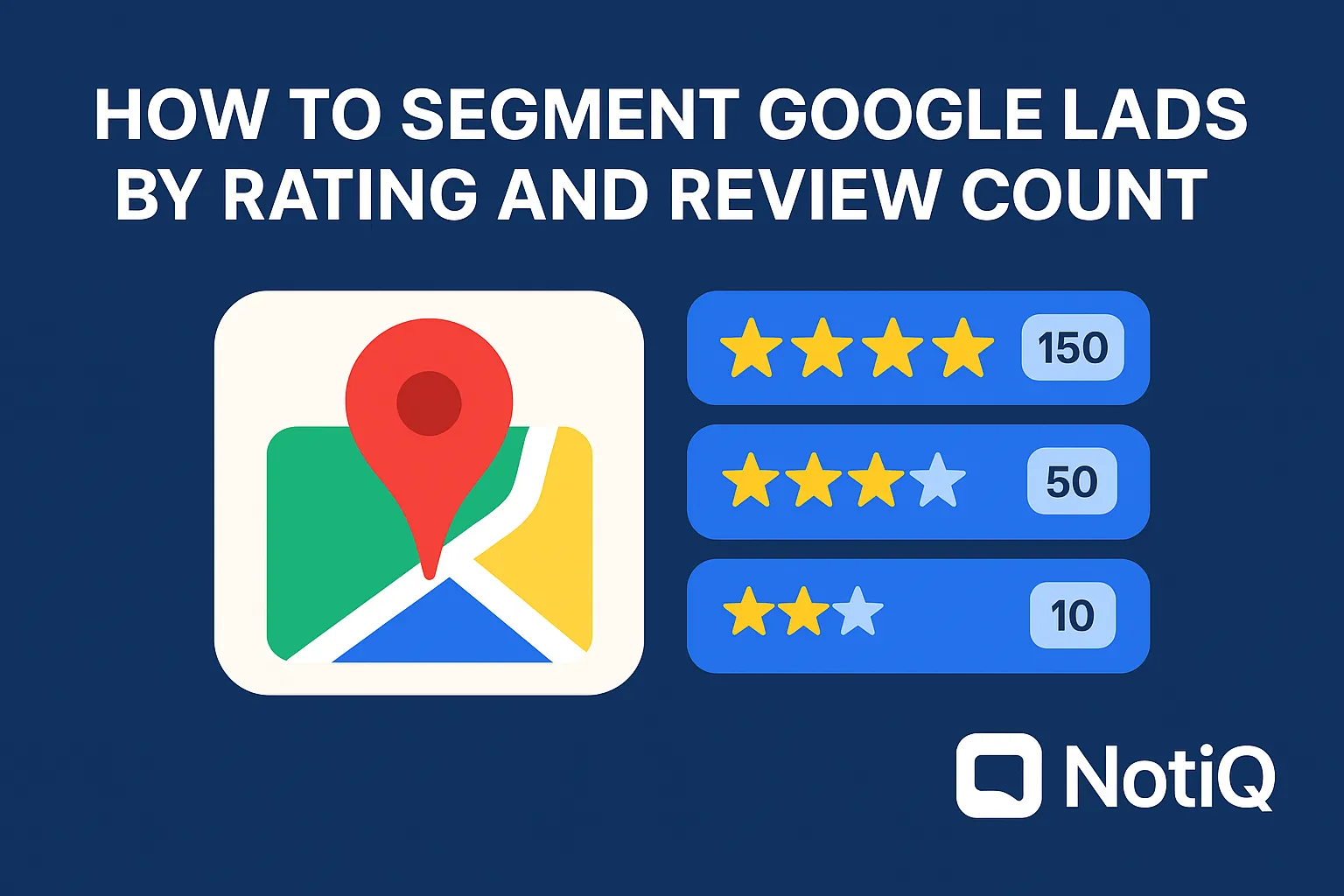
How to Segment Google Maps Leads by Rating and Review Count
Learn how to turn Google Maps ratings and review counts into a simple lead-scoring framework. This guide shows how to prioritize outreach, match segments to offers, and qualify local leads faster.
1. Introduction
Most teams can pull a long list of Google Maps leads, but far fewer know which listings are actually worth contacting first. Raw lead volume is rarely the problem for modern sales teams; poor qualification is. Without a system to filter data, outbound reps waste hours pitching the wrong services to the wrong businesses.
This article shows you how to turn star ratings and review counts into a practical lead-prioritization system. Designed for agency operators, local SEO teams, and outbound reps, this framework provides a repeatable way to sort large Google Business Profile lead lists compliantly and efficiently. We will cover how to build rating bands and review-count tiers, create a simple segmentation matrix, apply secondary filters, and account for industry-specific exceptions.
Unlike generic local SEO guides, this is a threshold-based qualification blueprint for prospecting. Drawing on NotiQ’s practical experience in turning Google Business Profile signals into service-fit segments, this framework helps agencies and sales teams prioritize outreach based on visible data. Once you master this framework, you can explore more operational prospecting and automation workflows to scale your outreach.
Understanding how to segment Google Maps leads by rating and review count is the definitive first step in modern maps lead qualification.
2. Why Rating and Review Count Matter for Lead Qualification
Rating and review count are the most visible Google Maps signals available, making them incredibly useful first-pass filters for local business prospecting. In short, a star rating reflects reputation quality, while the review count reflects reputation maturity.
Together, these metrics help sales teams answer three critical questions fast: Does this business need help? What kind of help do they need? How urgent is the opportunity? By establishing clear thresholds, teams can solve the most common prospecting pain points: drowning in too many leads, lacking clear qualification criteria, and wasting outreach on poor-fit prospects.
It is important to remember that rating and review count should be used as practical screening inputs, not the only qualification criteria. According to Google’s local ranking factors, review volume and positive ratings heavily influence local visibility. Furthermore, understanding how Google review scores work proves why average rating and total review count are reliable, visible signals for public data evaluation.
Many generic scraper-led workflows stop at merely exporting data, leaving teams with massive spreadsheets but no clear directive on who to pursue first. A major differentiation gap exists here: while many tools collect ratings and reviews, they fail to translate those metrics into actionable outreach tiers. This framework bridges that gap.
Rating tells you urgency; review count tells you maturity
There is a massive practical difference between a business with a 3.9 rating and 12 reviews versus one with a 4.6 rating and 12 reviews. Low ratings often suggest immediate service need and high urgency, but they can also indicate increased operational risk or a lower-quality client. Conversely, low review counts typically signal an under-optimized business. These profiles represent easier wins for review generation or GBP optimization services. Effective star rating filters and review volume analysis are the foundation of accurate local lead scoring.
Why these signals are better than reviewing every listing manually
When you have too many Google Maps leads to manually review, applying threshold filters saves countless hours. A segmentation matrix acts as a scalable first-pass filter for sales and local SEO teams, allowing them to identify high-opportunity Google Business Profile prospects instantly. The goal is not perfect scoring—it is better prioritization to make Google Maps prospecting efficient, compliant, and highly targeted.
3. Build a Simple Segmentation Matrix
To operationalize Google Maps lead segmentation, you need a two-axis model based on star-rating bands and review-count tiers. While thresholds can be adapted by industry, these baseline bands serve as highly practical defaults for intermediate and advanced teams.
The Two-Axis Model:
• Rating bands: Below 4.0, 4.0–4.4, 4.5+
• Review tiers: 0–19, 20–49, 50–199, 200+
By combining these axes, you can segment leads by star rating and review count leads to assign priority scores (High, Medium, Low, Caution) and match them to specific service offers.
Trust Note: These thresholds are starting points, not universal laws. Later sections will cover vertical and business-age exceptions.
Sidebar: How to use this in 5 minutes If you are an SDR sorting a compliant CSV lead list:Sort your spreadsheet by Review Count (Ascending).Filter for Ratings between 4.0 and 4.4.Highlight businesses with under 50 reviews. You just found your "High Priority" review-generation targets.
To integrate this qualification logic into a larger AI workflow or outbound operations process,[visit NotiQ](/)to see how automation can streamline this matrix.
Recommended rating bands
When executing rating based segmentation, it is vital to understand what each band signals about a business. These are business signals, not judgments:
• Below 4.0: Indicates reputation issues or higher service urgency, but carries a possible client-fit risk if the business has fundamental operational flaws.
• 4.0–4.4: Represents a vulnerable or improvable segment. These businesses are often highly receptive to consultative outreach.
• 4.5+: Shows a stronger reputation baseline. These leads often have lower urgency unless their review volume is notably weak.
Understanding how to segment Google Maps leads by star rating is the first step in accurate reputation management lead scoring.
Recommended review-count tiers
Review volume analysis reveals the maturity of a local presence. Here is what each tier generally signals:
• 0–19: Underdeveloped reputation.
• 20–49: Early traction.
• 50–199: Established presence.
• 200+: Reputation mature.
A higher review count can reduce the immediate service need for review-generation offers, even when visibility or conversion optimization may still matter. Knowing what review count indicates a strong local business lead depends heavily on the Google reviews benchmark by industry.
The four highest-value segment patterns to prioritize
When executing maps lead qualification, look for these specific combinations to drive local SEO prospecting by reviews and local lead scoring:
1. High rating + low reviews: Likely the easiest review-generation opportunity. The business provides good service but lacks visibility.
2. Mid rating + moderate reviews: A strong candidate for reputation improvement and GBP optimization.
3. Low rating + high reviews: An urgent reputation issue. Qualify carefully to ensure they are willing to fix internal operations.
4. High rating + high reviews: Often low urgency unless other signals (like poor website SEO) show missed opportunities.
A sample segmentation table to include
Use this matrix for Google Business Profile lead qualification to segment leads by star rating and review count leads effectively.
4. Match Each Segment to the Right Offer
Qualification becomes far more useful when tied directly to what you sell. You cannot use the same pitch for every reputation state. By mapping segments to common services—review generation, reputation repair, GBP optimization, local SEO, or monitoring—you align prospect qualification for local SEO directly with revenue logic.
According to Harvard research on ratings and revenue, a one-star increase in Yelp rating leads to a 5-9% increase in revenue. This proves that review reputation materially affects business outcomes. While competitor tools focus mainly on list building and rank tracking, this framework focuses on offer alignment. By leveraging compliant AI enrichment and verification, you can execute reputation management lead scoring and maps lead qualification with precision.
Best segment for review generation services
Businesses with decent ratings (4.0+) but low review volume (0-49) are often the cleanest opportunities. These review count leads already have customer satisfaction signals; their profile just lacks enough volume to compete. The best way to prioritize low-review Google Maps leads is to focus outreach on missed visibility and trust potential.
Messaging angle:“You already have strong sentiment—your Google Business Profile reviews just lack the volume to fully compete with the shop down the street.”
Best segment for reputation repair or review-response services
Businesses with lower ratings (Below 4.0) and meaningful review volume (50+) have visible reputation problems that actively affect trust. While this segment can be highly urgent, low-rated businesses may be poor-fit clients if their operational issues are severe. Look for signs that they respond to reviews or show intent to improve. When offering reputation management lead scoring and applying star rating filters, always adhere to OECD guidance on online reviews to ensure authenticity, ethical review handling, and responsible reputation strategies.
Best segment for GBP optimization or local SEO offers
Some businesses have acceptable reviews (4.2 rating, 80 reviews) but suffer from weak profile completeness, weak ranking position, or low response activity. Here, Google Business Profile lead qualification shifts the offer from “fix your reputation” to “capitalize on missed local visibility.” Local SEO prospecting by reviews starts the qualification process, even if the final offer is broader than reviews, perfectly aligning with Google Maps lead segmentation.
Segments to de-prioritize or handle cautiously
High-review businesses may not need local SEO help regarding review-generation. A profile with a 4.8 rating and 500 reviews requires a different offer entirely. Conversely, extremely low-rated profiles (e.g., 2.1 rating, 150 reviews) require careful vetting before outreach. Instead of forcing every account into active outreach, place these in a “nurture,” “monitor,” or “manual review” bucket to maintain healthy maps lead qualification and local lead scoring.
5. Add Secondary Filters for Better Prioritization
Rating and review count are powerful first-pass filters, but they are not sufficient for final prioritization. To refine your local lead scoring and Google Business Profile lead qualification, you must layer in secondary qualifiers. Responsible qualification uses multiple signals, not simplistic assumptions based on review volume analysis alone.
Review recency and review velocity
Twenty-five reviews gathered over the last 3 months mean something very different from 25 reviews accumulated over 5 years. Recent momentum indicates an engaged, active business, while stale reviews signal neglect or missed opportunity. Use review recency as a tie-breaker when multiple Google Business Profile reviews leads fall into the same segment, refining your overall local lead scoring.
Owner response behavior
Response activity reveals whether a business is reputation-aware. Profiles with active owner engagement are much better fits for consultative outreach than profiles with dozens of unanswered negative reviews. Owner responses act as a strong fit signal for Google Business Profile lead qualification and maps lead qualification.
Ranking position and visibility context
A business with low reviews but strong Map Pack visibility needs a different pitch than one with similar reviews but weak visibility. Review metrics become exponentially more useful when combined with ranking context. While tools like Local Falcon map rank tracking are helpful, rank alone is not enough without the service-fit segmentation provided by Google Maps lead segmentation and local SEO prospecting by reviews.
Profile completeness, category, and location quality
Incomplete profiles, weak category targeting, or poor geography fit can instantly elevate or downgrade a lead's outreach priority. A lead with 30 reviews and a 4.5 rating becomes a much hotter prospect if their profile is missing a website link or primary category optimization. These factors are critical for Google Business Profile lead qualification, prospect qualification for local SEO, and maps lead qualification.
6. Use Industry and Business-Age Exceptions
A strong segmentation system must account for category-specific review norms and the age of the business. The same review count means very different things for restaurants, dentists, lawyers, and home services. After making your broad first pass, set vertical-specific benchmarks to avoid overgeneralization. Understanding the Google reviews benchmark by industry and local business review thresholds ensures your review count leads are evaluated with real-world nuance.
Industry-specific review expectations
Restaurants and cafes accumulate reviews rapidly due to high daily foot traffic. Conversely, specialty healthcare practices or B2B lawyers acquire reviews slowly. Fifty reviews might be severely underdeveloped for a pizza shop but highly mature for a bankruptcy attorney. Always apply vertical bands to your review volume analysis to establish accurate local business review thresholds and a reliable Google reviews benchmark by industry.
New business vs. established business logic
A newly opened business with 7 reviews and a 5.0 rating should not automatically be treated as reputation-mature. Very early ratings are noisy and should be treated cautiously.Research on low-review rating bias justifies treating new businesses with few reviews differently. Create a separate “new or low-data profile” segment for these profiles when conducting rating based segmentation.
When low ratings are high urgency vs. poor fit
Low ratings signal a valuable reputation repair opportunity if the business is active, responsive, and willing to change. However, low-rated businesses may be poor-fit clients if the issues are chronic, operational, and ignored by management. The decision rule is simple: pursue low-rated leads when there is evidence of intent to improve; de-prioritize when neglect appears entrenched. This saves time in maps lead qualification and reputation management lead scoring.
7. Tools, Workflow Tips, and How to Operationalize the Framework
To move from concept to process, you must export compliant leads, normalize ratings and review counts, assign segments, and enrich with secondary filters. Whether you use a scorecard, spreadsheet template, or custom CRM fields, consistency across reps and campaigns is vital for effective local lead scoring, Google Maps prospecting, and Google Business Profile lead qualification.
Many competitor workflows focus purely on data extraction; this framework adds the critical decision logicafterthe compliant data pull. To see how to position an orchestration layer that turns lead data into segmented outreach workflows,[explore NotiQ](/).
Suggested fields for a lead scorecard
To standardize local lead scoring, maps lead qualification, and Google Maps lead segmentation, your CRM or spreadsheet should include:
• Business name
• Category
• Rating
• Review count
• Review recency
• Owner response status
• Ranking context
• Segment label
• Offer fit
• Outreach priority
How to turn segments into outreach messaging
A rep’s opening message should dynamically change based on the segment. Once leads are segmented, you can use tools to scale personalized communication (for advanced personalization techniques, read the Repliq blog).
• Strong ratings, low volume angle: Focus on visibility. "You have incredible feedback, but your review volume is holding back your map rankings."
• Visible reputation vulnerability angle: Focus on trust. "Your recent reviews are dragging down your average; we can help intercept negative feedback."
• Under-optimized but promising angle: Focus on quick wins. "Your profile is missing key categories that your competitors are capitalizing on."
This ensures prospect qualification for local SEO, reputation management lead scoring, and the best way to prioritize low-review Google Maps leads are tied directly to messaging.
Compliance and quality-control notes
Never over-claim based on review data alone, and always verify current profile conditions before initiating outreach. Responsible handling of publicly available review data is paramount. Transparent qualification practices protect your agency's reputation. Always adhere to OECD guidance on online reviews regarding authenticity, caution, and the transparent use of ratings and reviews in decision-making. Ensure all Google Business Profile lead qualification and maps lead qualification strictly follows Google's Terms of Service.
8. Future Trends in AI-Assisted Local Lead Scoring
Lead scoring is rapidly becoming more granular through AI enrichment, sentiment analysis, review recency tracking, and deep CRM integration. While ratings and review counts will remain the most useful first-layer inputs, forward-thinking teams are combining them with broader business context and workflow automation.
The biggest shift in the industry is moving from static lead lists to dynamic, AI-assisted local lead scoring systems. NotiQ continues to lead the space by operationalizing these qualification thresholds into repeatable, compliant workflows for agencies and sales teams, ensuring Google Business Profile lead qualification remains scalable and precise.
9. Conclusion
The fastest way to improve Google Maps prospecting is not to collect more leads, but to qualify them better. By utilizing this practical framework, you can transform raw data into a highly targeted outreach strategy:
• Use rating bands to measure reputation quality.
• Use review tiers to measure maturity.
• Combine both into outreach segments.
• Refine with recency, responses, rank, and profile context.
• Adjust for vertical and business age.
The key takeaway is that high-opportunity prospects are often not the lowest-rated businesses, but the ones with the clearest service-fit and easiest path to improvement. Apply this segmentation model to your next campaign to standardize qualification across your team.
Understanding How to Segment Google Maps Leads by Rating and Review Count is the ultimate differentiator in Google Maps lead segmentation and local lead scoring. With NotiQ’s practical, process-driven approach to turning local business data into actionable sales and SEO workflows, you can stop guessing and start closing.
Frequently Asked Questions
- How do you segment Google Maps leads by star rating?
- To properly execute how to segment Google Maps leads by star rating, use baseline rating bands: below 4.0, 4.0–4.4, and 4.5+. A rating below 4.0 signals reputation urgency but carries client-fit risk. A 4.0–4.4 rating suggests a vulnerable profile prime for consultative outreach. A 4.5+ rating indicates a strong baseline where urgency is low unless volume is also low. This rating based segmentation directs your outreach strategy.
- What review count indicates a strong local business lead?
- There is no universal number for what review count indicates a strong local business lead. Generally, 0–19 reviews signal an underdeveloped reputation, while 50+ suggests stronger maturity. However, you must always compare these review count leads with vertical norms (e.g., restaurants vs. dentists) and the age of the business.
- Should agencies target low-rated businesses or low-review businesses first?
- Agencies should generally target low-review businesses with decent ratings first. These are often the easiest wins for review generation and GBP improvement, making them the best way to prioritize low-review Google Maps leads. While low-rated businesses present urgent opportunities, low-rated businesses may be poor-fit clients if their internal operations are broken, requiring careful qualification.
- How do review count and rating affect outreach messaging?
- Messaging must adapt to the segment. For strong-rating/low-volume leads, focus on building visibility. For mid-rating/mid-volume leads, offer consultative GBP optimization. For low-rating/high-volume leads, pitch reputation repair cautiously. Tying data to offer fit is the core of maps lead qualification and reputation management lead scoring.
- What secondary filters improve Google Business Profile lead qualification?
- To improve Google Business Profile lead qualification and local lead scoring after the first pass, evaluate review recency, owner responses, profile completeness, ranking position, category, and location. These secondary filters reduce false positives, highlight active businesses, and ensure you are pitching the right service to a qualified prospect.
Continue Reading
More articles you might find useful
Google Maps Lead Generation for Window and Door Installers
Learn how window and door installers can use Google Maps to find, qualify, and prioritize better local prospects. This beginner-friendly guide shows a repeatable workflow for smarter local outreach.
Read the article →
How to Prioritize Businesses With Verified Google Profiles
A practical framework for ranking local leads beyond the verified badge. Learn how to prioritize Google Business Profiles using fit, freshness, completeness, and activity signals.
Read the article →
Google Maps Prospecting for Commercial Waste Management Companies
Learn how commercial waste haulers can use Google Maps to find, qualify, and prioritize better local accounts. This guide shows how to build denser routes and improve outreach with waste-stream and service-area insights.
Read the article →Popular industry lead playbooks
Maps search examples and niche outreach for the verticals teams prospect most.