Technology
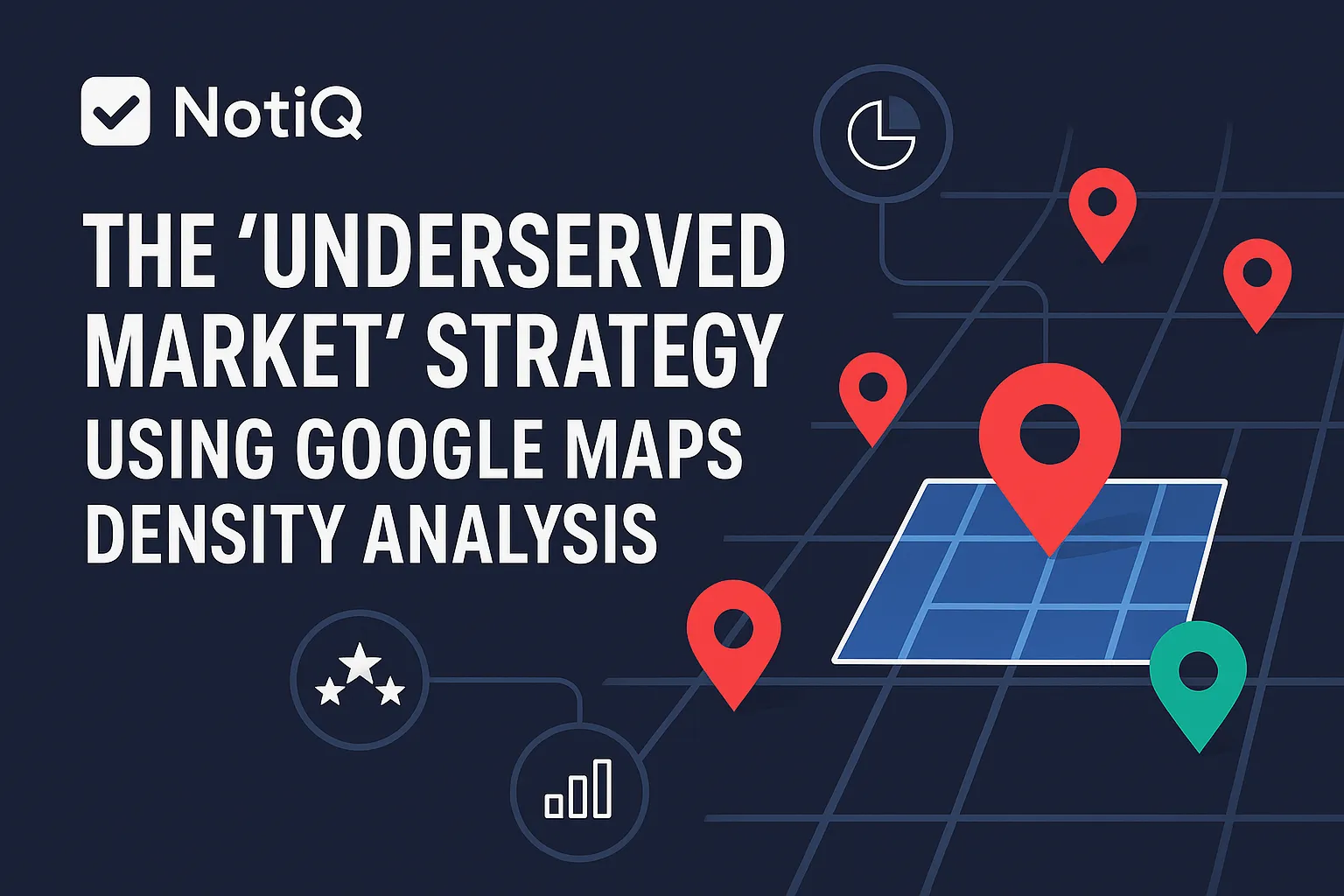
The “Underserved Market” Strategy Using Google Maps Density Analysis
Learn how to use Google Maps density analysis to uncover underserved markets, validate demand, and prioritize higher-converting outreach zones. This guide shows a repeatable framework for smarter lead generation.
1. Introduction
Most teams use Google Maps as a simple list-building tool, but the real advantage comes from reading map patterns as signals of market saturation, weak coverage, and geographic opportunity. Advanced agencies, SaaS teams, and growth operators often waste outreach in oversaturated territories or chase sparse areas that have no real demand.
This guide provides a repeatable way to separate true underserved markets from dead zones. We will cover how to build a density map from Google Maps results, layer in demand and review signals, score service areas, and convert those findings into qualified lead-generation campaigns. Skipping beginner local SEO definitions, we focus entirely on methodology, scoring logic, and execution tradeoffs. Google Maps is not just a source of leads; it is a sophisticated market-gap analysis system.
Mastering an underserved market strategy using Google Maps density analysis allows you to precisely target underserved niches lead gen with superior unit economics. Drawing on NotiQ’s experience analyzing geographic density gaps to identify opportunity zones and turn those insights into outbound-ready workflows, we recommend utilizing[Home](/)as the orchestration layer that can turn density analysis into repeatable prospecting workflows.
2. What Underserved Market Density Analysis Actually Measures
Density analysis measures business concentration by geography and category, not just whether businesses exist in a given city. This methodology is a strategic layer above raw Google Maps lead generation, evaluating four core variables: business density, review strength, category coverage, and demand proxies. By executing a proper local market gap analysis, you move beyond basic data extraction and begin performing true competitor density mapping to uncover service area saturation analysis insights.
The Difference Between Saturated, Underserved, and Low-Demand Markets
The biggest strategic mistake growth operators make is confusing a low-demand market with an underserved one. Understanding the difference is critical for effective territory planning:
• Saturated Markets: High competitor concentration coupled with strong incumbent signals (high review counts, optimized profiles).
• Underserved Markets: Low-to-moderate competitor density with evidence of viable demand and weak coverage quality. This is your target.
• Low-Demand Markets: Sparse map results without any supporting demand signals. These are dead zones.
Creating a market saturation map helps visualize these distinctions, guiding you toward high-value, low-competition service areas and enabling accurate service area opportunity analysis.
Why Raw Listing Counts Are Not Enough
Counting pins alone will mislead your territory decisions. A neighborhood with 15 weak, poorly reviewed listings often represents far more opportunity than a nearby neighborhood with only 5 highly entrenched, 5-star incumbents. Review counts, ratings, category fit, and local pack presence fundamentally change the interpretation of Google Business Profile density.
For example, if you compare two adjacent zip codes, raw counts might show equal density. However, review count and rating analysis might reveal that one zip code is dominated by trusted market leaders, while the other is filled with neglected profiles. Trust signals dictate market entry difficulty, which is why understanding the FTC guidance on consumer reviews is essential when evaluating the authenticity and entrenchment of local competitors during category coverage analysis.
How This Differs From Local Rank Tracking or Generic Scraping
Density analysis is fundamentally different from local SEO rank grids, lead extractors, and scraper-first workflows. Rank tracking measures visibility distribution for a specific keyword, while density mapping evaluates overall market structure and whitespace. Generic scraping simply gathers records; strategy determines whether those records represent a worthwhile market.
While tools like Local Falcon geo-grid analysis show where a specific business ranks, comprehensive Google Maps competitor analysis reveals wherenobusiness is adequately serving the population. This approach elevates standard Google Maps lead generation into a strategic growth function. For more insights on how to build intelligent, automated workflows around these concepts, visit Blog.
3. How to Build a Google Maps Competitor Density Map
Building a useful market-density view requires a repeatable framework: choosing your category, defining geography, setting radius logic, collecting results, normalizing findings, and visualizing clusters. Always ensure your data collection aligns with compliance standards, referencing Google Places API best practices for responsible usage. Using side-by-side comparisons of neighborhoods or adjacent cities will yield the most actionable market density maps and competitor density mapping insights, ultimately forming a reliable business density heatmap.
Step 1 — Define the Niche, Category, and Geography
Category selection directly dictates map output quality. Choose one core service category first, then validate adjacent categories separately to avoid diluting your data. Next, set your geographic units—whether that is a neighborhood, ZIP code, city, metro submarket, or specific service radius.
Urban and rural areas require vastly different radius assumptions. A three-mile radius in a dense city center might capture a saturated market, while the same radius in a rural setting might capture nothing. Properly defining these parameters ensures accurate Google Business Profile density readings, effective service area saturation analysis, and a precise local market gap analysis.
Step 2 — Collect Google Maps and Local Pack Results Consistently
Consistency is critical: you must use the same category terms, location framing, and radius logic across all evaluated territories. Collect the listing count, top visible businesses, review counts, ratings, category labels, and obvious service-area patterns. Remember that slight variations in search phrasing can materially change the result set.
Maintain a strict checklist for apples-to-apples comparisons across multiple territories to ensure your Google Maps competitor analysis drives reliable Google Maps lead generation and accurate Google Business Profile competitor mapping. Always adhere to responsible data use and attribution boundaries as outlined in the Google Places API policies.
Step 3 — Visualize Cluster Density Across Areas
Moving from a raw list of businesses to a map-based interpretation reveals geographic realities that spreadsheets hide. Utilize simple cluster mapping, heatmaps, or manually segmented neighborhood comparisons to interpret the data visually.
Look for concentrated commercial corridors, empty pockets, boundary effects, and category deserts. A visual business density heatmap instantly highlights where market density maps indicate saturation versus where geographic density analysis reveals lucrative whitespace.
Step 4 — Normalize for Urban vs. Rural Reality
"10 competitors in 3 miles" means something entirely different in downtown Chicago than it does in exurban Texas. Radius, travel behavior, and service-area norms must be adjusted by market type. Use relative comparisons within similar geographies rather than relying on universal thresholds.
When operators ask, "How many competitors in a radius indicates market saturation?", the answer is always relative to the geographic baseline. Adjusting for these realities ensures your service area opportunity analysis informs realistic territory planning.
Step 5 — Export a Working Dataset for Analysis
Your exported dataset must be campaign-ready, focusing on fields that matter most for scoring: business name, category, address/area, reviews, rating, and visible market notes. Keep the focus on analysis, prioritization, and enrichment rather than extraction mechanics alone.
This methodology contrasts sharply with typical manual scraper workflows that stop at raw data collection. By exporting an enriched, contextualized dataset, you transition from basic Google Maps lead generation into sophisticated competitor density mapping and local SEO prospecting. To see how enriched datasets connect to downstream personalization, explore Guides.
4. How to Validate True Opportunity With Demand and Review Signals
Sparse competition does not automatically equal real demand. You must layer external and adjacent signals onto your map density findings before prioritizing a market. Underserved opportunities exist specifically where supply is weak relative to plausible local demand. Strong validation creates better lead quality, smarter outreach positioning, and more accurate opportunity zone mapping.
Add Demand Proxies Before Declaring a Market Underserved
Never invent demand where there is no market signal. Incorporate demand proxies such as population density, business presence, local commercial activity, or service-intent indicators. Compare a sparse area with another similarly sized, demographically similar area to test whether the weak density is abnormal.
Your guiding framework should be: low density + viable demand = promising opportunity. Cross-reference your geographic lead generation strategy findings with authoritative validation sources like County and ZIP business patterns data to confirm local business presence as a reliable demand proxy during your local market gap analysis and service area opportunity analysis.
Use Review Strength to Judge Competitive Entrenchment
Review volume and average rating distinguish weakly served markets from those dominated by trusted incumbents. A low listing count combined with very strong reviews may still indicate a market that is exceptionally hard to enter.
Evaluate review distribution, not just the average star rating. A market with a few 4.8-star incumbents with hundreds of reviews is highly entrenched. Conversely, be cautious of suspicious or low-trust review patterns. Applying review count and rating analysis helps decode Google Business Profile density and target underserved niches lead gen accurately. Always cross-reference suspicious review environments with the FTC guidance on consumer reviews.
Check Category Coverage and Service Fit
Some markets are not underserved overall—they are underserved for a specific specialization, premium service, or B2B niche. Missing category depth is often a stronger signal of opportunity than a low total business count.
Look for thin coverage in subcategories. For example, a city might have plenty of general IT consultants but zero specialized cybersecurity compliance firms. Leveraging category coverage analysis sharpens your underserved market strategy using Google Maps density analysis and refines your competitor density mapping.
Compare Adjacent Territories to Spot Real Anomalies
Evaluating one area in isolation often leads to false positives. Side-by-side city, neighborhood, or ZIP comparisons control for regional demand patterns.
If one district looks sparse, analyzing adjacent districts reveals whether it is genuinely undercovered or simply an inactive, non-commercial zone. This comparative local market gap analysis builds analytical confidence, ensuring your market density maps drive highly accurate territory planning.
5. How to Score and Prioritize Service Areas for Outreach
Turning raw analysis into a repeatable decision framework requires an opportunity scorecard that ranks markets using weighted variables rather than gut instinct. Scoring bridges the gap between map analysis and actual territory planning. Adding rigor to your service area saturation analysis and opportunity zone mapping ensures you deploy resources efficiently. For a deeper understanding of relative concentration, reference the BLS location quotient methodology.
Build a 4-Factor Opportunity Scorecard
Structure your scorecard around four weighted inputs: density, review strength, category coverage, and demand proxies. Score each factor on a 1–5 or 1–10 scale.
Lower competitor density does not automatically earn a high score unless viable demand and category fit are also present. An objective opportunity scorecard prevents emotional decision-making, grounding your service area opportunity analysis and competitor density mapping in quantifiable data.
Sample Scoring Criteria for Urban, Suburban, and Rural Markets
Scoring thresholds must vary by geography type; rigid universal benchmarks will fail. Provide comparative guidance based on the environment. Urban markets may tolerate higher raw density due to massive population concentration, while rural markets require larger service radii and different baseline expectations.
When answering "How do you find low-competition service areas on Google Maps?", the criteria must adjust to the landscape. Nuanced scoring ensures your service area saturation analysis and geographic density analysis remain accurate regardless of the region.
Red Flags That Should Lower a Market’s Score
Certain warning signs should immediately lower a market's score to prevent wasted outreach. Red flags include low density paired with weak demand signals, exceptionally high incumbent review strength, category mismatches, or difficult service logistics (like natural geographic barriers).
False positives frequently stem from incomplete category searches or poor geographic normalization. Maintain a strict "do not pursue yet" checklist to filter out low-competition service areas that are actually dead zones, protecting the integrity of your market saturation map and local SEO gap analysis.
Prioritize Markets by Campaign Objective
The "best" territory depends entirely on your campaign objective: do you want fast wins, long-term SEO expansion, niche domination, or highly targeted account-based outreach?
Align your scoring with your campaign economics and service delivery model. Segment markets into strategic tiers: immediate action, test, monitor, and deprioritize. This disciplined territory planning ensures your underserved niches lead gen and Google Maps lead generation efforts yield maximum ROI.
6. How to Turn Density Gaps Into Repeatable Lead-Gen Campaigns
Translating market analysis into targeting, list-building, positioning, and outreach workflows is where the strategy pays off. Density findings improve not just whom you contact, but exactly what you say to them. This method scales across niches and regions, elevating basic Google Maps lead generation into a comprehensive geographic lead generation strategy that targets underserved niches lead gen.
Build Smarter Prospect Lists From High-Opportunity Zones
Move from scored territories to precise prospect selection by filtering for businesses that reflect weak incumbent quality, obvious category gaps, or expansion-fit profiles. In this workflow, geography acts as a strict qualification layer, not just a static location field.
This highly targeted approach stands in stark contrast to generic bulk exports that ignore local market context. To seamlessly connect mapped opportunity zones to qualified outbound workflows, utilize[Home](/)as your orchestration system for Google Maps lead generation, competitor density mapping, and local SEO prospecting.
Use Density Findings to Improve Outreach Messaging
Local market-gap insights create vastly stronger outreach hooks than generic "we help businesses grow" templates. Tailor your messaging angles around weak local coverage, underrepresented categories, low-review incumbents, or uneven neighborhood service distribution.
If you are pitching a local service operator, framing your message around a verified geographic gap in their immediate adjacent zip code drastically improves conversion rates. Connecting underserved niches lead gen insights to your geographic lead generation strategy maximizes the impact of your service area opportunity analysis.
Turn the Method Into a Repeatable Campaign Playbook
Outline a repeatable operational sequence: choose the niche, map the density, validate demand, score areas, build the targeted list, launch customized outreach, and measure the response.
This repeatable sequence creates massive leverage across multiple cities or categories for agencies and internal growth teams. Implementing AI enrichment and workflow orchestration improves speed, consistency, and compliance, turning visual lead generation workflows into a scalable engine for Google Maps lead generation and territory planning.
Where This Strategy Fits Better Than Traditional Keyword Research Alone
Traditional local keyword data shows search demand patterns, but it completely fails to show neighborhood-level supply coverage or physical service gaps. Density analysis complements local SEO by revealing the physical market structure.
While keyword research might show high search volume for a city, density analysis reveals exactly which zip codes within that city have zero providers. This makes local SEO gap analysis, local market gap analysis, and service area saturation analysis infinitely more actionable.
Compliance, Accuracy, and Operational Guardrails
Methodology quality depends entirely on consistent collection, accurate categorization, and strictly compliant use of data. You must operate within policy limits, respecting data usage caps and responsible handling of place data.
Always verify your assumptions before acting on high-stakes territory decisions. To ensure your Google Maps competitor analysis remains ethical and compliant for place data, strictly adhere to both Google Places API best practices and Google Places API policies.
7. Practical Toolkit: What to Include in Your Density Analysis Stack
To operationalize this strategy immediately, assemble a standardized toolkit. This stack should remain strategic and operational, prioritizing decision frameworks over tool-brand loyalty to successfully execute market density maps, opportunity zone mapping, and service area opportunity analysis.
Recommended Worksheet or Template Elements
Ensure your internal documentation includes the following:
• Territory name and geography type (Urban/Suburban/Rural)
• Primary category and adjacent categories
• Competitor count by defined radius/grid
• Review count and rating summary
• Category coverage gaps
• Demand proxy notes (Population, business counts)
• Final opportunity scorecard rating and recommended campaign action
• Keywords: opportunity scorecard, competitor density mapping, territory planning.
8. Conclusion
The most effective Google Maps lead-gen strategy is not extracting more listings; it is identifying where market structure creates real commercial whitespace. By mapping density, validating demand, assessing review strength, and scoring opportunities, you can launch highly targeted, high-converting campaigns. Google Maps must be treated as a strategic market analysis system rather than a static prospect database.
Operationalize this framework across multiple cities and niches to dominate outbound territory expansion. By executing an underserved market strategy using Google Maps density analysis, you secure a massive advantage in Google Maps lead generation and underserved niches lead gen. NotiQ’s methodology-first approach to geographic density gap analysis ensures you are targeting true opportunity zones. Learn how to operationalize this strategy at[Home](/), and continue reading related strategic content at Blog.
Frequently Asked Questions
- How do you identify underserved markets using Google Maps?
- Identify underserved markets by mapping category density, comparing adjacent geographies, validating demand proxies, and scoring the opportunity based on incumbent weakness. Low competition alone is not enough; true underserved markets require a proven gap between viable local demand and adequate, well-reviewed supply.
- What is a market density map for lead generation?
- A market density map is a visual or structured view of competitor concentration across a target geography used to locate weakly served zones. By highlighting business density heatmaps, growth teams can prioritize outreach to businesses positioned to fill those geographic gaps, drastically improving lead quality.
- How do you find low-competition service areas on Google Maps without chasing low-demand zones?
- To find low-competition service areas without hitting dead zones, you must layer demand proxies (like census data or adjacent business counts), analyze category fit, and conduct review analysis. Comparing the target area with adjacent, similarly populated markets acts as a practical validation step to confirm demand exists.
- How many competitors in a radius indicates market saturation?
- There is no universal threshold for market saturation. Saturation depends entirely on the geography type (urban vs. rural), the typical service radius of the niche, incumbent review strength, and local demand context. A rigorous service area saturation analysis evaluates these relative factors rather than relying on an arbitrary number.
- What tools help map competitor density for local SEO and sales prospecting?
- The best approach utilizes a combination of Google Maps data collection, mapping visualization software, custom opportunity scoring sheets, and workflow orchestration platforms. This stack differentiates strategic Google Maps competitor analysis and density mapping from basic, context-blind scraping or pure rank tracking.
Continue Reading
More articles you might find useful
Google Maps Prospecting for Commercial Landscaping Companies
Learn how commercial landscaping companies can use Google Maps to find higher-fit commercial property leads, qualify visible need, and build denser service routes. This guide breaks down a practical workflow for smarter prospecting and better contract opportunities.
Read the article →
How to Find Businesses With Weak Google Maps Descriptions
Learn how to find businesses with weak Google Maps descriptions and turn visible GBP gaps into qualified local SEO leads. This guide covers audit criteria, scoring, and outreach angles you can use at scale.
Read the article →
Google Maps Lead Generation for Pest Control Companies
A beginner-friendly playbook for turning Google Maps visibility into more pest control leads. Learn how to improve rankings, build reviews, and convert local searches into booked jobs.
Read the article →Popular industry lead playbooks
Maps search examples and niche outreach for the verticals teams prospect most.