Technology
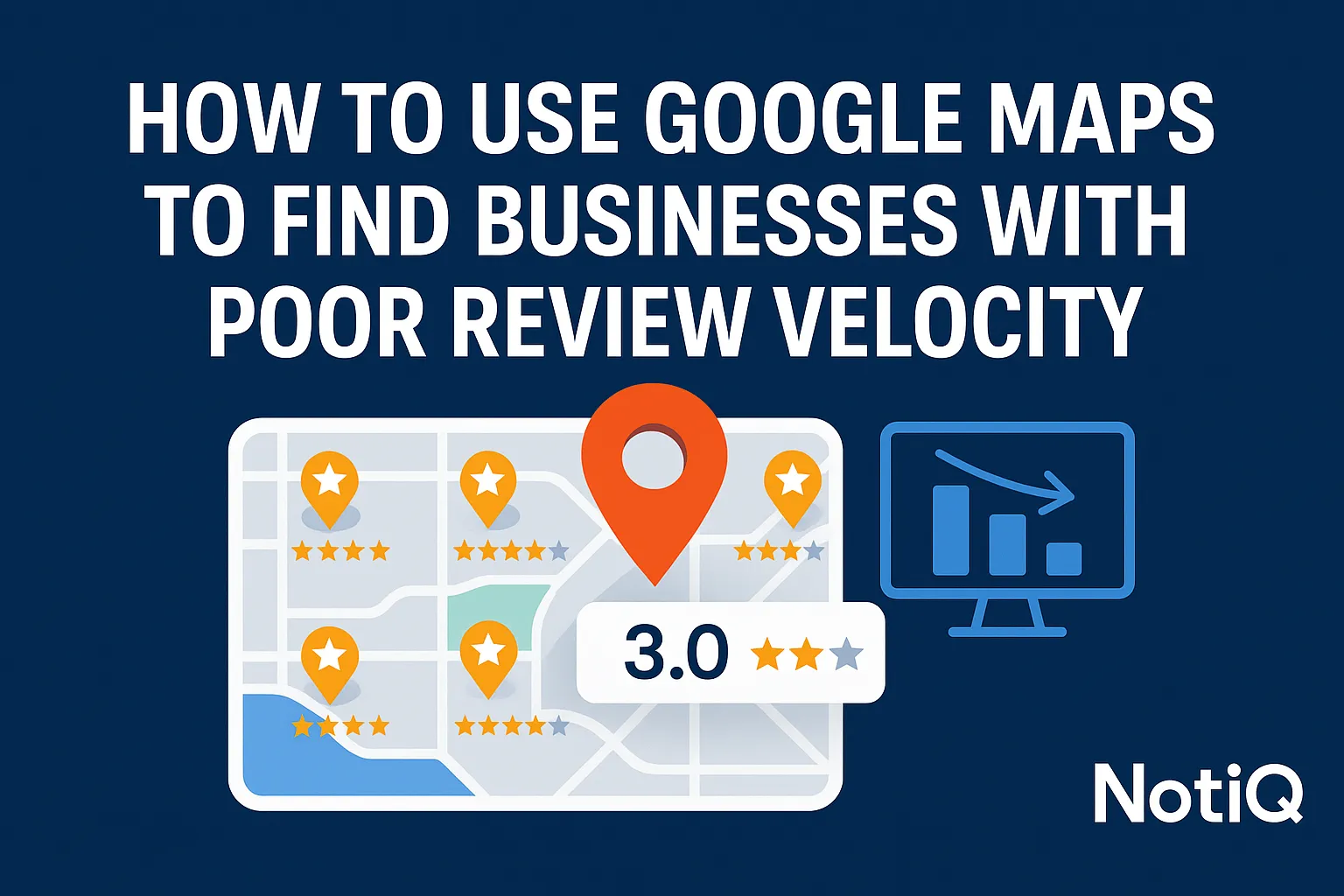
How to Use Google Maps to Find Businesses With Poor Review Velocity
Learn how to spot businesses on Google Maps with poor review velocity using public signals, competitor benchmarks, and a simple audit workflow. Ideal for agencies and local SEO teams looking for better outreach targets.
1. Introduction
Many local businesses look incredibly active on Google Maps at first glance, boasting hundreds of reviews and high star ratings. However, a closer look often reveals a quiet, underlying problem: their review growth has completely stalled. Finding google maps businesses poor review velocity is one of the most effective, yet underutilized, strategies for local business outreach.
Poor review velocity signals weak customer follow-up, declining reputation momentum, and a slow bleed of local SEO visibility. For agencies, local SEO operators, and growth teams, this stagnation presents a massive opportunity. Instead of pitching generic local SEO services, you can point to a specific, observable gap between a business and its competitors.
This guide provides a practical, repeatable workflow for spotting stagnant Google Business Profiles, benchmarking them against nearby competitors, and turning those insights into highly targeted outreach campaigns. Rather than relying on heavy, expensive software from day one, this process focuses on detecting stagnation using observable public signals. NotiQ serves as an essential intelligence and workflow layer in this ecosystem, helping you identify review stagnation without relying on assumptions.
[Home](/);Blog;Personalized Lines]
2. What Poor Review Velocity Looks Like on Google Maps
Review velocity is best defined by the frequency and recency of new reviews over time, not just the total review count or the average star rating. A stagnant review profile might look impressive on the surface but lacks fresh customer feedback.
Relying on star ratings alone is an incomplete strategy. A business holding a 4.8-star rating with no recent reviews in the past six months is often a much stronger outreach target than a 4.2-star business that maintains a healthy, consistent monthly review flow. The visible signs of business review stagnation on Maps are clear if you know what to look for:
• Old most-recent review dates (e.g., nothing in the last 60 to 90 days).
• Low recent review frequency compared to historical data.
• A massive total review count but virtually no recent activity.
• A glaring gap in freshness when compared to nearby competitors.
To distinguish true stagnation from normal month-to-month fluctuations, you must establish a baseline through repeat checks and competitor-relative analysis.
Why Poor Review Velocity Matters for Local SEO and Outreach
Review recency and consistency are directly connected to customer trust, perceived business activity, and local visibility. According to Google’s local ranking factors for Business Profiles, relevance, distance, and prominence dictate local search rankings. Prominence is heavily influenced by review count and positive ratings, but a lack of fresh reviews can signal to search engines that a business is losing its local authority.
Weak momentum is a far better outreach trigger than a low star rating. It is significantly easier to personalize an outreach message around a fixable growth gap—like implementing a better post-service follow-up system—than it is to address a severe reputation crisis. Poor review velocity acts as an early warning sign for businesses that still rank well but are quietly losing ground.
Common Patterns That Signal Weak Review Momentum
When analyzing google business profile reviews, specific patterns emerge that clearly identify under-reviewed businesses and slow review growth businesses.
• The Aging Profile: A dental practice with 300 reviews, but the last review is seven months old.
• The Burst Pattern: A med spa where reviews arrive in sudden, suspicious bursts of 10 or 15, followed by months of total silence, indicating they run periodic campaigns rather than having a consistent system.
• The Competitor Gap: A roofing company that gets one review a month, while three competitors within a five-mile radius are pulling in five to ten fresh reviews weekly.
• The Fading Giant: A restaurant with massive historical volume but a noticeable drop-off in current activity, suggesting a change in management or a broken customer feedback loop.
3. A Manual Workflow to Spot Stagnant Google Business Profiles
You do not need complex tools to start google maps prospecting. A manual, step-by-step workflow allows you to spot stagnant Google Business Profiles directly in the search results. The goal is to build a lightweight, repeatable scorecard that relies entirely on public, observable data.
Step 1 — Choose the Right Categories and Markets
Start your google maps lead generation by focusing on categories where reviews heavily influence trust and buyer comparison is common. Home services (plumbers, roofers, HVAC), medical aesthetics (med spas, plastic surgeons), and high-ticket professional services (lawyers, accountants) are ideal targets.
Narrow your focus by geography and business type to avoid noisy, irrelevant datasets. Prioritize mid-sized cities or specific metropolitan suburbs where multiple competitors appear in the map pack. This makes comparison easier and highlights local businesses with poor reputation growth.
Step 2 — Review the Visible Signals on Each Listing
Open the listings and inspect the visible signals on each Business Profile. Look closely at:
• Total review count.
• Average star rating.
• The age of the latest reviews.
• The consistency of review dates (e.g., steady weekly reviews vs. sporadic monthly reviews).
• Signs of recent customer engagement, such as owner responses to reviews.
These signals must be evaluated together. Review recency and review frequency analysis provide a much clearer picture of a business's health than looking at the total review count in isolation.
Step 3 — Build a Simple Review Velocity Scorecard
To track review velocity effectively, build a simple spreadsheet to log your findings. Include columns for:
• Business name
• Category
• City
• Total reviews
• Most recent review date
• Estimated number of reviews in the last 30/60/90 days
• Competitor comparison notes
• Outreach angle
Estimate the cadence manually by scrolling through the visible review dates. Apply simple labels to each business, such asHealthy,Slowing,Stagnant, orNeeds Recheck. This methodology is intentionally conservative, grounded entirely in public data, which ensures your outreach is trustworthy and accurate.
Step 4 — Confirm It’s Not Just a Seasonal Dip
A single snapshot can be misleading, particularly in highly seasonal industries like landscaping or pool maintenance. To confirm true business review stagnation, check nearby competitors in the exact same niche. If the competitors are generating fresh reviews during the same month, the stagnation is structural, not seasonal.
Schedule a second time window for a follow-up check, and verify if the business is otherwise visibly active (e.g., recent Google Posts or updated hours).
Step 5 — Turn Manual Research Into an Outreach List
Move from raw observations to a prioritized target list by filtering for businesses that have decent baseline visibility, clear recent review gaps, strong competitor pressure, and a believable improvement opportunity. This targeted, signal-based approach is far more effective than generic, scraper-first local business outreach. Quality always beats list size.
[Home](/);Blog;Personalized Lines]
4. How to Benchmark Review Momentum Against Nearby Competitors
Evaluating a business in a vacuum rarely tells the whole story. Competitor-relative benchmarks are vastly more useful than one-size-fits-all thresholds. The same review count means entirely different things depending on the niche, city, and local demand environment. Benchmarking reveals the true outreach opportunity.
Compare Recency, Count, Rating, and Visible Momentum
Build a simple benchmarking model around total reviews, average rating, most recent review date, and the visible frequency of recent reviews. Recency and consistency often reveal more about google business profile review growth than total counts. For example, a newer HVAC company with 40 total reviews but a steady stream of two reviews per week has stronger momentum—and better local SEO signals—than a twenty-year-old competitor with 300 reviews but nothing in the past year.
Look for Competitive Gaps That Create Outreach Angles
Actionable competitive gaps provide the perfect foundation for outreach. Look for scenarios where:
• A business ranks well but significantly lags in fresh reviews.
• A business has strong ratings but dangerously low recent volume.
• Nearby competitors are visibly winning trust faster.
• Review activity has clearly slowed over time compared to local peers.
Tie each of these gaps directly to a specific outreach angle. Instead of simply diagnosing stagnant review profiles, offer a solution to the local businesses poor reputation growth.
Avoid Bad Comparisons
Not all comparisons are valid. As highlighted in the SBA guide to competitive analysis, evaluating businesses fairly requires looking at direct competitors. Avoid comparing businesses with different service models, vastly different maturity levels, or those operating in different market sizes. Always compare similar businesses within the exact same geography and category to ensure your review frequency analysis is accurate.
5. How to Qualify and Segment Outreach-Ready Businesses
Not every stagnant profile is a good target. Qualification and segmentation are critical for improving deliverability and message relevance. Filtering out the noise ensures your local business outreach efforts are spent on prospects who actually need, and can afford, your help.
Build a Qualification Rubric
Create a rubric to filter under-reviewed businesses. Use criteria such as:
• Industry and category fit.
• City or service area relevance.
• Current visibility on Google Maps.
• The severity of their review stagnation.
• The size of the competitor gap.
• The likelihood that the business owner cares about reputation growth.
Score prospects by urgency and fit. A business that is actively losing its map pack ranking due to local businesses poor reputation growth is a much hotter prospect than one that is completely invisible.
Segment by Pain Point, Not Just Category
Go beyond simple category segmentation. Group your outreach lists by the specific pain points you observed:
• High rating, but low recent volume.
• Strong historical presence, but outdated social proof.
• A competitor review gap that is visibly widening.
• Burst-driven reviews that indicate a lack of a consistent system.
Segmenting by business review stagnation pain points allows you to craft highly relevant messages, drastically outperforming generic "you need more reviews" templates.
Personalize Outreach Using What You Observed
Your outreach should leverage the exact data you found. Use message angles tied to your findings:
• “I noticed you rank well in [City], but your recent review activity has slowed down compared to [Competitor A] and [Competitor B].”
• “Your profile has incredible historic reviews, but the freshness seems to have dropped off since [Month].”
• “It looks like there might be a simple follow-up gap affecting your review momentum right now.”
Be specific without sounding intrusive. This personalized outreach stands in stark contrast to the generic cold outreach templates that flood business owners' inboxes daily.
[Home](/);Blog;Personalized Lines]
Ethical and Compliance Considerations
This workflow is strictly about identifying opportunities through public data. It is critical to ensure all outreach aligns with FTC guidance on reviews and testimonials. Never encourage fake, gated, or misleading review practices. Do not advise tactics that violate platform policies or consumer protection rules. Your outreach must focus on implementing legitimate customer follow-up systems and better review capture workflows, not review manipulation.
6. When to Use Tracking and Monitoring Instead of One-Off Checks
Manual, one-off research is perfect for small batches and validation. However, as your agency scales, monitoring becomes essential. Ongoing tracking helps you confirm stagnation, catch new opportunities early, and avoid false positives caused by temporary dips in google business profile performance.
Signs You’ve Outgrown Manual Checks
You have outgrown manual spreadsheets when you start:
• Prospecting across dozens of cities simultaneously.
• Needing regular updates on prospect status.
• Tracking competitor changes over long periods.
• Wanting faster lead qualification to feed a growing sales team.
The opportunity cost of running manual review velocity tracking becomes too high when volume increases.
What Ongoing Monitoring Should Track
When transitioning to ongoing monitoring, track the new review frequency, latest review dates, and competitor momentum changes. Segment this data by category and geography. Keep a close eye on priority accounts that are showing a visible decline in review frequency analysis.
For technical environments, leveraging the Google Business Profile review data API can support programmatic retrieval, while Google Business Profile performance tracking guidelines help frame trend analysis over time. Connect this monitoring directly to alert-based prospecting workflows.
Manual Workflow vs. Monitoring Workflow
A manual workflow is low-cost, excellent for initial validation, but inherently slower. A monitoring workflow is scalable, enables faster triage, and is far superior for recurring prospecting.
NotiQ positions itself as a practical intelligence layer, bridging the gap between manual checks and heavy SEO platforms. It focuses on detecting stagnation, enriching the data, verifying the signals, and operationalizing follow-up, ensuring you can scale your local business outreach without losing personalization.
7. Tools, Templates, and Practical Resources
Before committing to expensive local SEO software, use these lightweight resources to systematize your google maps prospecting.
Suggested Spreadsheet Columns
Keep your review velocity tracking operational. Your spreadsheet should include:
• Target Business Name & URL
• Primary Category & Location
• Total Reviews & Average Rating
• Date of Last 3 Reviews
• Estimated 30-Day Velocity
• Top Competitor Name & Velocity
• Notes/Observations (e.g., "Burst of 5 reviews in Jan, nothing since")
• Specific Outreach Hook
A Simple Prioritization Checklist
Run every prospect through this checklist before outreach:
• Is the profile visible enough to matter?
• Is review recency clearly weak (no reviews in 30+ days)?
• Are competitors visibly more active?
• Is the business category a good fit for our services?
• Is there a clear, non-confrontational outreach story?
8. Conclusion
Google Maps is an incredibly powerful, lightweight prospecting engine when you look beyond surface-level star ratings. By focusing on review velocity, recency, and competitive gaps, you can identify businesses that are quietly losing their local SEO momentum.
The workflow is straightforward: spot the stagnation, benchmark against nearby competitors, qualify the right businesses, personalize your outreach based on observable public data, and transition to automated monitoring when scale requires it. This is not just local SEO theory; it is a highly practical outbound qualification method built entirely from public signals.
To systematize your review stagnation detection and turn these insights into seamless outreach workflows, explore how NotiQ operates as the intelligence layer your agency needs.
[Home](/);Blog;Personalized Lines]
Frequently Asked Questions
- What is review velocity for a Google Business Profile?
- Review velocity is the pace and consistency at which a business earns new Google reviews over time. It is best assessed by analyzing review recency and the frequency of new feedback, rather than just looking at the total number of reviews a profile has accumulated.
- How do you find businesses with slow review growth on Google Maps?
- To find google maps businesses poor review velocity, search by your target category and city. Inspect the listings, focusing on recent review dates. Log the review counts and their visible cadence, then compare those numbers against nearby, active competitors to spot slow review growth businesses.
- How often should you check review data before calling a profile stagnant?
- While one snapshot is useful for initial screening, repeat checks over a 30 to 60-day period improve confidence—especially in seasonal industries. Comparing the profile against active local competitors is the best way to validate true business review stagnation.
- Is poor review velocity a better outreach trigger than a low star rating?
- Yes. Low review momentum provides a clearer, less confrontational outreach angle than criticizing a poor rating. It indicates a solvable process gap—like a missing follow-up system—rather than a deeper, systemic customer service issue, making it an ideal trigger for stagnant google reviews outreach.
- When should you switch from manual Google Maps checks to ongoing monitoring?
- You should switch to automated review velocity tracking when you are prospecting across multiple cities, tracking many businesses simultaneously, or needing recurring sales triggers over time to monitor google business profile performance at scale.
Continue Reading
More articles you might find useful
Google Maps Prospecting for Commercial Landscaping Companies
Learn how commercial landscaping companies can use Google Maps to find higher-fit commercial property leads, qualify visible need, and build denser service routes. This guide breaks down a practical workflow for smarter prospecting and better contract opportunities.
Read the article →
How to Find Businesses With Weak Google Maps Descriptions
Learn how to find businesses with weak Google Maps descriptions and turn visible GBP gaps into qualified local SEO leads. This guide covers audit criteria, scoring, and outreach angles you can use at scale.
Read the article →
Google Maps Lead Generation for Pest Control Companies
A beginner-friendly playbook for turning Google Maps visibility into more pest control leads. Learn how to improve rankings, build reviews, and convert local searches into booked jobs.
Read the article →Popular industry lead playbooks
Maps search examples and niche outreach for the verticals teams prospect most.