Technology
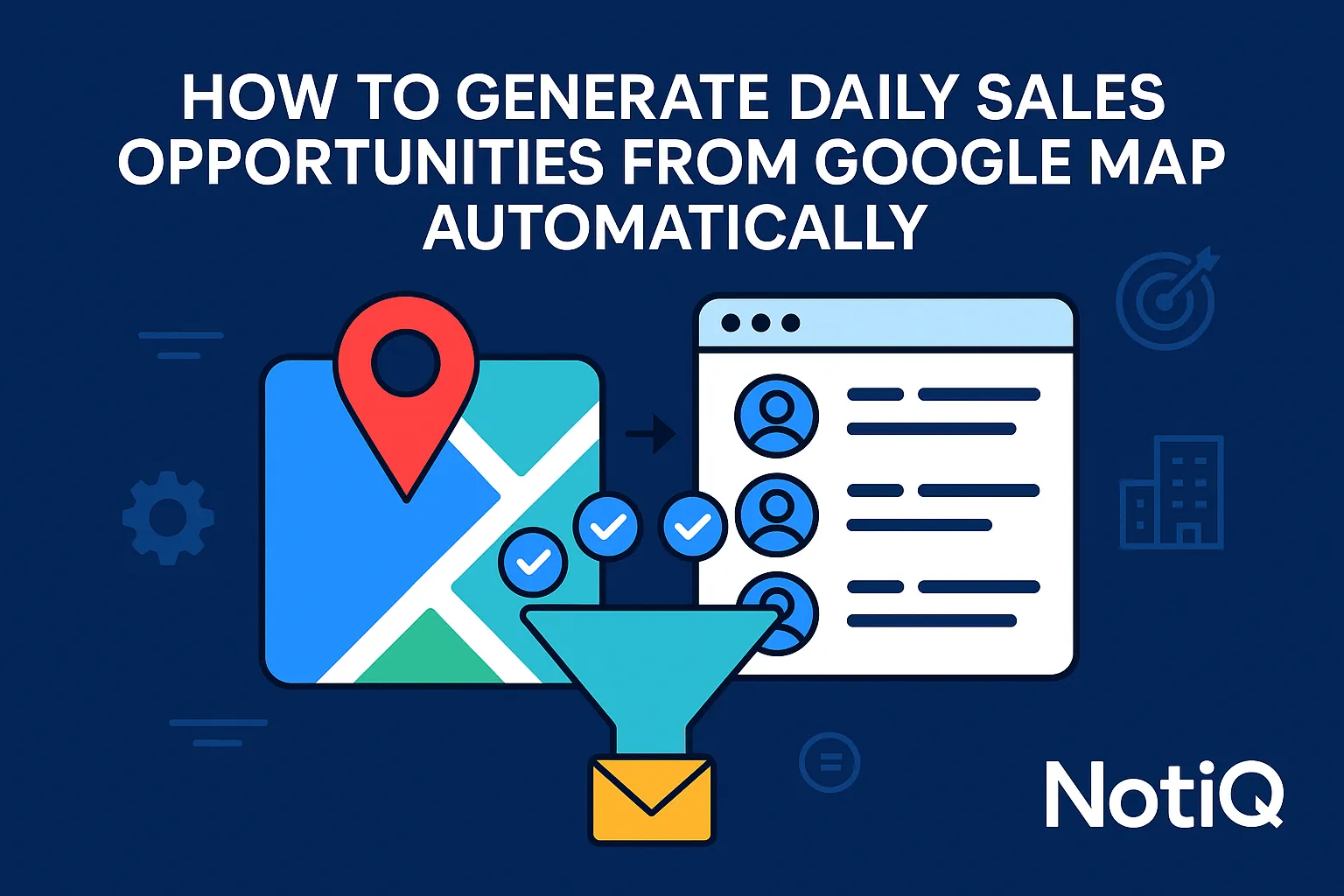
How to Generate Daily Sales Opportunities From Google Maps Automatically
Learn how to turn Google Maps into a repeatable lead generation engine. This guide shows how to extract, qualify, enrich, and route local sales opportunities automatically every day.
1. Introduction
Manual Google Maps prospecting is a notoriously frustrating paradox for modern sales teams. On one hand, it consistently uncovers high-intent, active local businesses. On the other hand, it rarely scales into a reliable, consistent daily pipeline. Sales reps waste hours clicking through map pins, copying and pasting details into spreadsheets, and manually guessing which businesses are actually worth contacting.
Google Maps is a high-intent local data source that can feed sales teams, agencies, and local SaaS operators with repeatable top-of-funnel opportunities. However, most available content stops at simple scraping or raw list exports. This article will show you how to build a full daily opportunity engine: search, extract, enrich, qualify, deduplicate, sync, and route into outreach.
Designed for intermediate operators, this guide focuses on workflow design, lead quality filters, CRM integration, and operating cadence. Drawing on the automation-first experience of[NotiQ](/), which specializes in building operational prospecting systems, this guide emphasizes practical workflow orchestration over one-off list building. If you want to master google maps automation for daily sales opportunities and transform maps automation into a predictable revenue engine, this is your definitive blueprint.
2. Why Google Maps Works for Daily Local Prospecting
Google Maps is not just a static directory; it is a dynamic, recurring source of local sales opportunities. Local business searches reveal active companies with highly visible operating signals. Details such as category, review counts, star ratings, profile completeness, and exact geography offer a window into a business's current operational state.
For agencies, local SaaS teams, and service businesses that sell into local operators at scale, these signals are invaluable. According to search authority BrightLocal, Google Business Profile visibility is a primary driver in local buying journeys, meaning businesses are heavily incentivized to keep this data current.
Unlike typical manual prospecting or simple scraper tools that dump unstructured data into a CSV, Google Maps should be treated as a daily signal source. Search intent here mirrors prospecting intent—users are not just trying to export data; they want a repeatable opportunity engine that powers daily lead generation.
What Makes Google Maps Data Valuable for Sales Teams
The prospecting value of Google Business Profile signals cannot be overstated. A business's category fit, location, review count, ratings, and profile completeness serve as immediate qualifiers. These signals help identify whether a business is active, highly visible, under-optimized, or easily reachable.
When you capture google business profile leads, you can map this data directly to downstream sales use cases. Whether you are running local outreach campaigns, engaging in highly targeted niche prospecting, or planning a territory expansion, the data provides the necessary context to personalize your approach and increase local sales automation efficiency.
Why “Daily Opportunity Engine” Beats One-Time List Building
Static data exports are inherently flawed. Relying on one-time list building leads to stale leads, rampant duplicates, missed new business listings, and inconsistent rep activity. Automated prospecting requires a more reliable pipeline rhythm.
By utilizing daily or recurring search automation, you create a continuous flow of daily sales opportunities. This recurring refresh, combined with ongoing qualification, ensures that local lead generation automation improves lead quality over time, rather than degrading it as lists age.
3. The End-to-End Automation Workflow
Building a system that moves from Google Maps search to outreach-ready lead routing requires careful orchestration. The full workflow involves distinct stages: search targeting, extraction, enrichment, qualification, deduplication, sync, and campaign handoff.
While many tools cover basic extraction, very few explain the full orchestration and daily operating logic required for true google maps automation for daily sales opportunities. Understanding how to programmatically structure these steps—such as leveraging Google Places Text Search documentation for geographic targeting—is what separates raw data from a managed pipeline. Platforms like[NotiQ](/)excel in this workflow orchestration across extraction, enrichment, scoring, and routing.
Step 1 — Define Search Inputs by Category, Geography, and Niche
The first step in automated prospecting is structuring searches around precise business types, cities, radii, and niche-specific terms. Intermediate operators must think in market segments rather than broad “all local businesses” pulls.
To maximize daily sales opportunities, implement search expansion logic. This means organizing your inputs by city clusters, adjacent business categories, and segmented territory splits. This structured approach ensures your local business lead generation remains targeted and relevant.
Step 2 — Extract Business Profile Data
At the capture stage, focus on the core data points that matter most: business name, category, rating, reviews, address, phone number, website, and map/place identifiers. However, raw extraction alone is not enough; a google maps scraper is only the first layer of the prospecting system.
Field selection matters significantly for cost, data cleanliness, and downstream processing. As detailed in the Places API usage and billing guidelines, efficient workflow design and mindful quota management are critical when capturing google business profile leads at scale.
Step 3 — Enrich for Outreach Readiness
Google Maps records almost always require enrichment before they are usable for outbound campaigns. Practical enrichment targets include verifying website presence, normalizing business categories, determining contactability, and gathering business metadata.
Enrichment should actively support qualification, not just add more columns to a spreadsheet. By enriching google business profile leads, you transition from raw data collection to sophisticated local sales automation.
Step 4 — Route Qualified Leads Into CRM or Outbound Systems
Records should only move into a CRM, spreadsheet, or outbound tool after meeting strict qualification rules. Clear handoff conditions must be established to define when a record transitions from raw source data to an actual “opportunity.”
Establish distinct lifecycle stages: new, enriched, qualified, routed, suppressed, and stale. For deeper insights into how qualified records seamlessly move into outreach workflows, explore this outbound follow-up context. This ensures your daily lead generation efforts feed directly into actionable campaigns.
4. How to Qualify and Score Better Opportunities
One of the biggest pain points in google maps lead generation is that raw Maps data varies widely in quality. Without a clear qualification model, teams waste time on low-fit accounts. Scoring rules must align tightly with your specific offer, territory, and sales motion.
Unlike scraper-first approaches that prioritize sheer volume, an automated opportunity engine prioritizes relevance. By implementing precise google maps prospecting filters, you can ensure your daily sales opportunities are actually worth your sales team's time.
Core Qualification Signals to Use
The most useful qualification filters include category fit, geography, rating thresholds, review count, profile completeness, and website presence. These signals strongly indicate business maturity, market visibility, and potential need state.
Niche-specific adaptation is crucial. For example, the signals that matter for a marketing agency (e.g., missing websites or low ratings) will differ entirely from what matters to a local SaaS provider looking for highly rated, multi-location businesses.
Buyer-Intent and Opportunity Signals Hidden in Profiles
Beyond basic demographics, profiles hide powerful buyer-intent signals. Review velocity, missing website fields, incomplete profiles, or multi-location patterns can signal immediate outreach opportunities.
Operators can use these signals to identify under-contacted or under-optimized businesses rather than simply generating massive, untargeted lists. In automated prospecting, it is vital to differentiate between a business that is merely "contactable" and one that is actually "worth contacting."
Example Scoring Model for Daily Prioritization
To manage google maps automation for daily sales opportunities, implement a simple scoring framework using weighted factors. Assign points for niche match, city relevance, review count thresholds, star ratings, and profile completeness.
Score thresholds should automatically determine whether a lead is routed immediately to a rep, held back for further enrichment, or suppressed entirely. In daily lead generation and local sales automation, simple, rigid rules consistently outperform subjective manual judgment.
How Agencies and Local SaaS Teams Should Score Differently
Different go-to-market models require different scoring criteria from the same Maps source. Agencies may prioritize niches with poor web presence or incomplete profiles, viewing these as service opportunities. Conversely, local SaaS teams may care more about multi-location scale, high review counts, and strict category fit to ensure software adoption. Customizing your scoring model ensures your automated prospecting aligns directly with your revenue goals.
5. How to Deduplicate, Refresh, and Sync Leads Daily
The operational layer is where most competitor content falls short. Daily systems fail without rigorous duplicate control, stale-record logic, and a clear sync architecture. The true value of maps automation comes from clean recurring operations, not just faster extraction. Proper data hygiene is essential for maintaining a high-performing local sales automation pipeline, aligning with standards such as the NIST guidance on entity resolution and deduplication.
Duplicate Prevention Rules Before CRM Sync
Before records enter your CRM or outbound systems, they must pass strict duplicate prevention rules. Utilize fields like business name, phone number, address, website, and place-level identifiers to support matching and suppression.
Understand the difference between exact matching (identical text strings) and fuzzy matching (accounting for slight variations in names or addresses) in recurring local datasets. Setting duplicate checks early ensures your daily sales opportunities remain clean and actionable.
Refresh Cadence and Stale-Record Handling
How often searches run should be based on territory size, niche volatility, and your team's outreach capacity. When a google maps automation for daily sales opportunities runs, you need logic for existing records: update the data, re-score the opportunity, suppress it, or trigger a new workflow stage. A practical cadence—such as a rolling weekly refresh of distinct city clusters—keeps daily lead generation steady without overwhelming the system.
CRM Sync, Ownership, and Outreach Suppression
To protect outreach quality, you must prevent multiple reps or automations from touching the same account. Establish strict ownership rules, utilize suppression lists, and implement stage-based routing. The golden rule of automated prospecting is syncing only qualified opportunities, never the entirety of your raw source records. This protects your local sales automation infrastructure from becoming a bloated, unmanageable database.
Daily SOP for Running the System Reliably
A mini operating checklist makes the workflow manageable for lean teams without adding headcount. Your Daily SOP should be:
1. Refresh targeted searches.
2. Extract data changes.
3. Enrich new records.
4. Deduplicate against the CRM.
5. Score opportunities.
6. Sync qualified leads.
7. Route to outreach.
Following this SOP ensures local business lead generation remains a reliable, daily utility.
6. Compliance, Ethics, and Operational Best Practices
When building an always-on local prospecting system, addressing legal, policy, and outreach concerns directly is non-negotiable. Readers are right to be concerned about acceptable use, prospecting ethics, and messaging compliance. Framing this workflow around risk reduction protects your brand and ensures the longevity of your automated prospecting efforts.
Use Google Maps Data Responsibly
You must align your data collection and use with official platform rules and acceptable use expectations. Reviewing platform-specific requirements and implementation constraints is a matter of operational governance, not just legal caution. Ensure your google maps scraper workflows strictly adhere to the Google Maps acceptable use policy to maintain access and operate ethically within the ecosystem.
Outreach Compliance Still Matters After Lead Capture
Capturing business data is only the first part of the workflow; your outreach channels carry their own strict compliance obligations. Email compliance basics—such as accurate sender identification, prompt opt-out handling, and responsible messaging practices—are mandatory. Keep your local sales automation practical and operational by adhering to standards like the FTC CAN-SPAM compliance guide to protect your domain reputation.
Ethical Prospecting and Data Quality Standards
Relevance, validation, and suppression lists do more than keep you compliant; they actively improve performance and trust. Validate business fit before initiating outreach, and avoid spammy, high-volume messaging to low-fit accounts. Ethical google maps lead generation directly correlates to better reply rates, higher conversion, and significantly lower operational risk in your daily lead generation efforts.
7. Tools, Stack Decisions, and Where Most Teams Get Stuck
Evaluating the right technology is critical. The market generally offers three broad categories: scraper/extraction tools, automation templates, and end-to-end prospecting systems. While scrapers provide volume, they lack orchestration, qualification, and daily cadence. Choosing the right stack determines whether you create a mess of CSVs or a streamlined maps automation pipeline.
Scraper vs Automation Template vs Full Opportunity System
A google maps scraper extracts data well but does nothing else. Automation templates connect apps (like moving a row to a CRM) but lack native intelligence. Full opportunity systems manage scoring, deduplication, refresh logic, and routing. Teams must self-identify based on their complexity, team size, and goals to choose the right vehicle for generating daily sales opportunities.
When to Use a Lean Stack vs an Orchestrated Stack
Some teams can start with basic routing, but as daily volume, territories, and downstream outreach expand, complexity increases exponentially. Deep orchestration is often required to maintain quality at scale. For teams evaluating whether to move from manual tools to a fully orchestrated local sales automation system, reviewing NotiQ's pricing and plans provides a clear benchmark for scaling automated prospecting effectively.
8. Future-Proofing Your Google Maps Prospecting System
As teams mature, their workflows must evolve. Emerging trends in google maps automation for daily sales opportunities include AI-assisted qualification, real-time daily sync systems, hyperlocal segmentation, and combining Maps signals with ongoing web monitoring. The winning approach is not extracting more records—it is achieving better timing, tighter qualification, and flawless operational consistency.
AI-Assisted Qualification on Top of Maps Data
Artificial Intelligence is revolutionizing how we process maps automation data. AI can help classify business fit, normalize erratic categories, and prioritize accounts immediately after source data is captured. In daily sales opportunities, AI should be leveraged to improve triage speed and throughput, augmenting rather than entirely replacing human judgment in automated prospecting.
From Daily Leads to a Managed Opportunity Pipeline
Recurring prospecting becomes exponentially more valuable when tied directly to CRM stages, outbound sequencing, and performance feedback loops. To master local sales automation, you must close the strategic loop: your source quality and scoring models should continuously improve based on actual outreach outcomes and conversion data from your daily lead generation campaigns.
9. Conclusion
Google Maps is most powerful when treated as a daily opportunity engine, not a static lead list source. By mastering the full workflow—targeted search, extraction, enrichment, scoring, deduplication, sync, and outreach routing—you transform raw local data into a predictable revenue stream. The key differentiator for modern sales teams is that a consistent pipeline comes from operational design and strict lead quality governance, not just scraping volume. To evaluate your current local prospecting stack and move toward a fully orchestrated system, explore how[NotiQ](/)can power your automation-first local prospecting workflow.
Frequently Asked Questions
- How can you generate daily sales opportunities from Google Maps automatically?
- You can generate daily sales opportunities by building a recurring workflow: define specific geographic and category searches, extract the business data, enrich the records for contactability, score them based on fit, deduplicate against your CRM, and automatically route the qualified leads into your outreach systems.
- What is Google Maps automation for lead generation?
- Google Maps automation for lead generation is a recurring, systematic process for capturing, enriching, and operationalizing local business data, rather than manually researching listings one by one. It turns maps automation into a reliable pipeline feed.
- How do you find local business leads using Google Maps?
- Finding local business leads requires structuring searches by category, city, radius, and niche-specific terms. You then apply qualification filters—like review counts and profile completeness—to identify active google maps prospecting targets.
- Is it legal to automate prospecting from Google Maps?
- Teams must carefully review platform rules, such as the Google Maps acceptable use policy, and outreach compliance obligations like the FTC CAN-SPAM guide. Never assume a google maps scraper workflow is automatically compliant; ethical, validated automated prospecting is required.
- What data can you extract from Google Maps for sales outreach?
- Common fields extracted via a google maps scraper include business name, category, star rating, total reviews, physical address, phone number, website URL, and unique place-related identifiers to capture google business profile leads.
- How often should you refresh Google Maps lead lists?
- Refresh cadence depends on your specific niche, geography, and team capacity. However, a recurring refresh is essential in google maps automation for daily sales opportunities to surface new businesses, update stale profiles, and recalculate opportunity scores for consistent daily lead generation.
Continue Reading
More articles you might find useful
Google Maps Prospecting for Commercial Waste Management Companies
Learn how commercial waste haulers can use Google Maps to find, qualify, and prioritize better local accounts. This guide shows how to build denser routes and improve outreach with waste-stream and service-area insights.
Read the article →
How to Find Local Businesses With Broken Website Links
Learn how to find local businesses with broken website links using Google Maps, quick validation checks, and proof-based outreach. This guide shows agencies how to turn visible site issues into qualified leads.
Read the article →
Google Maps Lead Generation for Signage Companies
Learn how sign companies can use Google Maps to find local prospects, identify visible signage gaps, and build a repeatable outreach system. This guide shows how to turn visual research into qualified leads without relying on paid ads or generic lists.
Read the article →Popular industry lead playbooks
Maps search examples and niche outreach for the verticals teams prospect most.