Technology
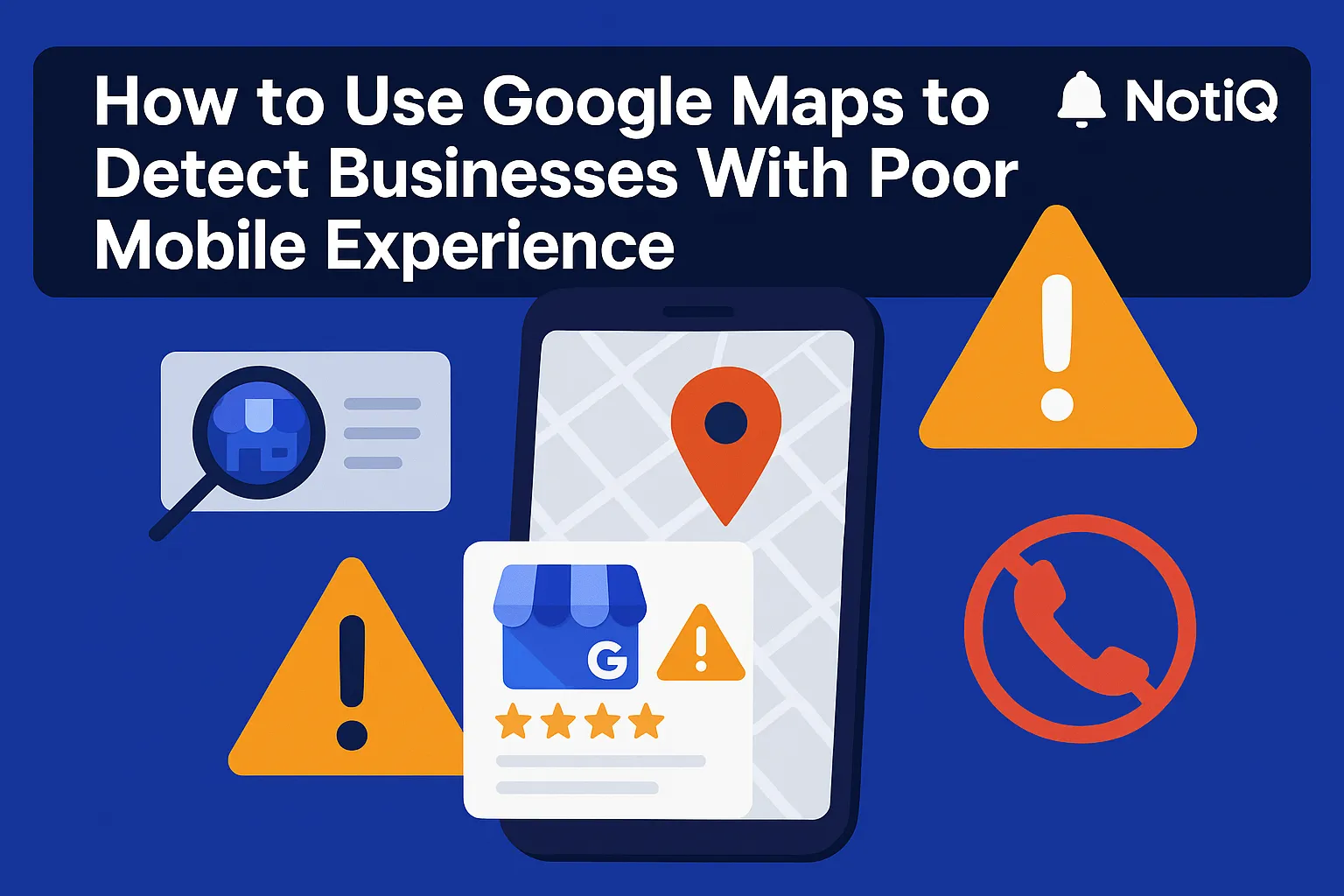
How to Use Google Maps to Detect Businesses With Poor Mobile Experience
Learn how to use Google Maps to quickly spot local businesses with weak mobile experiences before running a full audit. This guide shows the signals to watch, how to validate issues fast, and how to prioritize outreach.
1. Introduction
Agency owners and local SEO operators share a common, frustrating bottleneck: spending too much time manually checking local businesses one by one, only to find that many are poor-fit prospects. Blindly crawling generic lead lists often results in hours wasted on businesses that are either inactive, lack commercial intent, or already have flawless digital experiences.
There is a faster, more intelligent way to qualify leads. Google Maps can act as a powerful discovery layer for spotting small to medium-sized businesses (SMBs) that likely have weak mobile UX before you ever run a full technical audit. By combining visible listing heuristics with lightweight site validation, you can build a Maps-first workflow that prioritizes high-upside opportunities.
This guide is designed for agencies, consultants, and local operators with intermediate SEO knowledge who want to accelerate their qualification process. You will learn exactly how to use Google Maps to detect businesses with poor mobile experience, which mobile UX signals to look for, how to validate issues in minutes, and how to turn those findings into compelling outreach.
At NotiQ, we have extensive practical experience combining map intelligence and site audits to uncover SMB tech gaps at scale. We serve as the operational layer for combining discovery, audits, and enrichment, proving that evidence-backed Google Maps prospecting outperforms guesswork. [Home](/)
2. Why Google Maps Is a Strong Discovery Layer for Mobile UX Gaps
Google Maps is a highly efficient starting point for finding businesses with website issues because it provides live, local, and intent-rich data organized by category and geography. Unlike static lead databases or blind manual prospecting, Maps offers immediate listing-level context. You can instantly see if a business is active, receiving customer feedback, and linking to a website.
This context is critical. If a business has strong local visibility and a steady stream of reviews but links to a broken or outdated website, that weak mobile UX represents a meaningful business opportunity. They have the demand, but they are leaking conversions. Relying on generic tech databases or basic manual scrapers often strips away this rich local context. By focusing on compliant, publicly accessible map data, you can achieve a faster audit-to-outreach flow that saves time on qualification while drastically improving lead quality.
Understanding how Google builds local listings reinforces why Maps is a valid discovery surface deeply connected to a business’s broader web presence. Few workflows successfully connect these initial Maps heuristics with mobile UX validation and prioritization, making this a massive competitive advantage for agencies targeting SMB tech gaps.
Why Maps Outperforms Generic Prospect Lists for This Use Case
Generic prospect lists might give you a URL and an email, but Maps gives you the full local picture. In one view, you can assess a business's category, geography, reviews, listing completeness, and website presence. These visible signals help you infer which businesses are active enough in the real world to matter, yet neglected enough digitally to need your help. The goal of Google Maps lead generation is not to prove technical issues from the map alone, but to create a highly qualified, smart shortlist for validation.
Where This Workflow Fits in an Agency or Operator Process
This methodology bridges the gap between initial lead discovery and a full technical SEO audit. It is a triage step. It works exceptionally well for local service businesses—like plumbers, roofers, and dental clinics—where mobile calls, bookings, and directions are the primary drivers of revenue. Implementing this local SEO audit checklist transforms lead qualification into a repeatable, sub-5-minute process per business.
3. Map Signals That Suggest a Business May Have an Outdated Website
Before you even click the website link, a Google Business Profile provides observable heuristics that help identify likely mobile UX gaps. These are clues, not guarantees, designed to prioritize your efforts. Evaluating these signals against Google’s local ranking factors helps confirm whether a business is maximizing its local visibility or leaving money on the table. When evaluating restaurants, dentists, or home services, look for specific patterns in listing quality, business activity, and link integrity to find outdated business websites.
Listing Completeness and Activity Signals
A neglected Google Business Profile often points to a neglected website. Look for sparse photos, weak or missing business descriptions, inconsistent updates, and an overall low level of listing completeness. This broader digital neglect is a strong SMB tech gaps indicator. Interestingly, highly active listings with poor websites are actually the best local SEO audit checklist targets—they have the visibility upside, making their conversion leakage a highly solvable, high-ROI problem.
Review Volume, Review Recency, and Category Clues
Review activity and business categories are excellent filters for prioritizing who to check first. A local service business with high review volume and recent customer feedback clearly has market demand. If their digital presentation looks dated, they are a much stronger prospect than a business with zero traction. Industries that rely heavily on visual trust and immediate mobile action—such as home services, restaurants, clinics, and salons—are incredibly easy to evaluate for these disconnects between offline popularity and online neglect.
Website Link Clues Inside the Listing
The actual website link inside the Google Business Profile is your final heuristic check before the audit. Does the link exist? Does it resolve cleanly, or does it redirect multiple times? Does it lead to a relevant destination? Suspicious URLs, broken links, HTTP (non-secure) warnings, or generic landing pages are strong validation triggers. Ensuring the link aligns with Google Business Profile link guidelines is a baseline expectation; when businesses fail this, a deeper Google Business Profile website audit is warranted. Once the link looks questionable, it is time to run a fast mobile audit.
Heuristics vs. Proof — What Maps Can and Cannot Tell You
It is vital to maintain trustworthiness in your outreach by understanding the limits of map-based heuristics. Maps can suggest the risk of a poor site, but only the website audit confirms the issue. Avoid overstating certainty based on a map listing alone. Strong claims must always be verified with observable site tests and documented evidence. Google Maps prospecting points you in the right direction; the site audit provides the proof.
4. How to Run a Fast Mobile Audit After Opening the Site
Once you identify a prospect via Maps, the next step is a lightweight validation process that takes just minutes. This is a quick triage audit, not a comprehensive technical SEO engagement. You will load the site on a mobile device (or mobile browser simulator), assess visual responsiveness, test navigation, check performance, and note trust issues. Document findings with screenshots to support your outreach. Translating these technical findings into business impacts—missed calls, weaker bookings, and reduced local SEO performance—is key.
Step 1 — Check Responsive Layout and Mobile Readability
First impressions matter. When the site loads, immediately look for horizontal scrolling, tiny unreadable text, cramped layouts, overlapping elements, or images cut off on small screens. These mobile UX signals instantly destroy trust and usability for local visitors trying to get directions or book a service. Following W3C guidance on mobile reflow, a site should adapt seamlessly to the viewport. If it fails a simple “looks broken in under 5 seconds” test, it is a prime candidate for a mobile-friendly website overhaul.
Step 2 — Test Navigation, Menus, and Primary CTAs
Next, interact with the site. Does the hamburger menu work? Are the tap targets large enough to use with a thumb? Is the primary Call to Action (CTA) obvious on mobile? Test the key local conversion actions: click-to-call buttons, booking or request forms, and easy access to contact information. Many local business websites fail not because they lack traffic, but because mobile conversion is physically frustrating for the user. If a customer cannot easily tap to call a plumber during an emergency, the business loses money.
Step 3 — Validate Speed and Performance Signals Quickly
A slow site kills mobile conversions. Do a lightweight performance check to spot obvious lag when scrolling or loading images. You can then confirm these suspicions using Core Web Vitals metrics. Checking PageSpeed Insights field and lab data helps distinguish consistent user pain (field data) from isolated testing artifacts (lab data). Performance issues are highly valuable for outreach because page speed is measurable, objective, and directly tied to local conversion outcomes rather than just abstract SEO scores.
Step 4 — Look for Trust and Conversion Friction
Even if a site loads quickly and fits the screen, trust signals dictate whether a user converts. Look for outdated design aesthetics, weak or hidden contact details, broken contact forms, inconsistent branding, missing service information, or poor image quality. Local buyers make rapid decisions on mobile. If trust and conversion friction exist, it reduces calls and bookings. Document one or two glaring, visible problems per site to highlight tangible local SEO opportunities.
Step 5 — Add a Technology Snapshot if Useful
A quick technology lookup can support your audit by revealing outdated CMS platforms or a lack of modern analytics tooling. This is a supporting signal, not the core method. While finding SMB tech gaps using site audits and tech-stack profilers is helpful, the real advantage comes from combining these tech clues with the Maps context and visible UX evidence you already gathered.
5. A Simple Scoring Model to Prioritize Prospects
To make this workflow scalable, you need a repeatable rubric for deciding which businesses deserve deeper audits or outreach first. A scoring model helps you prioritize prospects by combining local visibility, the severity of the mobile website weakness, and commercial potential. This framework is simple enough to manage in a standard spreadsheet or CRM. Operationalizing this combined Maps and audit signal set into a repeatable qualification system is exactly where NotiQ provides a practical advantage.
Score Dimension 1 — Visibility and Demand
First, score the market demand based on Google Maps prospecting. Look at review volume, review recency, listing activity, and category competitiveness. Businesses with moderate-to-high local visibility but weak websites are your best targets. They already have customer traction, meaning fixing their site will yield immediate results. This score estimates the size of the opportunity, not SEO perfection.
Score Dimension 2 — Severity of Mobile UX Issues
Next, score the actual website based on your triage audit. Evaluate obvious responsiveness, page speed, CTA usability, and trust issues. Use a simple tiered system: Minor, Moderate, or Severe. Severe mobile UX signals—especially those that are highly visible and screenshot-friendly, like broken Core Web Vitals or overlapping text—should rank higher because they facilitate undeniable, evidence-backed outreach for a mobile-friendly website upgrade.
Score Dimension 3 — Commercial Fit and Outreach Readiness
Finally, evaluate the business's commercial value. Consider the business type, average service value, number of locations, and whether the website issue directly impedes calls, forms, or bookings. A business might have a terrible website, but if they have low practical fit for your specific agency services or operate in a low-margin local SEO opportunities niche, they should be deprioritized. Do not chase every poor site equally; focus on lead generation that drives revenue.
Example Prioritization Rubric
Use this simple matrix to score your audit workflow and local SEO audit checklist findings:
• Top Priority: High visibility + Severe mobile issues + Strong commercial fit. (Reach out immediately with screenshots).
• Medium Priority: Moderate visibility + Moderate issues + Good commercial fit. (Add to automated nurture sequences).
• Low Priority: Low visibility + Minor issues + Weak commercial fit. (Discard or save for later).
By systematizing prospect scoring, you can easily integrate this data into your CRM. [Home](/)
6. How to Turn Audit Findings Into Outreach and Local SEO Opportunities
The final step is transforming your audit into concrete messaging and service opportunities. Packaging findings into a short outreach narrative requires explaining what was observed in Maps, what was confirmed on mobile, why it matters for conversions, and what the next step should be. The key differentiator of this method is that it produces evidence-backed outreach rather than a generic, easily ignored "your SEO needs help" email.
Translate Technical Findings Into Business Language
Business owners do not care about DOM sizes or layout shifts; they care about missed calls and lost revenue. Translate slow speed or bad responsiveness into business outcomes. Instead of purely technical diagnoses, use plain-English phrasing such as, "Mobile visitors may struggle to call you quickly because the button overlaps with your logo." Connect these issues directly to abandoned bookings, low trust, and weaker local rankings.
Build a Short, Evidence-Backed Outreach Message
Structure your outreach around one observed listing signal and one validated mobile issue. For example: "I saw you have over 100 great reviews on Maps, but when I clicked your website on my phone, the booking form was cut off." Include a screenshot or a specific metric to establish instant credibility. Keep the message concise and consultative. Highlight site audit opportunities by pointing out mobile UX signals without sounding aggressive.
Position the Opportunity as Both UX and Local SEO
Fixing mobile issues is not just about user experience; it directly impacts local search performance through better engagement signals and technical website quality. Connect Maps visibility, website quality, and conversion performance into a single narrative. Differentiate your technical SEO for SMBs by highlighting that you combine listing intelligence with validation and prioritization, making your Google Maps SEO approach uniquely comprehensive.
Create Repeatable Assets From This Workflow
Do not let this workflow remain a manual chore. Turn the process into repeatable assets. You can repurpose this methodology into a standardized mobile audit checklist, a Google Maps lead generation SOP for your virtual assistants, a scoring spreadsheet, or even a short video walkthrough for your sales team. Systematizing these workflow templates ensures consistent lead quality.
7. Tools and Resources to Support the Workflow
To execute this workflow efficiently, rely on a few core tools focused on validation. Start with Google Business Profile reviews to gather your initial heuristics. For validation, use PageSpeed Insights or Lighthouse to check performance metrics based on official Google documentation. You might also use lightweight technology profilers to spot outdated CMS platforms. However, remember that the methodology matters more than any single tool. Point solutions are helpful for validation, but they are incomplete without the Maps-first prospecting method and scoring system to guide them.
8. Future Trends in Maps-First Prospecting for SMB Mobile Audits
For intermediate and advanced operators, the landscape of prospecting is evolving. The future lies in combining local listing intelligence with automated screenshot reviews and AI-assisted local prospecting. Local SEO and Conversion Rate Optimization (CRO) are rapidly converging for service-area businesses. Rankings still matter, but the mobile conversion experience ultimately determines value capture. Workflows are shifting away from one-off manual mobile audits toward repeatable, systematized enrichment. NotiQ is fully aligned with this trend, providing practical orchestration of Maps intelligence and site audit signals to identify SMB tech gaps at scale.
9. Conclusion
Google Maps is far more than a navigation tool; it is a high-context discovery layer for spotting likely mobile UX gaps in local businesses. By searching by category and geography, using listing heuristics to identify likely issues, validating with a fast mobile audit, and scoring prospects by visibility and commercial fit, you can build a highly effective pipeline.
Combining Maps context with website validation is significantly faster and more evidence-driven than relying on generic lead lists or broad site audits checklists. It allows you to turn concrete findings into compelling outreach and local SEO opportunities. Stop auditing randomly and start systematizing your process to find businesses that actually need—and can pay for—your help. [Home](/)
Frequently Asked Questions
- Can Google Maps really help identify businesses with poor mobile websites?
- Yes. While Google Maps prospecting cannot definitively prove a site is broken, it helps identify likely candidates using visible listing signals. The subsequent mobile UX signals audit is what confirms the actual issues.
- What are the best Google Maps clues that a website may be outdated?
- Look for low listing completeness, broken or HTTP website links, weak recent activity, and visible customer demand paired with a poor digital presentation. These are prime indicators when conducting a Google Business Profile website audit to figure out how to find outdated business websites.
- What should I check first when auditing a local business site for mobile UX?
- Start with the visual and functional basics: mobile responsiveness, text readability, CTA usability (like click-to-call buttons), and page speed. Assess these before diving into deeper Core Web Vitals or technical checks to ensure it is a functional mobile-friendly website.
- Which businesses are best for this Maps-first audit workflow?
- Local service businesses where calls, bookings, and directions drive immediate revenue are the best targets. This includes home services (plumbers, roofers), restaurants, medical clinics, and salons. These local business websites benefit the most from lead generation and local SEO audits.
- How do I prioritize which businesses to contact first?
- Use a structured scoring model. Prioritize prospects based on three factors: their local visibility/demand, the severity of their mobile UX issues, and their overall commercial fit. This ensures you target high-value site audit opportunities and actionable SMB tech gaps. Author Note: This methodology is grounded in official Google documentation, observable website behavior, and transparent scoring criteria rather than guesswork or unlawful data extraction. At NotiQ, we understand both local discovery and technical validation. Our practical strength lies in combining Google Maps intelligence with site audits to uncover SMB tech gaps, qualify opportunities faster, and support scalable, compliant outreach workflows.
Continue Reading
More articles you might find useful
Google Maps Prospecting for Commercial Landscaping Companies
Learn how commercial landscaping companies can use Google Maps to find higher-fit commercial property leads, qualify visible need, and build denser service routes. This guide breaks down a practical workflow for smarter prospecting and better contract opportunities.
Read the article →
How to Find Businesses With Weak Google Maps Descriptions
Learn how to find businesses with weak Google Maps descriptions and turn visible GBP gaps into qualified local SEO leads. This guide covers audit criteria, scoring, and outreach angles you can use at scale.
Read the article →
Google Maps Lead Generation for Pest Control Companies
A beginner-friendly playbook for turning Google Maps visibility into more pest control leads. Learn how to improve rankings, build reviews, and convert local searches into booked jobs.
Read the article →Popular industry lead playbooks
Maps search examples and niche outreach for the verticals teams prospect most.