Technology
How to Use Google Maps to Identify Businesses With Missing Reviews
Learn how to use Google Maps to find businesses with visible review gaps, qualify the best prospects, and turn public trust signals into personalized outreach. This guide walks through a simple manual workflow for local SEO agencies and consultants.
1. Introduction
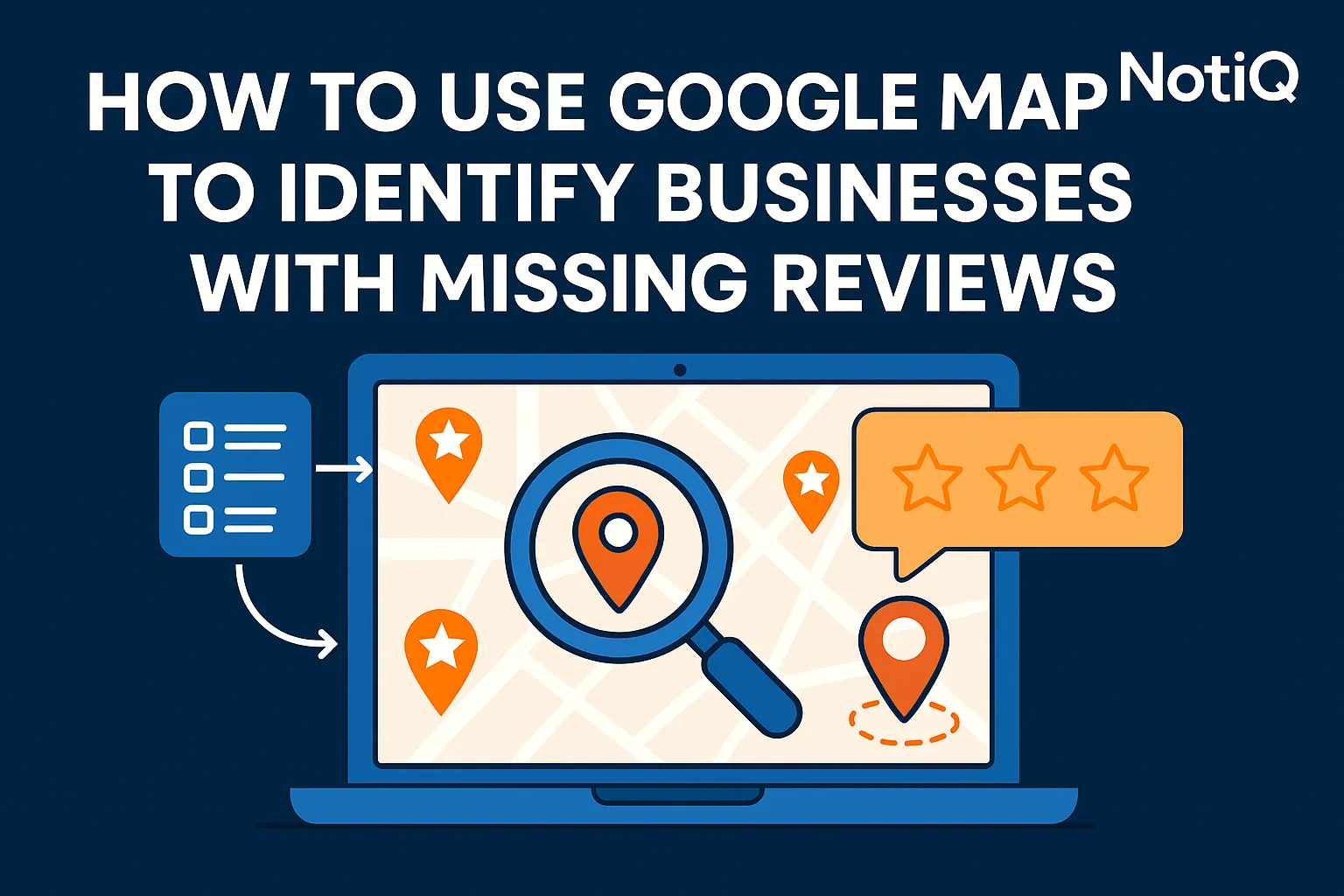
At first glance, Google Maps is simply a directory for finding nearby coffee shops or emergency plumbers. But for agencies, freelancers, and local SEO consultants, it is a powerful, free prospecting tool for spotting businesses with visible trust gaps. Learning how to find businesses with missing reviews on Google Maps allows you to identify highly qualified leads whose pain points are entirely public.
Many beginners can easily spot a listing with a low review count, but they struggle to judge whether that business is actually a strong outreach opportunity. A low number in isolation doesn't tell the whole story. This article delivers a beginner-friendly process to search by niche and city, compare nearby listings, qualify review gaps, organize leads manually, and turn those findings into personalized outreach.
Unlike broad local SEO guides, this is a practical, step-by-step system focused specifically on finding missing reviews maps data and translating those outreach signals into a compliant, ethical lead generation workflow.Note: This guide is based entirely on visible public Google Maps signals. By using side-by-side screenshots and manual checklists, you can build a highly trustworthy outreach process.
Once you have identified your ideal prospects, you can seamlessly move them into a simple outreach workflow with NotiQ and expand your learning via related resources [Home](/);Blog;Guides].
2. Why Review Gaps Matter on Google Maps
Missing or weak reviews are critical signals for local trust, visibility, and outreach relevance. When a business suffers from Google Maps review gaps, it doesn't just impact their search ranking—it directly affects how trustworthy they appear to potential customers who are comparing options and deciding where to click or call.
In practice, "missing reviews" means much more than just a low review count. It encompasses old reviews, low recency, unanswered negative feedback, weak star ratings, and incomplete Google Business Profile reviews. According to consumer review research, the vast majority of searchers factor in average star ratings and recent review activity before trusting a local business. Furthermore,Google’s official local ranking guidance confirms that review count and positive ratings can influence a business’s local search visibility.
The most important concept to grasp is that the best benchmark is relative, not absolute. A business with 8 reviews might be perfectly fine in a small-town niche, but it represents a massive weakness if nearby competitors boast 80+ reviews. Businesses with few Google reviews relative to their local market are significantly easier to pitch because their problem is public, visible, and easy to explain. This manual discovery workflow is far more targeted than using generic reputation tools, as it allows you to personally verify the gap before making contact.
(Pro Tip: When conducting your outreach, always include a side-by-side screenshot comparing the prospect's weak listing against a stronger nearby competitor to instantly visualize the gap.)
What Counts as a Review Gap?
For beginners, a review gap is any visible deficiency that makes a business look less appealing than its direct competitors. These review deficiency signals are based on quantity, quality, recency, responsiveness, and profile completeness.
When analyzing Google Maps review gaps, ask yourself:how few reviews is too few?The answer is found in the local market average. Examples of a true gap include a dentist with 3 reviews in a neighborhood where nearby competitors have 40+, or a roofing company with a decent rating but multiple recent negative reviews with zero owner responses.
Why These Signals Create Outreach Opportunities
Weak reviews directly translate to business pain: lower consumer trust, weaker click-through rates, and ultimately, missed conversions. For agencies and consultants, these signals are the perfect conversation starter.
When you identify businesses needing reputation help, you aren't just selling a generic SEO package; you are offering to fix a visible, undeniable business problem. Framing your local SEO prospecting around reputation management leads positions you as a helpful advisor pointing out a specific leak in their sales funnel.
3. How to Search Google Maps by Niche and City
Finding candidate businesses without paid tools requires a repeatable, manual workflow. The core strategy for Google Maps lead generation involves running simple "service + city" searches and analyzing the visible map pack.
Start by choosing target niches where reviews heavily influence consumer trust. Local service businesses, dental clinics, restaurants, salons, legal practices, and home services (like HVAC or roofing) are prime candidates. Open Google Maps and run niche-plus-city queries—for example, "dentist in Austin" or "roofing company in Miami." Scan both the top map pack results and the broader map listings. By using multiple city and keyword variations, you will surface a wealth of Google Maps lead sourcing opportunities. Beginners should start narrow: focus on one industry, one city, and one spreadsheet to master the process of how to find local business leads.
Choose the Right Category and Market
Success in local lead generation starts with picking a niche that exhibits review-driven buying behavior. Start with categories where consumers naturally compare multiple options before contacting a business. Google reviews for small business owners in the medical, legal, and home service fields are make-or-break factors. Select one city at a time so your benchmarking remains realistic, localized, and easy to track for your local SEO outreach prospects.
Run Niche + City Searches and Scan the Results
Execute your simple search combinations and begin reviewing the top visible listings. As you scan, look at the review count, star rating, recency of the latest reviews, owner responses, photos, and overall profile completeness.
Pay special attention to listings that appear in a strong ranking position despite having weak reviews. This indicates a highly compelling opportunity: the business already has visibility, but their missing reviews maps data is likely costing them conversions. This is the sweet spot for Google Maps lead generation. How can you find businesses with few or no Google reviews? By scrolling just past the top three map pack results and looking for the drop-off in review volume.
Spot the Fastest Review-Gap Signals
To speed up your workflow, use a "30-second scan" checklist to spot outreach signals:
1. Low Counts: Is the review volume significantly lower than the top 3-5 competitors?
2. Stale Feedback: Are the most recent reviews over 6 months old?
3. No Owner Responses: Are negative (or positive) reviews being ignored?
4. Incomplete Profiles: Are there weak photos or missing business details?
These review deficiency signals, combined with poor Google Business Profile optimization, create a highly persuasive outreach angle.
4. How to Qualify Weak Listings Against Competitors
Finding a listing with low reviews is only the first step; you must qualify whether that business is truly a good lead. Review counts must always be benchmarked against nearby competitors in the same category and geography.
Your qualification framework should assess the review count, recency, star rating, owner response behavior, profile completeness, and ranking position. Compare the top 3–5 local competitors side by side to identify a meaningful gap. For example, a beginner-friendly benchmark might look like: "Target business has 5 reviews, while nearby competitors have 45, 62, and 71."
This map pack competitor analysis ensures you are targeting businesses with a real deficit. While manual scraper-style workflows often pull thousands of unqualified leads, this manual "search and compare" method ensures high accuracy. Furthermore,How Google Maps uses review content confirms that the depth and quality of reviews affect how businesses are represented on Maps, giving you a strong foundational argument for your local SEO prospecting.
The 6 Signals to Compare
When analyzing Google Business Profile reviews, compare these six core review deficiency signals:
1. Review Count: The total number of reviews versus the local average.
2. Average Rating: The star rating compared to top-ranking competitors.
3. Recency: How recently the business received a new review.
4. Owner Responses: Whether the business actively replies to feedback.
5. Profile Completeness: The presence of high-quality photos, hours, and descriptions.
6. Current Position: Where the business ranks relative to its review volume.
Avoid universal thresholds. A map pack competitor analysis must be done category-by-category and city-by-city.
A Simple Benchmarking Method for Beginners
To benchmark effectively, compare your target listing against the top 3–5 nearby results. Note the average competitor review count. If the target business falls significantly below this average, they are a strong prospect.
How many Google reviews does a local business need to stay competitive? It depends entirely on the local average. Use labels like "low," "medium," or "high opportunity" based on the size of the Google Maps review gaps. If competitors average 100 reviews and your target has 10, that is a high-opportunity gap. If the target has 80, it is a low-opportunity gap. Determine how few reviews is too few based strictly on local context.
When a Low-Review Listing Is Not a Great Prospect
Not every low-review listing is a good fit. Edge cases include brand-new businesses, highly specialized niche categories with naturally low review volume, or listings with strong ratings and active responses despite slightly lower counts.
When evaluating businesses with few Google reviews, practice discernment. If a business is actively managing its profile and steadily growing its reviews, they may not need immediate help. Quality local SEO prospecting means learning to identify businesses needing reputation help, rather than blasting generic emails to every low-count listing you find.
5. How to Organize Leads Without Paid Tools
Manual prospecting can feel messy or slow, but organizing your leads effectively removes this friction. You do not need expensive software to start; you can log candidates in a simple spreadsheet.
Can you use Google Maps manually to build a list of outreach leads? Absolutely. By creating a structured tracking system, you can prioritize leads by their visible need and likely business value. This manual approach to Google Maps lead sourcing is highly effective for local lead generation before you ever need to invest in automation tools.
Once your manual tracking is established, you can seamlessly bridge the gap from manual prospect tracking to automated or personalized outreach workflows using tools like NotiQ [Home](/);Blog;Guides].
Suggested Spreadsheet Columns
To keep your Google Maps lead generation organized, your spreadsheet should include the following minimum fields:
• Business Name
• Category
• City
• Target Review Count & Average Rating
• Latest Review Date (Recency)
• Owner Response Status (Yes/No)
• Competitor Benchmark (Average review count of top 3)
• Visible Gap Notes (e.g., "No responses to recent 1-star reviews")
• Outreach Angle
Tracking the visible gap and outreach signals ensures your spreadsheet functions as a strategic action plan for local SEO outreach prospects, rather than just a cold contact list.
How to Score and Prioritize Prospects
Prioritize your reputation management leads using a basic scoring system based on the severity of the review deficiency signals.
A "top priority" lead combines multiple weak points: a low review count, poor recency, inactive owner responses, and massive visible competitor pressure. By scoring your leads, you avoid wasting time on low-fit businesses and focus your energy on those who most urgently need your help. This allows you to effectively identify businesses needing reputation help and maximize your outreach ROI.
6. How to Turn Review Gaps Into Personalized Outreach
Transforming your map findings into a helpful, non-generic outreach message is where the real value is created. The strongest outreach references a specific, visible issue—such as review count gaps, a lack of recent reviews, or ignored negative feedback.
Frame your business case around trust and conversions, avoiding fear-based SEO claims. Use a simple outreach structure:Observation(what you saw),Impact(how it hurts their trust/conversions),Suggestion(how to fix it), and Next Step(a low-friction call to action). This process pairs perfectly with personalized formats like video messages or mini-audits, leveraging tools like NotiQ to turn Google Maps lead generation into personalized prospecting at scale.
When discussing solutions, ensure your advice aligns with platform rules. Cite Google’s review request best practices to show prospects the ethical way to generate reviews. Additionally, keep compliance in mind by adhering to FTC guidance on soliciting online reviews, ensuring you never recommend deceptive incentives. Always rely on public data and honest outreach signals.
Outreach Angles That Actually Feel Relevant
Specificity increases reply rates. Instead of a generic "I can help your SEO" message, use these targeted angles based on Google Maps review gaps:
• The Competitor Gap: "I noticed you have 12 reviews, but [Competitor A] and [Competitor B] down the street have over 80. This might be causing local searchers to choose them over you."
• The Recency Gap: "Your overall rating is great, but your last review was from 8 months ago. Recent reviews are a major trust signal for new customers."
• The Responsiveness Gap: "I saw a couple of recent negative reviews that haven't received an owner response. Replying publicly shows future customers that you care."
What signals on Google Maps show a business may need review outreach? Any visible gap that directly impacts consumer trust.
Simple Outreach Template for Beginners
Keep your message short, personalized, and tied to one visible opportunity. Avoid overpromising rankings; focus instead on credibility and conversion improvement.
Subject: Quick question about your Google reviews / [City]Hi [Name],I was searching for [Niche] in [City] today and noticed your Google Business Profile. You have a great business, but I saw you currently have [X] reviews, while nearby competitors are averaging around [Y].Often, this visible gap causes potential customers to call the competitor simply because they appear more established online.I help local businesses build automated systems to ethically collect more reviews from happy customers. Would you be open to a quick 5-minute video showing how you can close this gap?Best, [Your Name]
This template turns local SEO outreach prospects into warm reputation management leads by highlighting public Google Business Profile reviews data.
Ethical and Policy-Safe Prospecting
Always use public information responsibly. Authentic customer feedback is the goal, not manipulation. Any review-generation advice you share with prospects must strictly align with Google platform rules and FTC guidance on soliciting online reviews.
Do not offer to buy reviews, gate negative feedback, or use deceptive tactics. Educating your prospects on these rules actually builds your authority. As highlighted by Google Research on Maps abuse and fake listings, authentic listing and review practices are critical for long-term local success. By focusing purely on ethical review deficiency signals, your outreach remains professional and compliant.
7. Best Practices and Expert Tips for Beginners
To make your prospecting faster and more accurate, turn this workflow into a set of repeatable habits.
• Start Small: Focus on how to find businesses with missing reviews on Google Maps in one niche and one city before expanding.
• Create Templates: Save your best search queries, reuse your spreadsheet template, and keep a standard qualification checklist handy.
• Use Visual Proof: Screenshots, side-by-side competitor examples, and mini-audits make your outreach far more persuasive and strengthen your credibility.
Unlike generic review education content, this practical discovery-to-outreach system gives you a tangible method for Google Maps lead generation. Stick to the local SEO prospecting fundamentals: search, benchmark, document, and personalize.
8. Conclusion
Finding businesses with missing reviews on Google Maps is a highly effective way to generate qualified leads. By searching by niche and city, scanning visible review signals, and comparing candidates against nearby competitors, you can easily identify businesses that are losing out on local trust.
Organize these leads manually, and personalize your outreach around the specific visible gap. Remember that "missing reviews maps" data is a relative local benchmark, not a one-size-fits-all number.
Test this workflow in one market today. Run a search, log your top 10 prospects, and turn those outreach signals into your first personalized campaigns. As you grow, consider using NotiQ as a simple next step for moving from manual Google Maps lead generation into organized, personalized outreach workflows at scale.
Frequently Asked Questions
- How can you find businesses with few or no Google reviews?
- The easiest workflow is to search your target service plus city (e.g., "plumber in Chicago") directly in Google Maps. Open the listings, scan past the top three map pack results, compare the visible review counts, and log businesses that significantly lag behind their nearby competitors. Identifying missing reviews maps data manually ensures high-quality lead generation.
- What signals on Google Maps show a business may need review outreach?
- The primary outreach signals include a low total review count compared to local competitors, outdated reviews (no new feedback in 6+ months), weak average star ratings, a lack of owner responses to customer feedback, and incomplete profile details like missing photos or business hours.
- How many Google reviews does a local business need to stay competitive?
- There is no universal number. The right benchmark depends entirely on the category, city, and nearby competitors. If the top three local competitors have 20 reviews, a business with 25 is highly competitive. If the top competitors have 200, a business with 25 is severely lagging. Determine how few reviews is too few by looking at the local market average.
- Can you use Google Maps manually to build a list of outreach leads?
- Yes. You can use Google Maps manually to build a list of outreach leads by running targeted searches and logging the data into a simple spreadsheet. Tracking columns like business name, review count, competitor average, and specific gap notes makes manual Google Maps lead sourcing a highly effective and free strategy for beginners.
- How do agencies use Google Maps to identify local SEO prospects?
- Agencies use public listing signals to find businesses with visible trust gaps. They benchmark these low-review listings against top-ranking local competitors, document the deficiencies, and contact the business owners with specific, personalized improvement ideas. This form of local SEO prospecting relies on public data to offer actionable reputation management solutions.
Continue Reading
More articles you might find useful
Google Maps Lead Generation for Window and Door Installers
Learn how window and door installers can use Google Maps to find, qualify, and prioritize better local prospects. This beginner-friendly guide shows a repeatable workflow for smarter local outreach.
Read the article →
How to Prioritize Businesses With Verified Google Profiles
A practical framework for ranking local leads beyond the verified badge. Learn how to prioritize Google Business Profiles using fit, freshness, completeness, and activity signals.
Read the article →
Google Maps Prospecting for Commercial Waste Management Companies
Learn how commercial waste haulers can use Google Maps to find, qualify, and prioritize better local accounts. This guide shows how to build denser routes and improve outreach with waste-stream and service-area insights.
Read the article →Popular industry lead playbooks
Maps search examples and niche outreach for the verticals teams prospect most.