Technology
The Complete Workflow for Turning Google Maps Data Into Verified Email Leads
Learn the complete workflow for turning raw Google Maps listings into verified local business leads. This guide covers collection, enrichment, domain matching, email verification, and campaign-ready segmentation.
1. Introduction
Google Maps is packed with high-intent local business opportunities, but raw listing data rarely provides outreach-ready contacts on its own. For local prospecting teams, agencies, and outbound operators, the initial excitement of finding hundreds of local businesses quickly turns into frustration. Most teams stop at data extraction, only to lose hours dealing with wrong domains, missing emails, duplicate records, and high bounce rates.
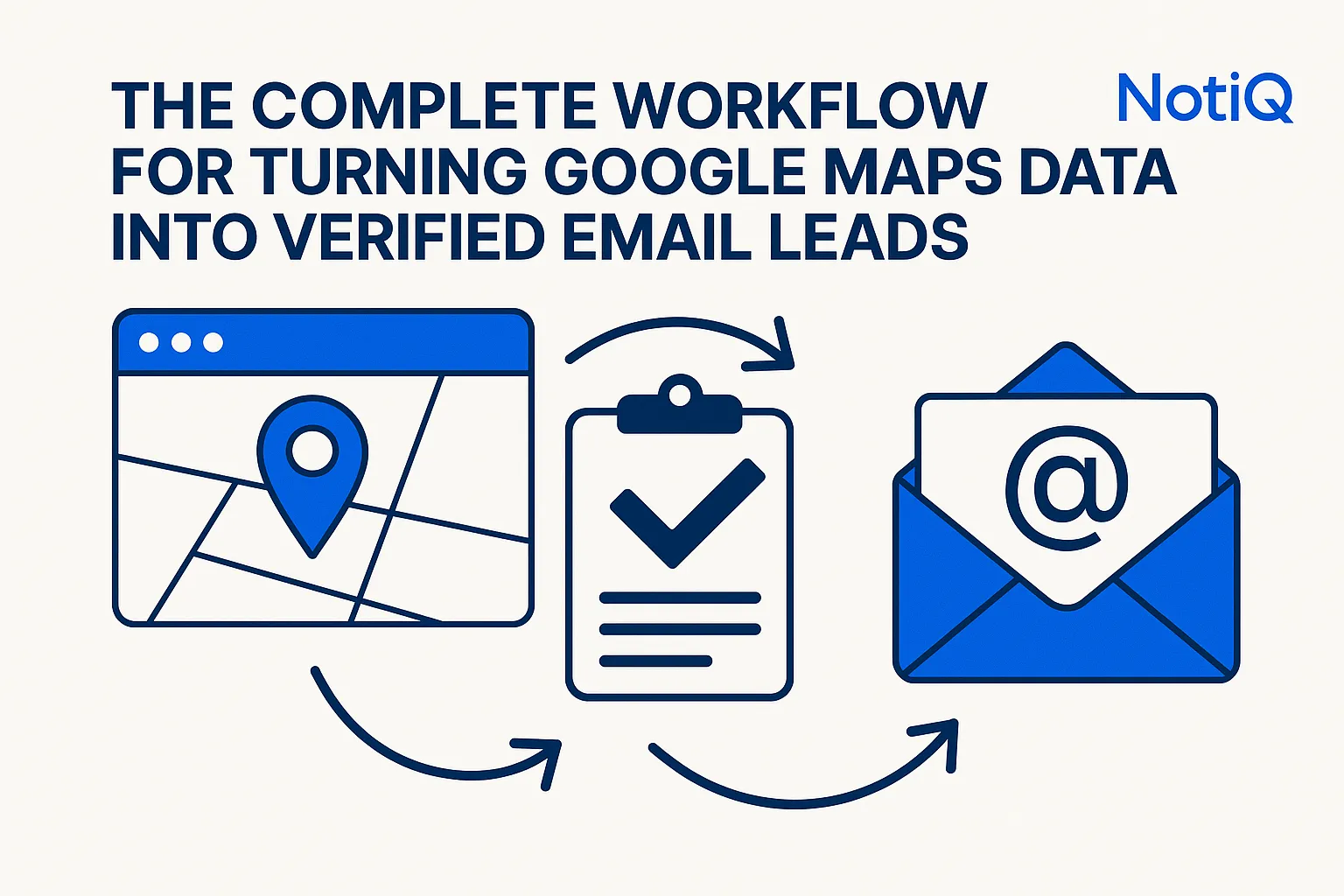
Transforming raw Google Maps data to verified email leads requires more than a simple scraping tool. It demands a rigorous operational pipeline. This guide breaks down the full workflow from initial listing collection to verified, segmented lead lists. Unlike basic email-finder tutorials, this comprehensive standard operating procedure (SOP) covers collection, enrichment, domain resolution, verification, quality assurance (QA), and campaign preparation.
To orchestrate this end-to-end local prospecting workflow efficiently, platforms like[Home](/)provide the necessary infrastructure to handle collection, enrichment, verification, and campaign preparation in one seamless system.
2. Why Google Maps Is a Powerful Starting Point for Local Lead Generation
Google Maps is a goldmine for Google Maps lead generation because it provides high-intent, geographically bound business data. For local sales prospecting and B2B prospect list building, it offers immediate visibility into active businesses within specific target markets.
However, there is a massive difference between raw "listing data" and "campaign-ready lead data." Many tools can pull names and addresses from a map, but very few connect that sourcing stage to verified outreach readiness. Without AI enrichment, robust verification, and QA governance, manual prospecting becomes a disjointed mess of spreadsheets and disconnected point tools. A structured workflow bridges the gap between local search visibility and precise outbound targeting.
What Google Maps Gives You—and What It Doesn’t
A standard Google Maps listing provides valuable business identifiers. Relying on Google Places API place fields, you can reliably extract a business name, category, phone number, address, website, and operational status.
What Maps usually does not provide are direct, prospecting-ready email contacts. Local business data extraction yields the foundation of a company profile, but turning Google Maps business data into actionable lists requires contact data verification and enrichment. The raw data is merely step one.
The Real Goal: Outreach-Ready Records, Not Raw Exports
The objective is not to hoard data; it is to build campaign-ready leads. An outreach-ready record features the correct company name, a matched and validated domain, enriched contact data, a verified email address, deduplicated formatting, and precise segmentation tags.
Hitting this standard is non-negotiable for maintaining deliverability, improving sales rep efficiency, and ensuring high list quality. An integrated email verification workflow protects your sender reputation, ensuring that your email deliverability verification processes are baked into the operation before a single message is sent.
3. What to Collect From Google Maps Listings Before Enrichment
Before you can enrich a lead, you must capture the right foundational data. Inconsistent inputs cause weak domain matching and force manual cleanup later in the Google Maps lead generation workflow. By establishing a standard record template for what to collect from Google Maps listings, you ensure that downstream enrichment and verification work reliably at scale.
Core Fields to Capture for Every Listing
Structured collection improves repeatability. For every business listing exports process, ensure you capture the business name, full address, city/state, phone number, website URL (if available), primary category, and business status.
According to the Google Places API place fields, these core attributes are essential. Phone numbers and addresses act as critical disambiguation tools when multiple businesses share similar names. The website URL is the primary key for domain resolution, while category data is vital for later segmentation in local business prospecting.
Useful Supporting Fields for Better Matching and Prioritization
Beyond the core fields, capturing secondary categories, geographic metadata, and operational signals helps prioritize outreach. While not every field belongs in your final cold email template, these supporting details are invaluable for lead scoring signals and business record enrichment. They allow teams to build highly targeted market segments for local prospecting.
Early Filters to Remove Weak Records Before You Enrich
"Garbage in, garbage out" is the defining rule of local prospecting. Before spending credits or time on enrichment, apply early filters to remove low-quality leads. Discard obviously closed businesses, duplicate entries, and incomplete records.
Review listings against Google Business Profile data guidelines to spot untrustworthy profile fields. Filter out edge cases like placeholder websites, generic directory pages, and thin records with no useful identifiers to streamline your contact data verification and deduplicate local leads effectively.
4. How to Match Google Maps Listings to the Correct Company Domain
Connecting a local listing to the correct website domain is the operational hinge of this entire process. If you match the wrong domain, you will enrich the wrong emails, ruin your personalization, and waste outreach efforts. Finding business emails from Google Maps requires exact company domain matching before any business email enrichment can occur.
Start With the Website Field—But Don’t Trust It Blindly
The website URL provided in a listing is your primary matching signal, but it requires validation. A Google Maps listing website often contains aggregator links, outdated URLs, or generic holding pages. Check the Google Places API place fields to extract the URL, but always confirm that the local business domain genuinely matches the specific location and company identity you are targeting. Company website matching must be verified, not assumed.
Cross-Check Business Identity Across Name, Address, Phone, and Site
To achieve high domain resolution accuracy, cross-validate the domain using business name consistency and NAP (Name, Address, Phone) signals. Address and phone data help distinguish between similar businesses with overlapping names.
The most reliable match is a corroborated business identity, not just a domain that looks similar. Ensure the local company website aligns with official business representation expectations outlined in the Google Business Profile data guidelines.
Handle Edge Cases: Franchises, Multi-Location Brands, and Directory Listings
Multi-location business matching presents unique challenges. When multiple branches share one corporate domain, or when dealing with franchise listings, you must apply a strict rule framework. Determine when to accept a corporate domain for outreach, when to tag a record for manual review, and when to discard it. Directory listing cleanup is also critical—never enrich a Yelp or YellowPages link thinking it is the company's actual domain.
Use On-Site Signals to Confirm You’ve Found the Right Domain
Website pages often contain organization structured data signals that validate the match. Look for phone numbers, addresses, or social links on the site that match the original Maps data. Using website corroboration ensures company domain validation is accurate, allowing you to move into contact discovery with confidence.
5. How to Enrich Records With Business and Contact Data
Once domain confidence is established, a basic local listing can be transformed into a complete lead record.Home allows you to automate this enrichment, validation, and record assembly seamlessly. This stage involves both business-level and contact-level enrichment to support B2B prospect list building.
Business-Level Enrichment: Build a Better Company Record
Business record enrichment standardizes company data tied to the correct domain. A CRM-ready company record includes a normalized business name, a validated domain, location context, industry categories, and supporting metadata. This foundation makes local business data extraction vastly more useful for downstream segmentation and targeted messaging.
Contact-Level Enrichment: Find the Right Person or Role
Moving from company data to outbound contact discovery requires precision. Business email enrichment should focus on finding relevant contacts based on your campaign's purpose, rather than grabbing every available email address. To find professional email addresses that convert, match the prospect's role to your specific offer and vertical. Quality always supersedes raw contact volume.
Confidence Signals for a High-Quality Enriched Record
A high-confidence business email relies on strict lead quality scoring. Confidence increases with a matched domain, corroborating location details, role relevance, and complete core fields. Conversely, contact confidence signals drop when encountering generic free email addresses (like @gmail.com for a corporate target), mismatched geographies, or weak website evidence.
When to Pause for Manual Review Instead of Automating Forward
Not every record should pass automatically to outreach. Establish a manual review workflow for ambiguous cases, such as multiple domains, inconsistent location details, or mismatched naming patterns. Setting clear review thresholds ensures your local prospecting SOP maintains high prospect data QA without sacrificing the speed of automation.
6. How to Verify Emails and Remove Low-Quality Leads
Verification is a mandatory quality control stage. Turning enriched contacts into safe outreach candidates requires an email verification workflow that filters weak records and reduces bounce risk. Proper email deliverability verification is directly tied to sender reputation and campaign success.
What Email Verification Should Check Before Outreach
To verify business emails before cold outreach, your system must perform syntax validation, domain validity checks, and mailbox-level pinging. Email validation is about deliverability checks and risk reduction, not just confirming an email "looks real." This step must occur before any data is exported into your campaign sending tools.
How to Handle Catch-All, Role-Based, Invalid, and Uncertain Results
Not all verification results are binary. Invalid email filtering is straightforward—delete those records immediately to ensure bounce-risk reduction. However, catch-all emails or uncertain results require nuanced handling. Depending on your campaign's risk tolerance, these may need lower-priority sequencing or exclusion. Generic role-based inboxes (like info@ or hello@) may still be useful in certain local verticals if intentionally segmented.
Deduplication and Red-Flag Cleanup Rules
Lead data QA requires strict deduplication. You must deduplicate local leads across map variations and remove duplicate contacts across multiple locations. Apply red-flag rules to remove bad emails: discard records with no domain confidence, conflicting business identities, or thin enrichment lacking role relevance. One bad field should trigger a review; multiple weak signals require immediate deletion.
Build a Simple Lead-Quality Framework
Implement a lead quality framework to categorize records into statuses likeVerified and Ready,Review Needed, andDiscard. Verified lead scoring helps teams prioritize the best opportunities and protect deliverability. By establishing standards for outreach-ready records, your prospecting becomes a highly repeatable operation across the entire sales team.
7. How to Prepare Segmented, Campaign-Ready Local Prospect Lists
Verified emails are not the finish line. Campaign preparation determines operational handoff and messaging relevance. The final output must be a clean, segmented, and compliant list ready for immediate deployment.
Segment by Geography, Industry, and Offer Fit
Local prospect list segmentation supports deep personalization. Grouping leads by geography and industry targeting allows you to tailor your messaging effectively. For accurate categorization, map your segments using standard frameworks like the official industry code lists. Aligning local business prospecting segments to specific outreach angles yields significantly higher conversion rates than blasting one generic list.
Define the Fields a Campaign-Ready Export Should Include
A campaign-ready lead export must be structured for immediate use. Include the company name, location, validated domain, verified email, contact role, category, confidence score, and segmentation tags. This ensures smooth CRM import and outreach list preparation, providing sales reps with only the fields that improve routing and personalization.
Add Final QA Before Handoff to Outreach
Before launching, conduct a final lead QA. Use an outreach preparation checklist to catch duplicates, missing personalization fields, invalid domains, and unclear segmentation. This prospecting workflow SOP ensures workflow errors are caught before they turn into bounced emails or confused prospects.
Make Sure Outreach Preparation Aligns With Compliance Requirements
Operational readiness includes adherence to cold email compliance. Ensure your lists support accurate sender identity, clear opt-out handling, and lawful outreach processes. Connect list quality with trustworthiness by reviewing the FTC CAN-SPAM compliance guide to ensure your email outreach best practices meet regulatory standards. To scale this compliant workflow effectively, explore Pricing to transition from manual effort to automated operational output.
8. A Practical End-to-End Workflow Blueprint for Teams
To make this actionable, here is the step-by-step Google Maps lead generation workflow. This local prospecting process turns raw data into an optimized email verification workflow.
Step 1–2: Collect and Standardize Listing Data
First, collect Google Maps data and standardise business listings. Capture core fields consistently and apply early filters to remove weak or closed records. A structured local data workflow prevents downstream errors.
Step 3–4: Resolve the Right Domain and Enrich the Record
Domain accuracy is the foundation of this process. Execute a strict domain matching workflow before initiating business email enrichment. Once confidence is established, proceed with company record building and contact discovery.
Step 5–6: Verify, Score, and Prepare for Outreach
Run your verified lead workflow by verifying emails, removing red flags, and scoring the data. Complete your prospect list QA and ensure only campaign-ready leads are segmented and exported for outreach.
Where Teams Usually Break the Process
Local prospecting mistakes usually stem from workflow bottlenecks. Teams fail by using inconsistent data collection, executing premature email finding without domain checks, skipping verification, and exporting poorly segmented lists. A workflow-first system eliminates the need for bad lead list cleanup by standardizing quality at every step.
9. Best Practices and Expert Notes for Scaling Local Prospecting
Scaling local prospecting best practices requires workflow governance. To generate verified leads at scale, operational maturity and quality controls must be prioritized over raw extraction capabilities.
Standardize Your SOP Before You Scale
Process consistency matters more than lead volume. Document your prospecting SOP to outline rules for field collection, domain matching, verification outcomes, and export standards. A repeatable lead generation process relies entirely on workflow standardization.
Prioritize Data Quality Over Maximum Volume
More leads do not equal more revenue if bounce risks and weak segmentation rise. Choose lead quality over quantity. Use confidence thresholds to ensure verified contact quality, focusing your sales reps' time on high-probability targets to maximize outreach efficiency.
Use Workflow Metrics to Improve Over Time
Track workflow metrics such as match rate, verification pass rate, discard rate, and lead readiness rate. Analyzing these metrics helps refine your sourcing criteria and QA rules, ensuring your pipeline continuously improves in accuracy and operational yield.
10. Conclusion
Google Maps is a powerful starting point, but the true value lies in the operational workflow that transforms raw listings into verified, segmented, outreach-ready records. By following a strict sequence—collecting consistent fields, resolving the right domain, enriching the company and contact record, verifying emails, removing weak leads, and preparing segmented exports—you eliminate wasted effort and protect your sender reputation.
Operational discipline is the key to turning Google Maps data to verified email leads. Stop relying on fragmented tools and manual cleanup. Build a cohesive email verification workflow and elevate your local prospecting today by exploring NotiQ to orchestrate your collection, enrichment, verification, and campaign preparation seamlessly.
Frequently Asked Questions
- How do you turn Google Maps business data into email leads?
- Turning maps data to email leads requires a multi-step pipeline: collect structured listing fields, match the correct domain, enrich with company and contact data, verify emails, deduplicate, and segment before outreach. This transforms raw Google Maps data to verified email leads.
- What fields from Google Maps matter most for enrichment?
- The most critical Google Places API place fields for local business data extraction are the business name, address, phone number, website URL, category, and operational status.
- How do you find the correct website for a local business listing?
- To find business emails from Google Maps, you must ensure accurate company domain matching by cross-checking the provided website URL against the business identity, address, phone number, and on-site corroborating signals.
- Why should email verification happen before outreach?
- An email verification workflow reduces bounce risk, protects sender deliverability, and improves list quality. Proper email deliverability verification ensures bad records are removed before they ever enter a campaign.
- Is it legal to collect leads from Google Maps?
- Yes, provided the workflow focuses on publicly accessible business data and aligns with lawful outreach preparation. Google Maps lead generation compliance requires adhering to regulations like the FTC CAN-SPAM compliance guide regarding sender identity and opt-out mechanisms.
- What makes a local lead truly campaign-ready?
- Campaign-ready leads possess a validated business identity, correct domain, relevant contact role, verified email, no duplication, and useful segmentation fields. This creates highly effective, verified local prospect lists.
Continue Reading
More articles you might find useful
How to Prioritize Businesses With Verified Google Profiles
A practical framework for ranking local leads beyond the verified badge. Learn how to prioritize Google Business Profiles using fit, freshness, completeness, and activity signals.
Read the article →
Google Maps Prospecting for Commercial Waste Management Companies
Learn how commercial waste haulers can use Google Maps to find, qualify, and prioritize better local accounts. This guide shows how to build denser routes and improve outreach with waste-stream and service-area insights.
Read the article →
How to Find Local Businesses With Broken Website Links
Learn how to find local businesses with broken website links using Google Maps, quick validation checks, and proof-based outreach. This guide shows agencies how to turn visible site issues into qualified leads.
Read the article →Popular industry lead playbooks
Maps search examples and niche outreach for the verticals teams prospect most.