Technology
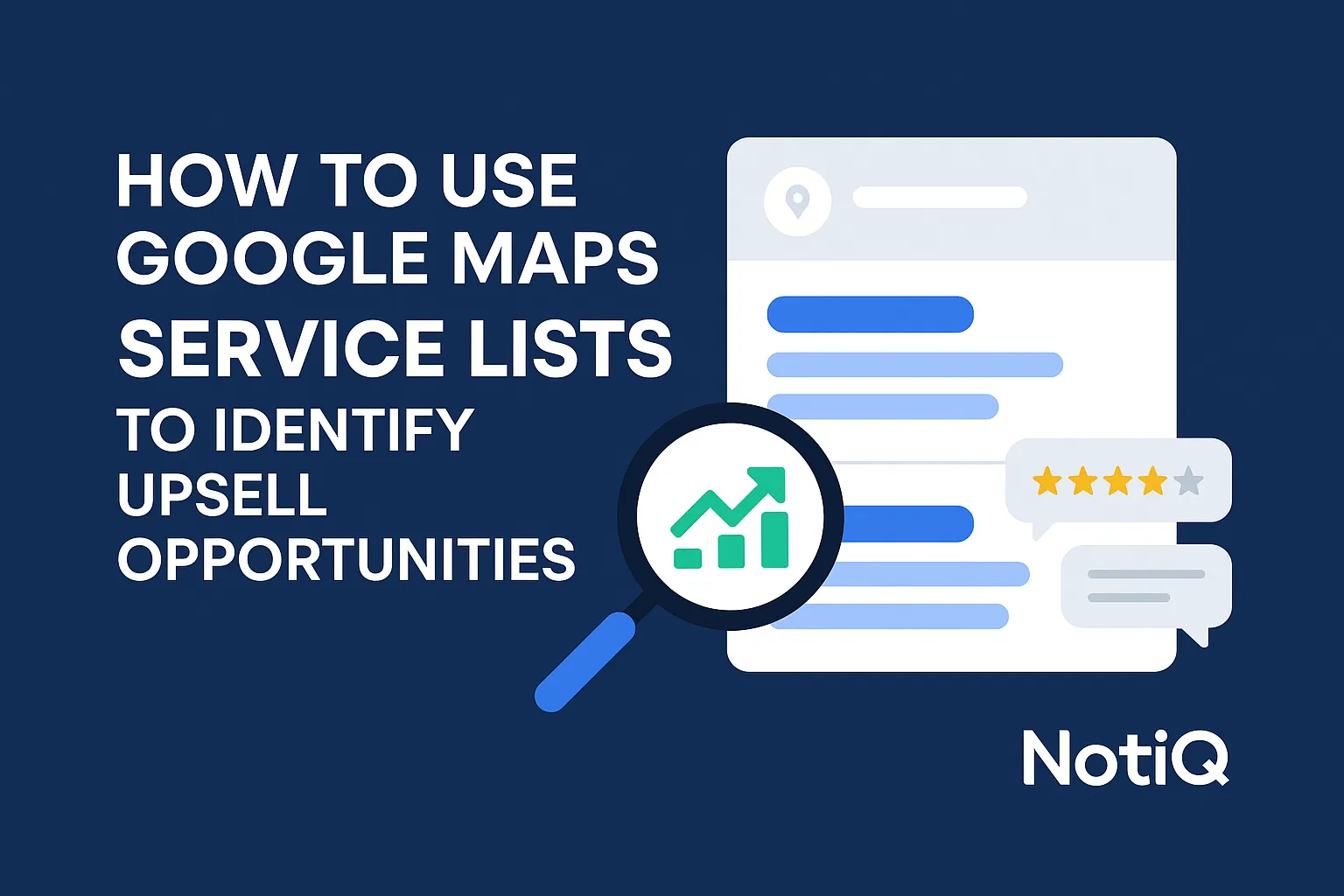
How to Use Google Maps “Service Lists” to Identify Upsell Opportunities
Learn how to compare Google Maps service lists against competitors to uncover missing services, validate demand, and create smarter upsell offers. This guide shows how service analysis can improve local visibility and revenue.
1. Introduction
Most businesses treat Google Maps service lists as simple profile housekeeping—a one-time administrative task to check off during local SEO setup. However, when viewed through a strategic lens, these service lists can reveal missing revenue opportunities hiding in plain sight.
Incomplete or generic Google Business Profile services often reduce discoverability, obscure adjacent offers, and make it significantly harder to spot what customers would actually buy next. When a business fails to comprehensively map its offerings, it leaves money on the table. This article frames a new approach: using Google Maps service lists upsell opportunities as a lightweight, highly effective market-intelligence system, rather than just a listing optimization chore.
By the end of this guide, you will learn how to compare your service list against local competitors, validate genuine market demand using reviews, categories, and service pages, and seamlessly turn service gaps into upsells, cross-sells, or premium packages. Tailored for intermediate marketers, local SEO practitioners, and service-business operators who already understand the basics of local search, this framework provides a repeatable, compliant roadmap for revenue expansion.
At NotiQ, we have extensive practical experience analyzing incomplete service menus to uncover upsell potential. We recognize that service-list data acts as a powerful strategic growth signal. To ground this process in compliant, foundational practices, always ensure your updates align with the official Google Business Profile service list guidelines.
2. Why Service Lists Matter for Revenue
Service lists influence far more than just profile completeness; they directly impact visibility, customer trust, market positioning, and ultimately, monetization. A well-optimized Google Maps service list helps customers quickly understand exactly what a business offers directly within the search interface.
Because service lists are often the closest thing to a public-facing service menu, they serve a dual purpose: they facilitate customer decision-making and provide a goldmine for competitor intelligence. Incomplete service lists lead to lost opportunities, including missed discoverability for niche queries, weaker relevance signals to search engines, hidden add-ons that fail to generate revenue, and lower conversion clarity.
It is crucial to understand the difference between "profile completeness" and "commercial completeness." A business may have a technically filled-out profile with basic categories, but still fail to present high-intent or higher-margin services. Comprehensive Google Business Profile completeness strengthens customer trust and purchase consideration. According to guidance on how Google local ranking works, relevance and comprehensive business information are key pillars of local search visibility.
To bridge this gap efficiently, tools like[NotiQ](/)act as a strategic intelligence layer, helping businesses find incomplete service menus and missed upsell signals across their local market without relying on manual guesswork.
The Revenue Signals Hidden in a Service List
When analyzing a service menu, specific revenue signals indicate immediate areas for improvement. You should look for missing adjacent services, vague labels, inconsistent naming conventions, and unlisted premium options.
These gaps matter commercially because they often point to unrealized cross-sell opportunities, poor packaging of existing offers, or a disconnect between what a business actually sells and what it communicates publicly. By evaluating these upsell signals, you can reveal the service breadth, specialization, and packaging strategies of your top competitors, turning service list gaps into actionable growth plans.
Categories vs. Services: Why the Difference Matters
A common point of confusion in local SEO service menu strategy is the distinction between Google Business Profile categories and services.
Categories signal broad relevance (e.g., "HVAC Contractor" or "Marketing Agency") and dictate which features are available in your profile. Services, on the other hand, provide granular offer details (e.g., "Ductless AC Installation" or "Technical SEO Audit"). To accurately interpret market opportunity, you must use both together. Relying on Google Business Profile categories and services in tandem ensures you capture broad search intent while satisfying specific, bottom-of-the-funnel buyer queries, perfectly aligning with Google Maps categories vs services best practices.
4. How to Tell a Real Demand Gap From Simple Profile Cleanup
To avoid false positives, you must separate "we forgot to list it" from "the market genuinely wants this." Not every missing service deserves to be added to your profile.
Use a decision framework for each missing service:
1. Is it already offered but unlisted?
2. Is it frequently requested but not formally packaged?
3. Is it a competitor-led demand signal?
4. Is it just low-value noise or an irrelevant outlier?
Validation requires combining service lists with reviews, categories, FAQs, and linked service pages to clarify unclear demand validation for new services. When utilizing reviews to validate demand, ensure you adhere to quality standards, referencing the FTC guidance on evaluating online reviews to avoid relying on manipulated data.
Signs It’s Just Profile Cleanup
Basic listing hygiene issues are easy to spot and fix. Signals include:
• A service already exists on the website but is absent from the GBP.
• Internal sales and operations teams already sell the service consistently.
• Customers frequently ask about it, but it hasn’t been properly labeled.
• Competitors aren’t uniquely winning with it; you simply overlooked it.
These incomplete service menus represent quick wins with low implementation risk. Addressing them is a fundamental step in Google Business Profile services optimization and basic service menu optimization.
Signs It’s a Real Market-Demand Gap
Stronger indicators of true market demand require deeper investigation. Signs of a genuine gap include:
• Several top competitors list the exact same adjacent service.
• Customer reviews repeatedly mention a specific need, complaint, or request.
• The service aligns perfectly with relevant categories and local buyer intent.
• Competitor websites dedicate prominent landing pages to the specific offer.
Always look for repeated patterns across multiple data points rather than relying on one source in isolation. Understanding customer demand trends through competitor analysis Google Business Profile data aligns with broader local search behavior research, proving that local search behavior is a reliable indicator of real-world demand.
A Simple Prioritization Framework
When deciding which services should be added to a Google Business Profile to increase revenue, use a practical scoring model. Score each potential service from 1 to 5 based on:
• Demand Evidence: How strong are the signals from competitors and reviews?
• Revenue Potential: Is this a high-margin or high-volume offer?
• Operational Readiness: Can your team deliver this service tomorrow?
• SEO Relevance: Does it naturally fit your primary categories?
• Ease of Packaging: Can it easily be bundled or sold as an add-on?
Prioritize services that score well across both visibility and monetization. This commercial prioritization separates true upsell opportunities from simple service list gaps.
6. Connecting Service List Insights to Local SEO and Conversion
Once a service gap is validated and packaged, it must influence more than just the Google profile itself. Validated services should shape your landing pages, internal linking structures, FAQs, review collection prompts, and conversion copy.
This full-funnel execution is what separates basic optimization from true revenue generation. Remember the principles of how Google local ranking works: comprehensive, relevant, and consistent information across your digital footprint drives visibility.
Update the Google Profile and Matching Service Pages Together
A validated service must appear in both the profile and the website. When you learn how to add services to Google Maps business listing compliantly, immediately create or improve matching local SEO service pages for those high-priority services.
Intent alignment is key: exactly what users see in Google Maps should match the specific Google Business Profile services they land on after clicking through to your site.
Use Internal Linking to Support Adjacent Services
Core service pages should actively use internal linking to direct users toward your newly identified add-ons, bundles, and premium options. This helps both users and search engines understand the semantic relationships between your offerings.
Place contextual internal links within:
• Core service pages
• Location-specific pages
• FAQ pages
• Supporting blog content
To orchestrate this workflow and connect service-gap insights to execution seamlessly,[NotiQ](/)provides the intelligence layer needed to execute a flawless local SEO service menu strategy across your service pages.
Use Reviews and FAQs to Reinforce Service Demand
Recurring customer language found during your audit should directly inform your service naming, FAQ topics, and landing-page copy. Capture validated customer demand trends in your FAQ sections and integrate them into your review request prompts.
However, exercise caution: reviews and FAQs for service demand validation should support a broader signal set, not serve as your only evidence. Always keep FTC review-evaluation guidance in mind to ensure you are acting on authentic service list gaps.
7. Tools, Workflow Tips, and Operationalizing the Process
To turn this strategic audit into a repeatable growth process, you must establish a recurring cadence. Depending on service volatility and local competition, teams should revisit service-list audits monthly or quarterly.
Systematization matters. A thoughtful workflow outpaces limited competitor visibility and time-consuming manual competitor review. Track what changed, what was validated, what was added, and what measurably impacted conversions. For systematizing service-gap discovery and identifying incomplete service menus with upsell potential, NotiQ serves as a premier strategic intelligence solution, elevating your Google Business Profile services optimization.
Create a Repeatable Audit Checklist
To ensure consistency, use this repeatable checklist for your service menu optimization:
• Export or document your current services.
• Review 3–5 direct competitors.
• Compare categories and listed services.
• Scan reviews and FAQs for repeating themes.
• Check linked competitor service pages.
• Score opportunities using the prioritization framework.
• Update profile and site assets simultaneously.
Following this checklist systematically turns raw competitor analysis Google Business Profile data into actionable service list maps.
Measure Outcomes Beyond Rankings
Success in this process is not just about ranking higher; it is a revenue intelligence workflow. Measure your outcomes based on:
• More qualified inbound leads.
• Better conversion clarity on landing pages.
• Increased average order value (AOV).
• Higher uptake of newly listed add-ons or bundles.
• Improved alignment between listing traffic and service-page engagement.
Connecting upsell opportunities to your broader conversion strategy proves the true ROI of a refined local SEO service menu strategy.
8. Conclusion
Google Maps service lists are not just administrative profile fields—they function as a highly practical market map for identifying service gaps, validating genuine demand, and creating lucrative new revenue offers.
By auditing your own service list, benchmarking against competitors, separating basic cleanup from true demand, and converting validated gaps into add-ons, bundles, or premium offers, you align your GBP and site assets for maximum profitability. The real advantage lies in interpreting service-list patterns commercially, rather than just optimizing them technically.
Review your own profile and competitor set today using this framework. If your team wants to systematize service-gap analysis across multiple locations or markets, NotiQ offers a powerful way to surface incomplete service menus and prioritize Google Maps service lists upsell opportunities efficiently. Our practical experience in analyzing Google Business Profile services for expansion proves that consistent service menu optimization is a foundational driver of local business growth.
Frequently Asked Questions
- How do Google Maps service lists help identify upsell opportunities?
- Google Maps service lists reveal exactly what a business promotes publicly, what competitors emphasize in the local market, and which adjacent services may be missing from your own offer stack. The strongest upsell signals emerge when missing services on your Google Maps service list are validated by competitor patterns, customer reviews, and website positioning, highlighting clear paths for revenue expansion.
- What are the signs of an incomplete Google Business Profile service list?
- Common signs of incomplete service menus include generic labels, missing high-intent services, a mismatch between the profile and website service pages, and the absence of commonly requested add-ons. It is important to differentiate basic Google Business Profile services optimization (like fixing typos) from broader strategic service list gaps that cost you revenue.
- How can businesses analyze competitor service menus on Google Maps?
- Businesses can execute local competitor service menu benchmarking by comparing 3–5 nearby competitors. Document their categories, services, reviews, and linked pages. The goal of this competitor analysis Google Business Profile workflow is pattern recognition—looking for repeated adjacent offerings or specialty positioning—not just blindly copying what others do.
- How do service gaps on Google Maps affect local SEO and conversions?
- Service gaps reduce local relevance, weaken message match, and limit discoverability for high-intent, long-tail searches. Furthermore, conversion suffers because an incomplete Google Business Profile completeness fails to clearly reflect what buyers are actually seeking, breaking the local SEO service menu strategy alignment between search and site.
- Which services should be added to a Google Business Profile first?
- When deciding which services should be added to a Google Business Profile to increase revenue, prioritize services you already deliver that are strongly supported by demand signals. Ensure they align with your core business categories and are capable of driving profitable upsell opportunities or premium offers. Always score each opportunity rather than adding to your Google Business Profile services indiscriminately.
Continue Reading
More articles you might find useful
Google Maps Prospecting for Commercial Waste Management Companies
Learn how commercial waste haulers can use Google Maps to find, qualify, and prioritize better local accounts. This guide shows how to build denser routes and improve outreach with waste-stream and service-area insights.
Read the article →
How to Find Local Businesses With Broken Website Links
Learn how to find local businesses with broken website links using Google Maps, quick validation checks, and proof-based outreach. This guide shows agencies how to turn visible site issues into qualified leads.
Read the article →
Google Maps Lead Generation for Signage Companies
Learn how sign companies can use Google Maps to find local prospects, identify visible signage gaps, and build a repeatable outreach system. This guide shows how to turn visual research into qualified leads without relying on paid ads or generic lists.
Read the article →Popular industry lead playbooks
Maps search examples and niche outreach for the verticals teams prospect most.