Technology
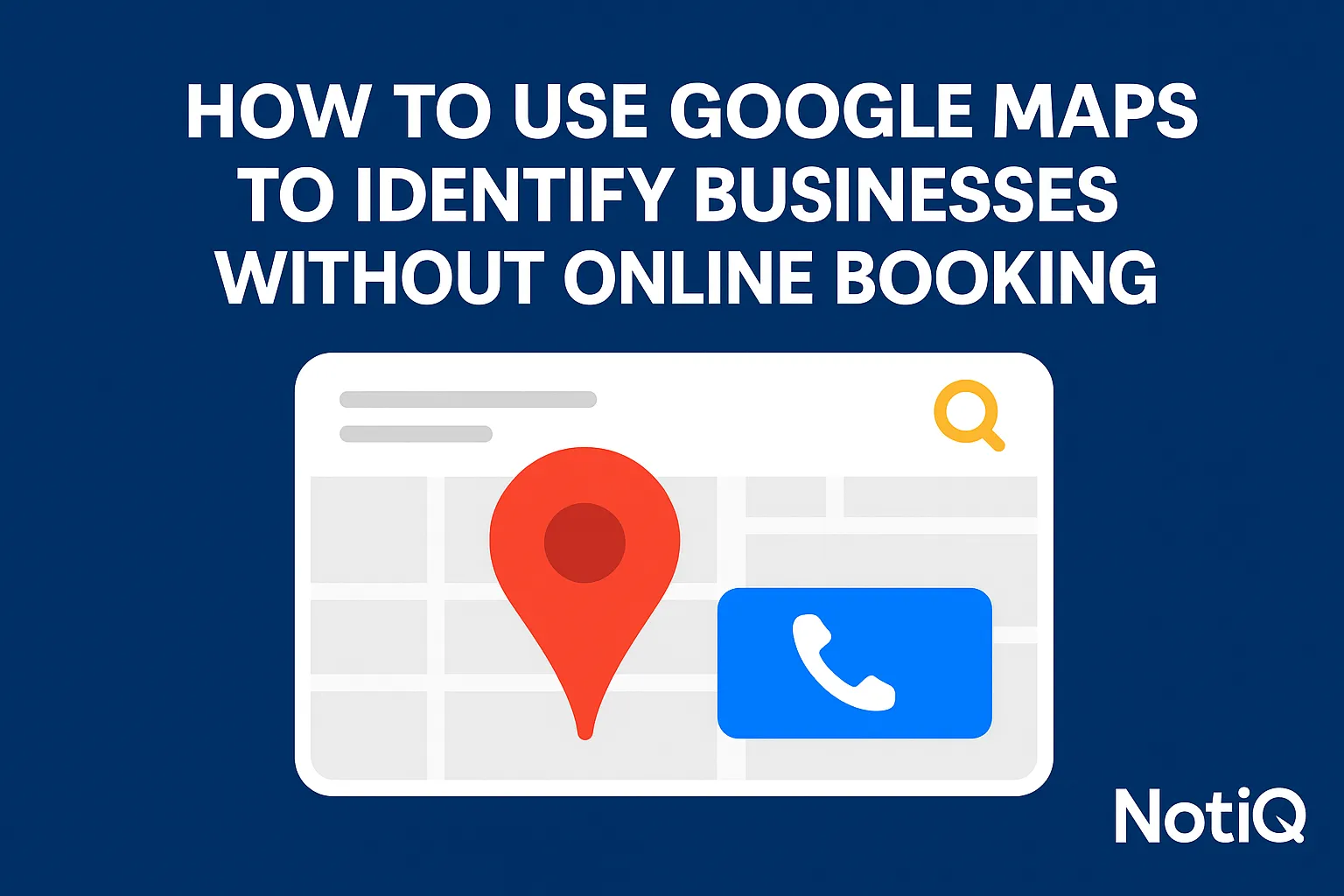
How to Use Google Maps to Identify Businesses Without Online Booking
Learn how to use Google Maps and Google Business Profile signals to find local businesses without online booking. This guide shows how to verify booking friction and turn those insights into qualified outreach.
1. Introduction
Many local service businesses still rely heavily on phone calls, voicemails, or static contact forms, even when modern consumers expect to book services instantly. For agencies, software vendors, and growth operators, this operational gap presents a massive opportunity.
Understanding how to use Google Maps to identify businesses without online booking allows you to spot visible scheduling gaps, validate them directly on the company’s website, and transform those insights into highly intelligent, personalized outreach. This guide is designed to be a tactical, beginner-friendly walkthrough that provides a repeatable workflow, rather than a generic pitch for scheduling software.
By learning to identify an online booking absence, you can find qualified prospects first and connect their missing booking setup to your outreach relevance. Relying on maps outreach signals ensures that your conversations are rooted in publicly observable facts. With years of experience building tactical prospecting workflows for local business outreach and qualification,[[Home](/)](https://www.notiq.io)serves as the ideal workflow layer for turning these visible booking-gap signals into organized, compliant prospecting and outreach campaigns.
2. Why Missing Online Booking Matters for Local Lead Capture
Before diving into the audit workflow, it is crucial to understand why a missing online booking system is a critical business problem. Phone-first and form-only experiences create immense friction for the consumer, particularly after normal business hours or when browsing on a mobile device.
This is not merely an operational inconvenience; it is a severe conversion and lead-capture problem. Businesses without online booking routinely lose high-intent demand to competitors who offer instant gratification. Furthermore, manual scheduling results in slower follow-up times, lost voicemails, and excessive administrative overhead for local teams. For agencies, SDRs, and growth operators, identifying missing online scheduling is one of the clearest prospect qualification signals available. Lower-friction digital flows improve the customer experience and drive conversions, a concept supported by NIST guidance on reducing user friction. Ultimately, self-serve booking perfectly aligns with modern mobile-first consumer behavior, making service businesses without booking links prime candidates for operational upgrades.
What “No Online Booking” Actually Looks Like
To effectively prospect, you must define the difference between a true booking flow and a basic contact path. A true booking flow allows a user to select a specific date, choose an available time slot, and confirm the appointment in real-time. Conversely, "Call now," "Contact us," or "Request an appointment" forms typically signal manual handling.
Beginners must learn to distinguish between visible appointment booking software and generic lead capture forms. If a user fills out a form and has to wait for a receptionist to call them back to confirm a time, that constitutes an online booking absence. Keep in mind that some businesses may have partial booking capabilities—such as allowing existing clients to book but forcing new clients to call—which is why manual booking businesses require careful website verification.
Why This Is a Strong Prospecting Angle
Targeting this specific pain point is far easier to personalize than a generic "you need better software" pitch. When you build outreach around visible friction, your messaging becomes hyper-relevant because it is based on public, observable gaps.
Generic lead lists simply provide contact information; they do not reveal a company's conversion maturity. By analyzing maps outreach signals, you can pinpoint exactly where a business is losing customers. While many resources discuss Google Maps lead generation or the benefits of booking software in isolation, this workflow connects the two, teaching you how to use public local business prospecting data to craft a compelling, context-aware sales narrative.
3. Google Maps and Google Business Profile Signals That Reveal Booking Gaps
Identifying likely candidates starts with a practical checklist of Google Business Profile signals. By inspecting a business's public listing before clicking through to their website, you can quickly gauge their conversion maturity.
It is important to stress that one signal alone is not enough to confirm a gap; you should always look for patterns. Keep this workflow simple, compliant, and repeatable by searching via city and service category. When configured correctly,Google Business Profile booking links provide a seamless way for customers to schedule directly from search results. When these links are missing, it is a strong indicator of a potential lead.
Start With a Simple Search Workflow
The most effective way to begin is by searching for a service category plus a location in Google Maps. Keep it beginner-friendly with queries like "dentist in Austin" or "salon in Miami."
Open multiple listings in separate tabs to quickly compare the visible conversion options side-by-side. As you learn how to use Google Maps to identify businesses without online booking, it is highly recommended to use a spreadsheet or a lightweight lead tracker from the very start to organize your findings. This compliant, manual approach to Google Maps lead generation ensures you are building a highly qualified list for local business prospecting.
Signal 1 — No Appointment or Booking Link on the Profile
The primary clue to look for is the absence of a dedicated appointment or reserve action button. A Google Business Profile booking link missing from the main interface strongly suggests that the business relies on traditional contact methods.
While the lack of a visible booking link does not definitively prove the business has no scheduling tool on their website, it is the strongest starting signal for an online booking absence. When logging this in your tracker, note service businesses without booking links as "needs website verification" so you can confirm the gap in the next phase of your workflow.
Signal 2 — Call-First CTAs Dominate the Listing
When "Call" or "Phone" is the primary or only prominent call-to-action on a listing, it often indicates a manual scheduling workflow. Call-first setups create significant friction for consumers trying to book after hours, on weekends, or during busy workdays when they cannot speak on the phone.
These maps outreach signals are especially potent when a call-first dominance is paired with the total absence of a booking button. Manual booking businesses that force phone interactions are highly susceptible to missing online scheduling opportunities, making them excellent prospects.
Signal 3 — Generic Website CTA or Weak Conversion Paths
Another strong indicator is a listing that relies solely on a generic "Website" or "Learn more" button without any direct scheduling links. These weak conversion paths require the user to perform extra clicks and navigate a potentially confusing site architecture before they can take a meaningful action.
This Google Business Profile signal connects directly to the website verification step. An online booking absence is highly probable if the listing features strong reviews and clear demand signals but forces users through weak, generic local business outreach signals just to get in touch.
Signal 4 — High Intent Business, Low Booking Maturity
Certain service categories naturally imply a high demand for appointments. If you find a listing in a high-intent category that boasts strong reviews and frequent customer interactions, yet lacks a visible booking option, you have found a prime outreach candidate.
Businesses without online booking in these sectors are losing out on significant revenue. However, frame this observation as a qualification clue rather than absolute proof. Service businesses without booking links still need to be verified, but finding a high-intent business with low conversion maturity is the holy grail of Google Maps lead generation.
Signal 5 — Review and Category Context
Review volume and service type are excellent metrics for prioritizing your prospecting lists. High-review businesses in appointment-heavy verticals should always be audited first, as they already possess the customer base needed to justify a software upgrade.
Remember that review count does not directly cause a booking need; it simply serves as a demand signal. A business with hundreds of positive reviews but poor Google Business Profile signals is struggling with operational efficiency. Understanding Google local ranking factors helps explain why some businesses are highly visible on Maps, making their maps outreach signals easier to spot and qualify for local business prospecting.
4. How to Verify Scheduling Friction on the Business Website
Once you have identified a prospect on Google Maps, the next step is validation. You must verify whether the business truly lacks instant online booking to avoid false positives in your outreach.
This simple on-site audit takes only a few minutes and focuses entirely on identifying conversion friction, not judging the website's overall aesthetic or design quality. By learning how to audit booking experience on business websites, you can confidently confirm missing online scheduling and determine if they need modern appointment booking software. Relying on observable friction ensures your outreach is accurate and helpful.
What to Check on the Homepage First
When you land on the homepage, immediately look for obvious calls-to-action such as "Book now," "Reserve," or "Schedule appointment."
Determine whether the main CTA is truly booking-focused or merely contact-focused. Check the header navigation, look for sticky buttons that follow the user as they scroll, and shrink your browser window to test mobile visibility. If these elements lead to a basic contact page rather than a calendar, you have confirmed an online booking absence among service businesses without booking links, validating their missing online scheduling.
Signs the Website Still Relies on Calls or Forms
Common patterns indicate a lack of modern scheduling. Look for contact-form-only flows, text that explicitly says "call to schedule," emailed appointment requests, or request pages buried deep within the site architecture.
It is vital to tell the difference between a static request form and real-time appointment selection. A form that asks for "preferred times" is not a booking engine; it is a manual lead capture tool. Note any after-hours friction explicitly: if users cannot self-book at night, the business's conversion rate will inevitably drop. These contact-form-only booking paths are the hallmark of manual booking businesses relying on phone-first booking.
How to Tell if Booking Exists but Is Buried
Occasionally, a business technically offers online booking, but hides it deep within the site. Buried booking still creates massive user friction and is therefore highly useful outreach context.
Check the top navigation dropdowns, individual service pages, footer links, and the mobile hamburger menu. If a customer has to hunt for the calendar, the website conversion friction is too high. A buried link is effectively an online booking absence for the average impatient consumer, making missing online scheduling a valid talking point for your pitch.
A 5-Minute Verification Checklist
To streamline your workflow, use this compact verification checklist for every prospect:
• Is there a visible booking button on the homepage?
• Can a user choose a specific time slot online?
• Is mobile booking easily accessible?
• Is the main conversion path call-only or form-only?
• Is the booking path instant, or does it require a delayed manual confirmation?
Using this checklist ensures consistency in how to audit booking experience on business websites. If a business fails these checks, they are confirmed businesses without online booking and prime targets for Google Maps lead generation. For deeper audit frameworks and messaging guides, check out [Guides](https://repliq.co/guides).
5. Which Business Categories to Prioritize First
Not every local business needs online scheduling equally. To maximize your return on effort, prioritize high-intent, appointment-driven service categories where missing booking is commercially detrimental.
Focusing on the right verticals makes this workflow highly practical and actionable for beginners. Knowing which types of local businesses often lack online booking allows you to build highly targeted lists of service businesses without booking links, streamlining your local business prospecting efforts. The BLS personal care and service occupations data highlights just how many service-heavy categories operate strictly on appointments.
High-Priority Verticals to Start With
Start your search with categories that rely on recurring appointments, urgent scheduling needs, and a high customer preference for convenience. Excellent examples include salons, med spas, dentists, chiropractors, pet services, home services, consultants, and auto repair shops.
Because these verticals depend on calendar density to drive revenue, missing appointment booking software is a massive operational flaw. Be aware that different verticals use different booking language; a salon uses "Book," while a home service business might use "Schedule Estimate." Targeting these specific service businesses without booking links yields the best local business prospecting results.
What Booking Friction Looks Like by Category
Booking friction manifests differently depending on the industry. Here are a few quick observational examples:
• Salons/Med Spas: No "Book now" button; reliance on call-only scheduling.
• Dentists/Chiropractors: Long appointment request forms instead of real-time scheduling.
• Home Services: "Request quote" buttons with no path to schedule a site visit.
• Pet Services: No self-serve booking for grooming or initial consultations.
These lightweight observations help you categorize missing online scheduling and tailor your maps outreach signals to the specific realities of manual booking businesses.
How to Prioritize by Demand and Conversion Maturity
To effectively sort your prospects, evaluate their review volume, visible professionalism, and conversion setup. The absolute best targets are businesses that already have high demand (indicated by reviews) but suffer from weak booking execution.
Position this as a simple prioritization model rather than a perfect scoring science. A highly rated business with terrible Google Business Profile signals is a better prospect than a brand new business with zero reviews. Look for local business outreach signals that indicate a high cost of inaction for businesses without online booking.
6. How to Turn Your Findings Into Personalized Outreach
The ultimate goal of this research is to convert observed booking gaps into highly relevant, non-generic messaging. By focusing on outreach built from visible evidence rather than broad assumptions, your emails and calls will stand out.
This practical approach empowers agencies and SDRs to tie the pain point directly to customer convenience, missed after-hours demand, and lower administrative overhead. When you find local businesses without booking software via Google Maps lead generation, contrasting your context-aware maps outreach signals against generic outbound pitches will drastically improve your response rates. Keep your claims modest and tied strictly to what you observed on their listing and website.
Build Outreach Around the Observed Gap
Craft your message by mentioning the specific issues you found during your audit, such as the lack of a booking button, a call-first flow, or contact-form-only scheduling.
Keep your outreach helpful and evidence-based, avoiding an accusatory tone. Connect the observed issue to the very real pain points of missed customer convenience and lost after-hours demand. Highlighting these maps outreach signals proves you took the time to understand their business, making your case regarding their missing online scheduling and status as businesses without online booking undeniable.
Personalization Angles That Actually Matter
Use specific personalization angles that resonate with local owners:
• "I noticed customers may not be able to book after hours on your site."
• "Your Google listing pushes calls, but many mobile users want instant scheduling."
• "The website appears to use request forms instead of direct booking, which can slow down your team."
These observations are vastly more relevant than broad software pitches. By leveraging local business outreach signals, you address the online booking absence directly, showing manual booking businesses exactly where they are losing money.
Simple Outreach Template Structure
A highly effective, basic message framework consists of four parts:
1. Observation: What you saw on their Maps listing or website.
2. Why it matters: The friction it causes for their customers.
3. Suggested fix or opportunity: How modern scheduling solves the problem.
4. Soft CTA: A low-pressure invitation to chat.
Keep the example short, beginner-friendly, and use category-specific language whenever possible. This structured approach to Google Maps lead generation and local business prospecting naturally positions your appointment booking software or agency services as the logical solution. For more personalization ideas and sales messaging improvements, visit [Blog](https://repliq.co/blog).
What Not to Do in Outreach
Never claim absolute certainty when you can only see partial signals; you are observing the public front-end, not their internal operations. Advise against leading with a product demo before you have clearly articulated the observed issue.
Generic "improve your conversions" messaging vastly underperforms compared to context-aware outreach. Relying on accurate maps outreach signals and Google Business Profile signals ensures your local business prospecting is viewed as consultative rather than spammy.
7. Tools, Checklists, and a Simple Scoring System
To make this workflow scalable, you need reusable assets and a lightweight framework to organize prospects consistently. This bridges the gap between manual research and scalable, compliant outreach.
By implementing a structured system, you ensure advantages in verification, enrichment, and workflow consistency—key elements often missing in standard Google Maps lead generation. Tracking how you find local businesses without booking software elevates your local business prospecting from guesswork to a predictable science.
A Beginner-Friendly Prospect Scoring Rubric
Implement a simple 3–5 factor scoring rubric to grade your prospects:
1. No visible booking link on GBP.
2. Website is call-first or form-only.
3. Operates in an appointment-heavy category.
4. Displays strong reviews or demand signals.
5. Mobile friction is obvious.
Higher scores indicate a better readiness for outreach. This rubric turns a Google Business Profile booking link missing into a quantifiable metric, using maps outreach signals to prioritize businesses without online booking effectively.
Recommended Spreadsheet Columns
Set up your tracking spreadsheet with clear, actionable columns: Business Name, Category, City, Booking Link Present (Y/N), Main CTA, Website Friction Notes, Review Volume, Outreach Angle, and Priority Score.
Clear note-taking is essential so your outreach can reference specific, personalized observations. This structured data turns raw local business prospecting into a refined Google Maps lead generation machine, driven by accurate Google Business Profile signals.
Where NotiQ Fits in the Workflow
Managing this data manually at scale can become cumbersome. A workflow tool helps organize findings, qualify prospects, and operationalize outreach based entirely on compliant, public signals.
By structuring your research,[[Home](/)](https://www.notiq.io)acts as the system for enriching and actioning booking-gap prospect data. It seamlessly connects your observed maps outreach signals to your local business prospecting campaigns, making Google Maps lead generation highly efficient.
8. Future Trends in Local Booking and Prospecting
The landscape of local search is evolving, with more local businesses adopting direct booking through their Business Profiles and optimizing for mobile-first experiences.
This trend makes the early identification of lagging businesses even more valuable. The growing overlap between local prospecting, AI-assisted research, and personalized outreach means that those who can spot Google Business Profile signals early will win. As Google Business Profile booking links become more prevalent, the absence of appointment booking software creates glaring maps outreach signals that smart prospectors can leverage.
Why the Gap Is Still Worth Targeting
Even as booking adoption grows, tens of thousands of service businesses still exhibit visible conversion friction. This is a narrowing but still highly meaningful opportunity.
Targeting businesses without online booking remains lucrative because the operational pain of manual scheduling never goes away until it is fixed. Service businesses without booking links are actively losing out to modernized competitors, making missing online scheduling a permanent priority for growth-focused agencies.
The Shift From List Building to Signal-Based Prospecting
The industry is moving away from bulk list building toward signal-based prospecting. AI and modern workflow tools are making public signals more actionable and easier to parse compliantly.
In this new era, qualification quality matters significantly more than raw lead volume. By mastering maps outreach signals, your Google Maps lead generation efforts will yield higher conversion rates, proving that intelligent local business prospecting is the future of outbound sales.
9. Conclusion
Mastering this workflow requires following a few simple, repeatable steps: search Google Maps by category and city, audit the GBP for booking-gap signals, verify the friction on the website, prioritize by demand, and use those findings to craft personalized outreach.
The core differentiator of this strategy is finding a visible need first, rather than pitching booking tools blindly. To build confidence, start with one vertical and one city. Begin applying this framework today to organize your findings and close more deals. By focusing on how to use Google Maps to identify businesses without online booking, you turn an online booking absence into a predictable revenue stream. Start utilizing these tactics to find local businesses without booking software and elevate your outbound success. (For a streamlined way to turn these operational gaps into structured prospecting workflows, explore how NotiQ can power your outreach).
Frequently Asked Questions
- How can I tell if a business does not have online booking from Google Maps?
- The best approach is to check the listing for missing appointment links and call-first CTAs, and then manually verify the experience on their website. Keep in mind that while a Google Business Profile booking link missing suggests a gap, it does not absolutely prove an online booking absence until confirmed on-site during your Google Maps lead generation workflow.
- What Google Maps signals show a business still relies on phone calls or forms?
- Look for maps outreach signals such as no visible booking button, click-to-call dominance, a generic website CTA (like "Learn more"), and contact-form-based scheduling. These Google Business Profile signals strongly suggest you are dealing with manual booking businesses.
- Which types of local businesses often lack online booking?
- Appointment-driven categories are the best places to look. Salons, med spas, dentists, pet services, home services, and consultants frequently operate as service businesses without booking links. Knowing which types of local businesses often lack online booking provides highly useful starting points for local business prospecting.
- What should I check on a business website after finding it on Google Maps?
- You need to verify whether users can instantly book a specific time slot, whether the booking path is mobile-friendly, and whether the business relies entirely on static forms or phone calls instead. Knowing how to audit booking experience on business websites confirms the missing online scheduling and validates the online booking absence.
- Can Google Business Profile show whether online appointments are enabled?
- Yes, GBP displays booking-related links when configured properly by the owner. However, the absence of these Google Business Profile signals should still be confirmed on the website. For more details on how these links function, refer to the Google Business Profile booking links documentation. A Google Business Profile booking link missing is your first clue that they may need appointment booking software.
Continue Reading
More articles you might find useful
How to Find Businesses With High Review Volume but Low Ratings
Learn how to find visible local businesses with lots of reviews but weak ratings using Google Maps signals, review trends, and owner response gaps. This blueprint helps agencies prioritize stronger reputation management leads and personalize outreach.
Read the article →
Google Maps Prospecting for Commercial Landscaping Companies
Learn how commercial landscaping companies can use Google Maps to find higher-fit commercial property leads, qualify visible need, and build denser service routes. This guide breaks down a practical workflow for smarter prospecting and better contract opportunities.
Read the article →
How to Find Businesses With Weak Google Maps Descriptions
Learn how to find businesses with weak Google Maps descriptions and turn visible GBP gaps into qualified local SEO leads. This guide covers audit criteria, scoring, and outreach angles you can use at scale.
Read the article →Popular industry lead playbooks
Maps search examples and niche outreach for the verticals teams prospect most.