Technology
How to Use Google Maps to Detect Businesses Without Customer Photos
Learn a practical framework for finding Google Maps listings without customer photos and validating whether the gap signals a real local SEO opportunity. This guide shows how to benchmark competitors, assess engagement, and turn audits into outreach insights.
1. Introduction
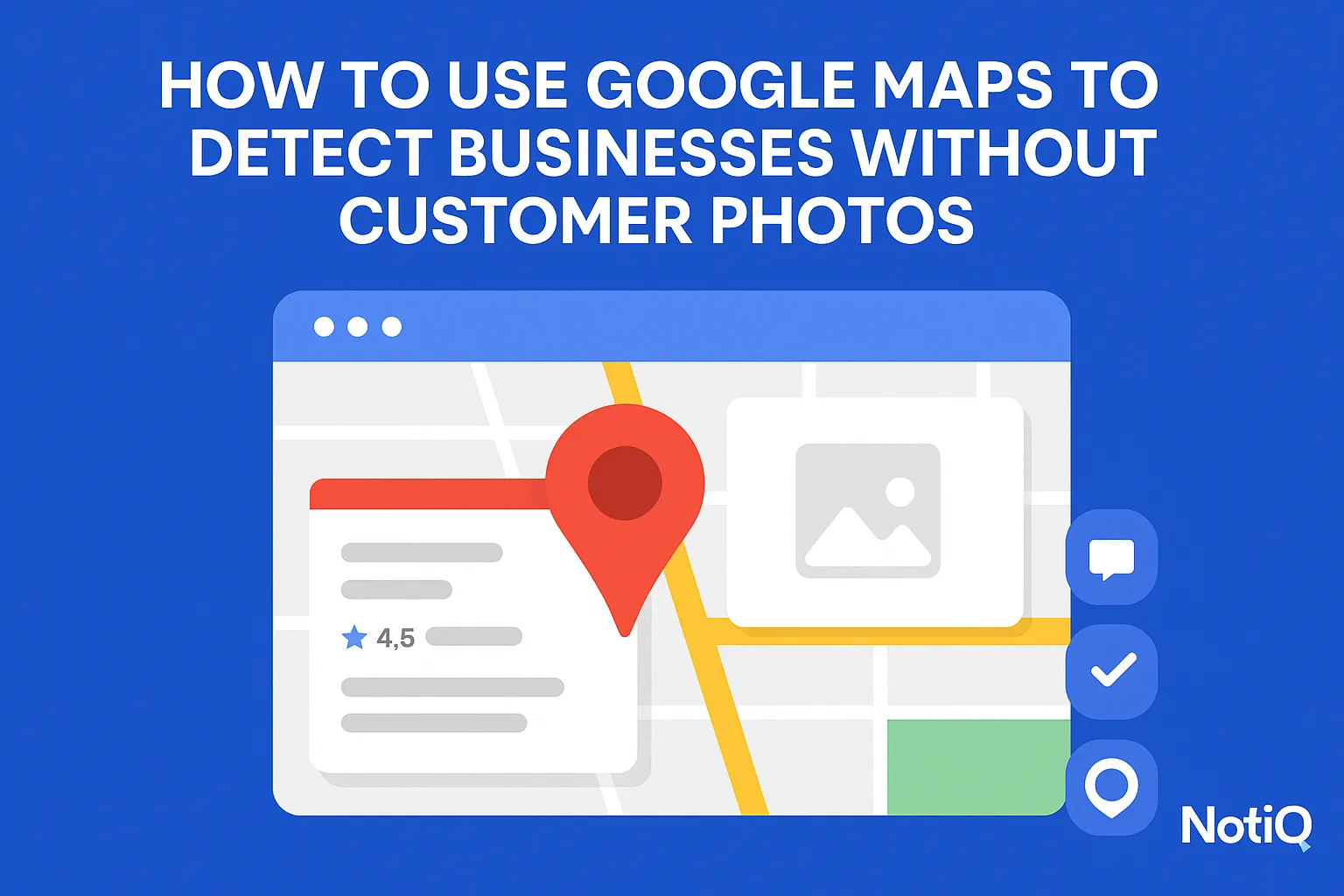
At first glance, many Google Maps listings appear perfectly complete. They have a registered address, a phone number, business hours, and perhaps a polished logo. However, a closer look at the images can reveal a quieter problem: the absence of customer photos. This specific gap often indicates low visible engagement, weaker consumer trust, or a broadly under-optimized local presence.
If you want to know how to use Google Maps to detect businesses without customer photos, you are looking at more than just a minor profile error. For agencies, consultants, SaaS marketers, and sales prospectors, missing customer photos maps directly to a practical prospecting opportunity. This article outlines a repeatable, evidence-based framework to identify these businesses, validate whether the visual gap actually matters, and turn your findings into targeted outreach or research insights.
It is important to clarify a critical nuance early on: having no customer photos does not automatically mean a business is weak or failing. Instead, it serves as an initial filter. The signal only becomes truly actionable when combined with an analysis of reviews, owner responses, recency, and overall profile completeness.
This guide moves past generic local SEO advice. We will evaluate these engagement signals against official Google guidance and broader local search best practices to build a compliant, operational workflow. As you move through this process, you can use tools like[Home](/)to lightly capture your audit observations and document patterns, ensuring your research is structured, ethical, and ready for action.
2. Why Customer Photos Matter on Google Maps
To effectively use photo absence as a prospecting tool, you must first understand why customer-uploaded images act as a meaningful trust and engagement signal on Google Maps, as well as where their limitations lie.
Customer photos as visible trust and social-proof signals
User-generated photos are critical resources that help searchers evaluate a place before they decide to click, call, or visit. While owner-uploaded media showcases a business in its best light, third-party visuals carry a different, more objective credibility. They provide unfiltered visual proof of the customer experience.
When analyzing Google Maps listing trust signals, user-generated photos demonstrate perceived activity and authenticity. If a listing lacks these images, it signals a gap in business visibility and customer advocacy that is worth investigating. To understand the foundational role of these visuals, it is helpful to look at how Google Maps uses user photos and reviews to help people understand places and make informed local decisions.
Why missing customer photos can matter for local SEO and conversions
A listing with no customer photos often looks less active or less compelling than competitors who boast rich visual proof. In visually competitive categories—like restaurants, contractors, or retail—this absence can cause friction in the buyer's journey.
Furthermore, a lack of customer images frequently overlaps with weaker engagement patterns, such as low review and photo activity overall. According to Google’s Business Profile photo guidelines, businesses with photos receive more requests for driving directions and more clicks to their websites. Additionally,OECD research on online ratings and reviews highlights how user-generated signals heavily shape consumer decision-making and conversion behavior. While we cannot claim that missing Google Business Profile photos directly cause poor local SEO signals, the correlation between low visual engagement and lower conversion rates is a powerful indicator for prospectors.
When photo absence is meaningful—and when it is not
Not every business without customer photos is a prime prospect. Some listings represent newly opened businesses, low-footfall B2B services, or highly niche industries that are simply not photo-driven by nature.
Therefore, finding no customer photos on Google Maps should never be treated as a standalone verdict. Unlike generic marketing advice that treats every missing photo as an urgent crisis, this framework relies on validation. We use photo absence as an initial filter to spot Google Business Profile low engagement signals, and then we cross-reference those findings with supporting engagement signals to confirm the opportunity.
3. How to Find Listings Without Customer Photos
Transitioning from theory to execution requires a repeatable, step-by-step workflow for locating candidate businesses and confirming their visual gaps.
Start with category + city searches
The most effective way to find Google Maps business listings without photos is to execute targeted category and city searches (e.g., "roofers in Austin, TX" or "boutique hotels in Denver").
Focus on service types and industries where visual proof heavily influences consumer trust and clicks. Stay within a tightly defined geographic area so that your eventual competitor comparisons remain contextually accurate. Gather an initial batch of Google Maps listings in your search area before making judgments about any single business. This helps you establish a baseline for what normal visual engagement looks like in that specific market to easily find low-engagement businesses on Google Maps.
Open the listing and inspect the photo section carefully
Once you have your initial search results, click into individual listings and navigate directly to the photo tab.
You must verify whether customer-contributed photos are entirely absent or merely limited. Some listings may feature a robust gallery of professional shots, but when you look closer, you will find that Google Business Profile customer photos missing is the actual reality.
(Insightful Tip: When auditing manually, take annotated screenshots of the photo tab. Highlighting the lack of a "By Customer" filter in your screenshots provides compelling visual evidence for later outreach.)
Reviewing Google’s Business Profile photo guidelines will help you understand how the platform categorizes and displays these images, ensuring you know exactly what to look for when navigating customer photos maps.
How to tell owner photos from customer photos
A common point of confusion is differentiating between business-uploaded imagery and user-generated photos. Knowing how to tell owner photos from customer photos on Google Business Profile is essential because owner effort does not equal customer engagement.
Look for visual cues: owner photos are typically highly polished, watermarked, or categorized under the "By Owner" tab. Customer photos are usually candid, taken from mobile devices, and categorized under "By Customer" or "Latest." In some edge cases, the interface may not make the distinction perfectly obvious. If you are unsure, avoid making hard assumptions and look at the broader context of the Google Business Profile photos.
Build a simple candidate list before scoring
Because manual Google Maps prospecting is time-consuming, you need to capture your findings efficiently. Record the business name, category, city, photo status, and any quick notes regarding their profile completeness local SEO.
Group these businesses by niche or map pack set. This organization reduces bias and makes side-by-side analysis significantly faster during the benchmarking phase. This is the exact moment where your workflow shifts from casual browsing to strategic auditing on how to audit Google Maps engagement signals. To streamline this, you can use[Home](/)to capture observations, save annotated screenshots, and structure your notes systematically across multiple listings.
4. What Signals to Check Beyond Photos
To prevent oversimplification, you must validate your initial findings. Missing photos only become a strong prospecting opportunity when supported by other weak engagement indicators.
Review count, recency, and velocity
Review and photo activity are deeply intertwined. A business with no customer photos but hundreds of recent, positive reviews likely has strong customer engagement—they just operate in a niche where people don't take pictures.
However, if a listing lacks photosandhas low review volume or stale reviews (e.g., the last review was three years ago), you have found a weak cluster. When asking what other signals indicate a weak Google Business Profile, review velocity—the rate at which new reviews are acquired—is a primary metric to check.
Owner responses and visible management activity
Owner responses signal active profile management and attentiveness. If a business ignores the few reviews it does receive, it reinforces the impression of under-maintenance.
A lack of owner responses, paired with missing photos and stale reviews, forms a triad of Google Business Profile low engagement signals. Frame this lack of response as a validation factor of poor management rather than a direct local SEO signals ranking shortcut.
Rating quality and context
Star ratings can be deceiving. A perfect 5.0 average rating with only two reviews represents much lower visible trust than a 4.6 rating with 400 reviews.
When evaluating Google Maps listing trust signals, contextualize the rating. High ratings with negligible review volume and zero photos often result in poor business visibility on Google Maps compared to highly active local competitors.
Profile completeness and visual richness
Look for other elements that correlate with a neglected presence, such as missing business hours, sparse descriptions, or lack of a website link.
Profile completeness local SEO supports both search discoverability and user confidence. According to Google’s local ranking factors, relevance, distance, and prominence dictate local search results. A sparse profile damages prominence. Always look for clusters of weakness rather than isolating one missing element to determine overall business visibility.
A simple validation checklist
To structure your analysis of how to audit Google Maps engagement signals, use this evidence-based validation checklist:
• [ ] No customer photos present
• [ ] Low, stale, or stagnant review velocity
• [ ] Few or zero owner responses to existing reviews
• [ ] Weak profile completeness (missing hours, descriptions, Q&A)
• [ ] Poor visual differentiation compared to nearby competitors
By relying on structured validation rather than assumptions, you identify genuine Google Maps listing trust signals and engagement signals that generic competitor audits often miss.
5. How to Benchmark Nearby Competitors
A listing's weaknesses only matter in context. Side-by-side comparison makes the absence of customer photos highly actionable.
Compare within the same local pack or search set
Always compare a candidate business to local competitors within the exact same category and geography. Contextual benchmarking is far more valuable than arbitrary, universal thresholds.
When you learn how to compare Google Maps competitors by photos reviews and responses, you will see that a listing's lack of photos becomes glaringly obvious when the top three competitors in the local pack feature hundreds of recent uploads and active reviews.
What a stronger competitor usually looks like
A dominant Maps profile features active review acquisition, recent owner engagement, rich user-generated imagery, and comprehensive business information.
This visual differentiation is your greatest asset. When you can show a prospect the stark contrast between their barren listing and a competitor's vibrant review and photo activity, the Google Maps listing trust signals speak for themselves, making the opportunity obvious.
Create a lightweight opportunity score
To operationalize your workflow, create a simple prospecting score based on the engagement signals you have gathered:
• Low Priority: Missing customer photos, but strong reviews and active management.
• Medium Priority: Missing photos plus one or two weak signals (e.g., stale reviews).
• High Priority: Missing photos, low/stale reviews, no owner responses, and incomplete profile data.
This framework allows you to easily identify low-engagement local businesses manually, without requiring expensive, specialized software.
Common false positives to avoid
Be cautious of false positives. As mentioned earlier, no customer photos on Google Maps is common for new businesses, restricted locations, or service-area businesses that operate exclusively at the customer's home.
Furthermore, a weak Google Business Profile does not always mean a weak business; they may be operationally dominant offline. Use this framework strictly as a prioritization tool to find businesses where Google Business Profile customer photos missing indicates a digital marketing gap, not an absolute verdict on their revenue.
6. How to Turn Findings Into Prospecting Insights
The ultimate goal of this audit is not just data collection, but translating your findings into actionable outreach, content, or research.
Identify which businesses are actually worth outreach
Agencies and SaaS marketers need efficient triage. Prioritize businesses that fall into your "High Priority" scoring tier—those where multiple weak signals cluster together and visibly lag behind nearby competitors.
If you are wondering how can marketers find low-engagement local businesses on Google Maps efficiently, the answer is strict filtering. Focus your sales prospecting only on the clear local SEO opportunity where your solution provides immediate, measurable value.
Turn audit findings into outreach talking points
When reaching out, translate your audit into plain business language. Avoid fear-based claims or overpromising ranking guarantees.
Instead, frame the conversation around Google Maps listing trust signals, competitor gaps, and customer decision friction. Convert your audit into two or three concise observations. For example:"I noticed your listing has strong service offerings, but compared to [Competitor], the lack of recent customer photos and review responses might be causing friction for searchers comparing your business visibility on Google Maps."This highlights customer engagement without sounding overly technical.
Use documented patterns for content, sales, or market research
This workflow extends far beyond outbound Google Maps prospecting. Documenting these engagement signals across dozens of listings reveals category-level patterns that are invaluable for market research.
You can leverage these insights to fuel local SEO content, build account research profiles, or identify niche trends. For ideas on turning data into broader growth strategies, check out Blog. To keep this research engine organized, rely on[Home](/)as your central layer for storing notes, screenshots, and recurring patterns.
Ethical and trust considerations in interpretation
Trustworthy prospecting requires ethical interpretation. Never misrepresent assumptions as facts. Use careful, compliant language such as "possible indicator," "visible signal," or "worth investigating" when discussing a prospect's Google Business Profile low engagement signals.
Your outreach must be grounded in real observations, not manipulated data. Familiarize yourself with the FTC guidance on trustworthy online reviews to ensure you are interpreting review ecosystems and engagement signals responsibly and legally.
7. Tools, Workflow, and Documentation Tips
Standardizing your audit process reduces manual friction and ensures your data is reliable.
What to document during each audit
To solve the fact that manual Google Maps prospecting is time-consuming, maintain a strict documentation protocol. For every audit, capture:
• Search query and location
• Business name and category
• Customer photo status
• Review count and recency
• Response behavior
• Notable competitor gaps
Taking screenshots of the Google Maps listings provides undeniable visual proof when it is time to present your findings on how to audit Google Maps engagement signals.
How NotiQ fits into the workflow
Instead of relying on fragmented spreadsheets, teams can use[Home](/)as a dedicated research and insight-capture layer. NotiQ allows you to organize your Google Maps observations, compare patterns across multiple listings, and seamlessly turn raw prospecting insights into outreach-ready notes. It streamlines the research workflow by keeping your visual evidence and priority scores in one accessible place.
Extending the workflow with visual asset support
Once you have identified a weak listing, the next logical step in the conversation is improvement. While the primary focus is the audit, you can lightly extend your workflow by offering visual content recommendations or local SEO photo optimization strategies. For businesses struggling to generate authentic Google Business Profile photos, adjacent resources like Ai Images can support broader visual presentation strategies post-audit.
8. Future Trends in Visual Local SEO Audits
Looking ahead, the way we evaluate local listings is evolving, making this framework even more relevant.
Why customer photos may become more differentiating
As more businesses utilize polished first-party media or AI-assisted imagery, authentic user-generated photos will stand out even more as genuine social proof.
In the near future, visible customer contribution will transition from a nice-to-have feature into a critical local SEO photo optimization differentiator. Authentic trust signals cannot be easily faked, meaning businesses that cultivate real customer photos will command higher consumer confidence.
AI-assisted audit workflows are speeding up local research
Sales and SEO teams are increasingly adopting AI-assisted local SEO audits to document and prioritize local listing opportunities faster.
However, the true competitive edge is not just scraping or collecting data—it is interpreting clusters of engagement signals accurately. Tools and structured prospecting workflows help synthesize observations, but human judgment remains essential for validating context and avoiding false positives.
9. Conclusion
Missing customer photos on Google Maps serve as a highly effective prospecting signal, but only when carefully validated against review recency, owner responses, and overall profile completeness.
By applying this repeatable framework, you can move from guessing to knowing. The process is straightforward: search by category and city, inspect photo sections carefully, distinguish owner images from customer uploads, benchmark against nearby competitors, and prioritize businesses where multiple weak signals overlap.
This approach ensures you are not just learning why photos matter—you are actively mastering how to use Google Maps to detect businesses without customer photos and turn those visible gaps into actionable local SEO and outreach insights. Grounded in official Google guidance and ethical research practices, this method elevates how you audit Google Maps engagement signals and interpret Google Maps listing trust signals.
Ready to systematize your local research? Start documenting your next audit and turn your observations into action using[Home](/).
Frequently Asked Questions
- Does no customer photo always mean low engagement?
- No, not always. Does no customer photo always mean low engagement? It is an initial signal, not a final conclusion. You will often find no customer photos on Google Maps for newly opened businesses or highly restricted service-area niches. Always validate this absence by checking review recency, owner response rates, and overall profile completeness.
- How do missing customer photos affect trust and click-through rates?
- How do missing customer photos affect trust and click-through rates? The effect is largely indirect and comparative. When searchers compare local options, listings with richer visual proof naturally appear more trustworthy and attractive. A lack of Google Maps listing trust signals can cause consumer friction, driving potential clicks to competitors who offer a clearer visual expectation of the experience.
- What other signals indicate a weak Google Business Profile?
- What other signals indicate a weak Google Business Profile? Beyond missing photos, look for a cluster of Google Business Profile low engagement signals. This includes low review volume, stale engagement (no new reviews in months), a lack of owner responses to existing feedback, and limited profile completeness, such as missing hours or business descriptions.
- How do you tell owner photos from customer photos on Google Business Profile?
- How to tell owner photos from customer photos on Google Business Profile requires inspecting the photo tab directly. Owner photos are often professional, watermarked, and categorized under "By Owner." If Google Business Profile customer photos missing is a reality, you will notice a lack of candid, mobile-shot images and the absence of a "By Customer" sorting tab. Interface context and labeling cues are key.
- Which businesses should be prioritized first for outreach?
- When deciding how can marketers find low-engagement local businesses on Google Maps, use a strict prospecting score. Prioritize listings that have no customer photos combined with weak or stale reviews, zero management activity, and an obvious visual gap compared to local competitors. This cluster of signals represents the highest-value local SEO opportunity for targeted outreach.
Continue Reading
More articles you might find useful
Google Maps Prospecting for Commercial Waste Management Companies
Learn how commercial waste haulers can use Google Maps to find, qualify, and prioritize better local accounts. This guide shows how to build denser routes and improve outreach with waste-stream and service-area insights.
Read the article →
How to Find Local Businesses With Broken Website Links
Learn how to find local businesses with broken website links using Google Maps, quick validation checks, and proof-based outreach. This guide shows agencies how to turn visible site issues into qualified leads.
Read the article →
Google Maps Lead Generation for Signage Companies
Learn how sign companies can use Google Maps to find local prospects, identify visible signage gaps, and build a repeatable outreach system. This guide shows how to turn visual research into qualified leads without relying on paid ads or generic lists.
Read the article →Popular industry lead playbooks
Maps search examples and niche outreach for the verticals teams prospect most.