Technology
Using Google Maps to Find Businesses Running Ads (and Contact Them Instantly)
Learn a fast, tactical workflow to spot businesses already running ads using Google Maps and ad libraries. Build a high‑intent prospect list in minutes.
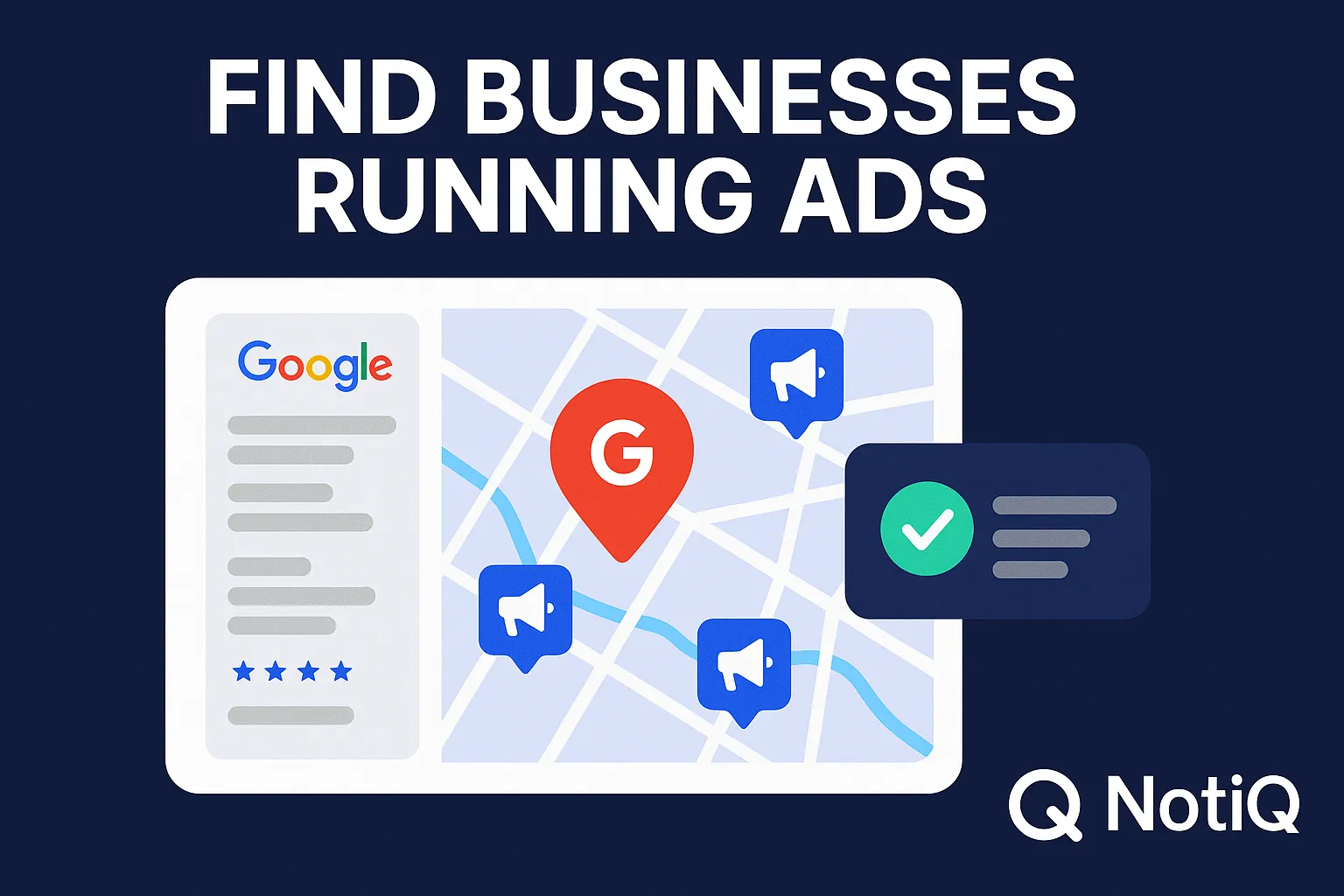
1. Introduction
Clients who are already spending money on advertising are the easiest leads to close. They have already validated their need for growth, established a marketing budget, and moved past the "does marketing work?" objection. However, finding these businesses is notoriously difficult. Agencies often waste countless hours cross-referencing local business lists with ad libraries, only to find that the majority of prospects are inactive.
Traditional scraping tools and generic lead databases rarely bridge the gap betweenlocationandad activity. To scale your agency, you need a workflow that connects local visibility with ad verification instantly.
This guide details a tactical, fast workflow to identify, verify, and contact businesses running ads in minutes. By leveraging Google Maps signals and verifying them against ad libraries—a process NotiQ has refined to help agencies accelerate qualification—you can build a pipeline of high-intent prospects ready for your pitch.
2. Why Finding Ad‑Active Businesses Is Hard
For most agencies, building a list of businesses running ads is a manual, disjointed nightmare. The data you need is fragmented across completely different ecosystems: Google Maps holds location and contact data, while Meta (Facebook/Instagram) and Google Ad Transparency Centers hold the spending data.
These platforms do not naturally communicate. To find a single qualified lead, an agency rep typically has to:
1. Search Google Maps for a niche (e.g., "Roofers in Dallas").
2. Copy the business name.
3. Open the Meta Ads Library.
4. Paste the name and filter by region.
5. Analyze the results to ensure it is the correct "Smith Roofing."
This process is slow and non-scalable. If you are trying to fill a pipeline, you cannot afford to spend 10 minutes qualifying a single lead. Furthermore, many competitor tools—such as Apollo or standard Maps scrapers—provide excellent contact info but zero insight into current ad activity. They leave you guessing who has a budget.
According to the OECD (Organisation for Economic Co-operation and Development) guide on online advertising, the complexity of the digital supply chain often obscures transparency, making it difficult for external parties to accurately interpret ad signals without rigorous verification methods. This complexity is exactly why manual searches often yield false positives or outdated data.
To solve this, agencies need a workflow that treats Maps visibility as a primary filter before moving to ad verification.
Have a look here: RepliQ - Use meta ads library to get clients for your ad agency easily]
3. Maps Signals That Reveal Likely Ad Spenders
Before you even check an ad library, Google Maps provides critical "tells" that a business is investing in its growth. Businesses that are active on Maps are statistically more likely to be running paid campaigns elsewhere. They have already demonstrated digital maturity.
Here are the key Maps-based indicators that correlate with active advertising:
• High Frequency of Updates: Businesses using "Google Business Profile Posts" to share offers or news are active marketers.
• Strong Ranking in Competitive Niches: If a business ranks in the top 3 for a high-value keyword (e.g., "Emergency Plumber"), they are likely investing in SEO or Local Services Ads (LSA).
• Active Q&A and Recent Reviews: A steady stream of responses to reviews indicates an active management team or a hired agency managing reputation.
• Presence of Paid Landing Pages: If the "Website" link on their profile redirects to a funnel or includes UTM parameters, they are tracking performance.
Understanding these signals allows you to prioritize which leads to check for ad spend. The BBB (Better Business Bureau) standards for advertising emphasize that legitimacy and transparency in customer interactions—such as responding to reviews and maintaining accurate business profiles—are key indicators of a trustworthy, active business. These are the exact signals you can spot instantly on Maps.
Real-World Example of a Maps → Ad Activity Correlation
Consider a search for "Med Spa in Austin." You find a listing with 4.8 stars, 200+ reviews, and a "Google Post" from two days ago offering a "New Client Botox Special."
This activity signals they are aggressively seeking new clients. When you take this business name into the Meta Ads Library, there is a high probability you will find active campaigns mirroring that same "Botox Special."
This correlation is strongest in high-ticket local industries such as:
• Home Services: HVAC, Roofing, Solar.
• Medical/Aesthetics: Med Spas, Dentists, Chiropractors.
• Legal: Personal Injury, Family Law.
By focusing on Maps visibility first, you filter out dormant businesses before wasting time on ad checks.
4. Step‑by‑Step Workflow to Identify Businesses Running Ads
To scale your outreach, you need a repeatable process. This workflow moves from broad identification to specific verification, ensuring you only spend time contacting high-probability leads.
Step 1 — Pull Local Business Prospects from Google Maps
Start by identifying a pool of active businesses. Go to Google Maps and search for your target niche + location (e.g., "Landscapers in Phoenix").
Focus on the "active" middle ground. You don't always want the market leader (who may be too big to pitch) or the business with zero reviews (who has no budget). Look for:
• Listings with 10–100 reviews.
• Complete profiles (photos, hours, website link).
• Businesses situated in competitive density areas.
Step 2 — Check Ad‑Running Signals Using Meta Ads Library
Once you have a list of prospects from Maps, verify their spending.
1. Navigate to the Meta Ads Library.
2. Select "All Ads" as the ad category.
3. Enter the exact business name found on Maps.
4. Crucial: Filter by the specific city or region to avoid confusing a local "Smith Construction" with a national brand.
Look for "Active" status on ads. If they have ads that have been running for more than 3 months, they are likely profitable.
Note on False Positives:Many businesses share names. Always verify the logo or URL in the ad matches the Google Maps listing. The FTC (Federal Trade Commission) provides guidance on digital advertising disclosures, highlighting how ad libraries are essential tools for transparency. Utilizing these libraries correctly ensures you are basing your outreach on factual, current public data regarding a business's commercial activity.
Step 3 — Enrich & Validate With Multi‑Platform Signals
Don't rely on Facebook ads alone. A business might be spending heavily on Google Search instead.
• Website Check: Click the website link from Maps. Use a tool like Wappalyzer or Ghostery to see if they have the Meta Pixel or Google Ads Conversion Tracking tag installed.
• Landing Page Analysis: Are they sending traffic to a generic home page or a dedicated landing page (e.g., `/consultation-offer`)? Dedicated pages suggest sophisticated ad spend.
Step 4 — Automate the Process with NotiQ
Doing the above steps manually for 100 leads will take days. Automation is the only way to make this profitable for an agency.
NotiQ automates the merger of Google Maps data and ad verification. Instead of juggling tabs, NotiQ allows you to:
1. Search a niche and location.
2. Automatically detect which of those businesses have active pixels or ad tech installed.
3. Enrich the data with verified contact info immediately.
This eliminates the manual "copy-paste" verification step entirely. While tools like Apollo or Local Falcon provide partial data (contacts or rankings), they lack the specific "currently running ads" verification that is critical for this strategy.
5. How to Qualify and Contact Ad‑Active Leads Fast
Finding the business is half the battle; the other half is efficient qualification and outreach. Ad-active companies convert at higher rates, but they are also pitched more often. You need a qualification framework to stand out.
Qualification Framework (Traffic, Visibility, Spend Signals)
Use a simple 3-point scoring system to prioritize your list:
1. Maps Strength (1 Point): Do they have a 4.0+ rating and recent reviews? This proves they can handle lead volume.
2. Ad Confirmation (1 Point): Did you find active ads in the library or tracking pixels on their site? This proves budget.
3. Funnel Quality (1 Point): Is their landing page optimized? If they are running ads to a broken or poor page, that is your "gap" to pitch.
Score 3/3: Immediate priority. Call them now. Score 2/3: Good prospect, nurture via email. Score 1/3: Low priority.
Outreach Scripts for Ads‑Running Companies
When contacting these leads, acknowledge their current efforts. Do not ask "Are you doing marketing?"—you already know they are.
Subject: Saw your ad for [Offer Name]
"Hi [Name],I came across your listing on Google Maps and saw your active ad for the [Service Name] special.It looks like you're getting great visibility, but I noticed the landing page isn't loading fast on mobile, which might be wasting your ad spend.We help businesses like yours fix this leak. Open to a 5-minute audit video?"
Instant Contact Extraction & CRM Push
Speed is vital. Once you identify a "3/3" lead, you cannot waste time hunting for an email address. Automated enrichment tools allow you to extract verified emails and phone numbers from the Maps listing and website simultaneously.
Using [NotiQ](/), you can push these enriched leads directly to your CRM or cold email software. This seamless transition from "Discovery" to "Contact" reduces the friction that typically kills agency lead generation efforts.
6. Best Practices, Compliance, and Trust Signals
When using automation and public data, compliance is non-negotiable. Your agency must operate ethically and within the Terms of Service of the platforms you utilize.
• Public Data Only: Ensure your workflow only accesses publicly available information (such as data visible on Google Maps or the Ad Library). Do not access private accounts.
• Respect Privacy: Adhere to GDPR and CCPA regulations when handling contact information. Only reach out to business contacts (B2B), not personal private data.
• Transparency: When pitching, be honest about how you found them. "I saw your public listing" is better than vague statements.
The FTC's enforcement policy statement on deceptively formatted advertisements underscores the importance of being able to distinguish commercial content. Similarly, when you identify ads, ensure you are interpreting them correctly—distinguishing between organic posts and paid placements—to maintain credibility in your outreach. By following these guidelines, you build trust with prospects from the very first interaction.
7. Conclusion
The hardest part of agency sales is finding clients with money who are willing to spend it. By shifting your focus to businesses that already display Maps visibility and verified ad activity, you bypass the most difficult objections.
This workflow—starting with Maps, verifying via ad libraries, and validating with pixel data—is the fastest way to build a high-value pipeline. While manual methods work for small volumes, leveraging automation tools like NotiQ allows you to execute this strategy at scale, turning hours of research into minutes of actionable outreach.
Stop chasing cold leads. Start connecting with businesses that are already playing the game.
Frequently Asked Questions
- How does Google Maps reveal whether a business is running ads?
- Google Maps itself doesn't explicitly flag "running ads" on the organic listing, but signals like high review velocity, recent "Google Posts," and top-tier rankings in competitive areas strongly correlate with businesses that have active marketing budgets. Additionally, Local Services Ads (LSA) appear directly in Maps results, which is a direct confirmation of spend.
- What is the fastest way to verify a business is actively running ads?
- The fastest manual method is to copy the business name from Maps and search it in the Meta Ads Library with the location filter applied. For automation, tools that cross-reference Maps data with ad tech detection (like tracking pixels) provide the quickest verification.
- How can I contact ad‑active businesses instantly?
- You need an enrichment workflow. Once you identify the business on Maps, use a tool that extracts public email addresses and phone numbers associated with the domain and listing, then pushes that data directly to your outreach tool.
- Which industries run ads most consistently?
- High-ticket local services are the most consistent ad spenders. This includes Home Services (Roofing, HVAC), Medical Aesthetics (Med Spas, Plastic Surgery), Legal Services, and Real Estate. These industries have high customer lifetime value (LTV), justifying the ad spend.
- Is this method compliant with ad‑platform policies?
- Yes, provided you are only accessing and analyzing publicly available data. The Meta Ads Library and Google Maps are public directories. Reviewing them for market research and lead qualification is a standard, compliant business practice, provided you respect privacy laws regarding personal data during outreach.
Continue Reading
More articles you might find useful
How to Find Local Businesses With Missing Email Addresses
Learn how to find and verify missing email addresses for local businesses discovered on Google Maps. This guide covers enrichment, verification, and cleaner lead generation workflows.
Read the article →
How to Find Businesses With Strong Ratings but Almost No Reviews
Learn how to find local businesses with strong ratings but too few reviews. This guide shows how to qualify better review-growth leads using competitor gaps, recency, and activity signals.
Read the article →
Google Maps Prospecting for Commercial Kitchen Equipment Suppliers
A practical blueprint for commercial kitchen equipment suppliers to use Google Maps and Google Business Profiles to find, score, and target better local hospitality leads. Learn how to turn public business signals into CRM-ready outreach opportunities.
Read the article →Popular industry lead playbooks
Maps search examples and niche outreach for the verticals teams prospect most.