Technology
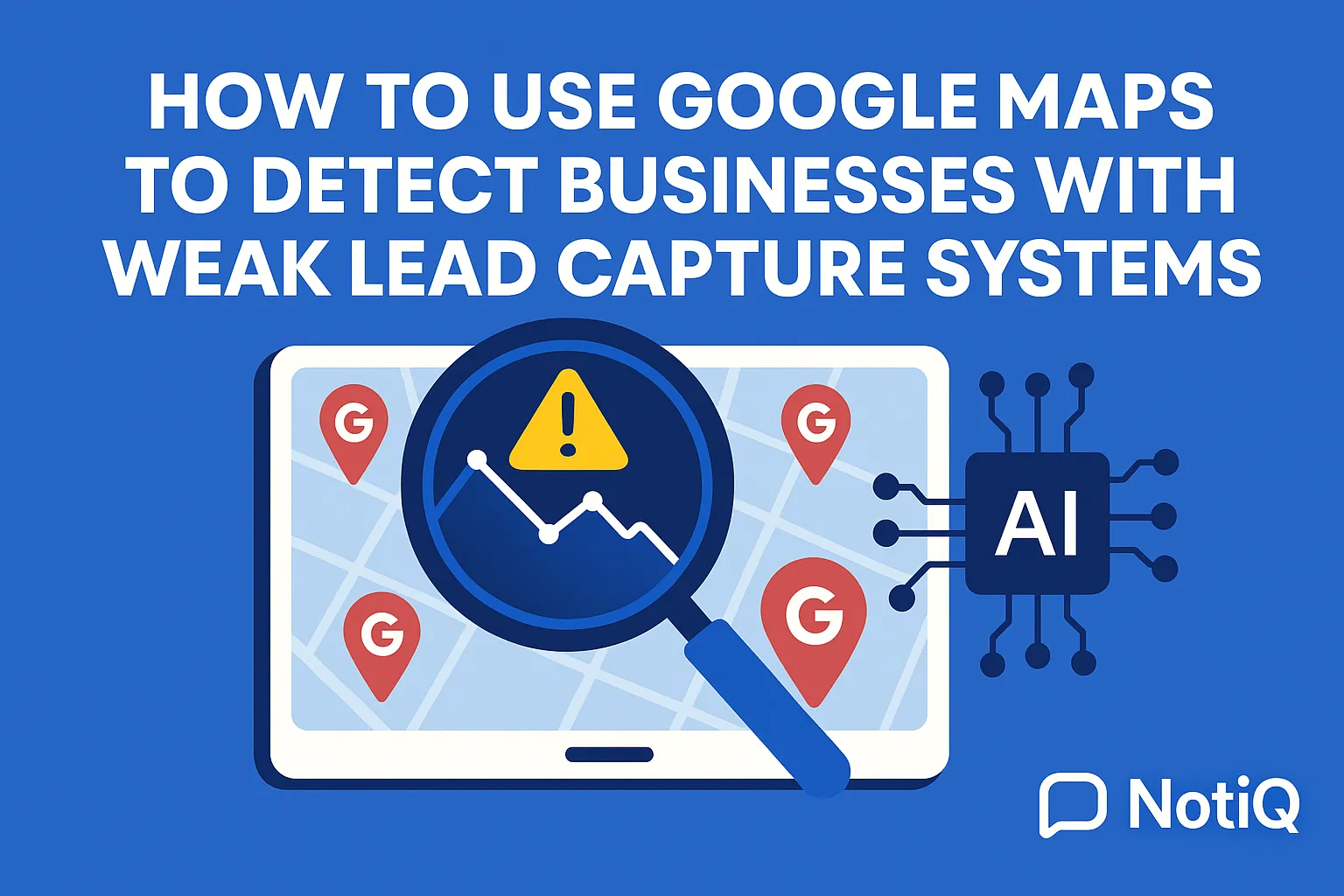
How to Use Google Maps to Detect Businesses With Weak Lead Capture Systems
Learn how to use Google Maps to find local businesses that rank well but lose leads through weak forms, poor CTAs, and broken booking paths. This guide shows agencies how to spot, score, and prioritize the best outreach opportunities faster.
1. Introduction
Many local businesses appear highly active on Google Maps, ranking well for competitive terms and drawing consistent traffic. Yet, behind this visible success, a quiet revenue leak persists: their websites possess weak conversion paths that actively repel potential customers. For agencies, freelancers, and growth marketers, identifying how to use Google Maps to detect businesses with weak lead capture systems is a massive opportunity. Google Maps is not just a directory; it is a rapid discovery layer for finding prospects with visible, fixable revenue leaks.
This guide provides a repeatable, compliant workflow that starts with Google Maps prospecting, analyzes Google Business Profile signals, audits the target website, and prioritizes businesses for outreach. Unlike generic local SEO or Conversion Rate Optimization (CRO) advice, this framework connects discovery, diagnosis, and action into one seamless system.
If you already understand basic prospecting but need a sharper, more efficient method to spot lead capture gaps, this approach will transform your pipeline. Based on practical experience analyzing missing forms, buried CTAs, and frustrating conversion blockers, we know that spotting these gaps manually can be tedious. That is why leveraging an AI-assisted layer like[NotiQ](/)is essential for turning map discoveries into audit-ready prospect insights, allowing you to scale your outreach without sacrificing quality.
2. Why Google Maps Is a Strong Prospecting Source
Google Maps serves as the ultimate top-of-funnel source for finding local businesses that suffer from both visibility and conversion issues. Map results inherently reflect high-intent local demand. When a user searches for a "plumber near me" or "local med spa," they are usually ready to buy, book, or inquire. Identifying businesses that rank well but fail to capture this high-intent traffic allows you to pinpoint operators who should be converting far more leads than they currently do.
Google Maps grants immediate, publicly accessible insights into a business’s category, location, review sentiment, website links, phone numbers, and action buttons—all before you ever conduct a deeper audit. Contrast this workflow with broad, SEO-only research. Traditional tools might give you keyword volumes and backlink profiles, but they often lack immediate prospecting context. Maps surfaces real local operators instantly.
Manual prospecting can be notoriously slow and inconsistent. However, by focusing on Google Maps lead generation, you can rapidly filter for the best opportunities: businesses with decent visibility but weak lead capture systems. According to Google Business Profile performance metrics, actions like calls, bookings, and website clicks are the primary indicators of local discovery success. When these actions lead to a dead-end website, the business loses money, and you gain a prime prospect.
To scale this process effectively, the workflow must eventually shift from manual discovery into AI-assisted evaluation. Using tools like[NotiQ](/)allows you to automate the heavy lifting of evaluating these local business lead generation opportunities.
What Makes Maps Better Than a Generic Prospect List
Google Maps injects immediate local context into your prospecting with Google Maps. You instantly see geography, niche relevance, recent reviews, and visible trust indicators. This creates a highly qualified shortlist, far superior to scraped directories or generic lead lists that offer no insight into a company's current operational status or customer sentiment. Agencies can search by precise "niche + location" combinations to build tight, highly relevant prospect segments based on publicly visible data.
The Best-Fit Business Types for This Workflow
This workflow is most effective for local service categories where lead capture gaps directly impact the bottom line. Ideal targets include dentists, med spas, attorneys, roofers, HVAC technicians, and even other agencies. These businesses rely heavily on calls, bookings, or quote requests. When a roofing company has 150 five-star reviews but a website with a broken contact form, the revenue impact of their conversion issues is immediate and severe, making them the perfect candidate for your services.
3. What to Check on the Google Business Profile First
Before clicking through to the website, you must evaluate the Google Business Profile (GBP) to spot early trust and conversion signals. GBP signals provide crucial context on whether a business is organized, discoverable, and prepared to convert local intent traffic.
A rapid Google Business Profile analysis involves checking category fit, overall profile completeness, phone number visibility, website link quality, review volume, photos, operating hours, and service-related links. While an incomplete Google Business Profile does not definitively prove a website has poor conversion rates, it heavily correlates with broader funnel neglect.
By conducting a fast review process, you can screen more businesses in less time. Familiarize yourself with the official Google Business Profile basics to understand which customer-facing fields matter most. Furthermore, assessing Google Business Profile local business links such as booking, ordering, or service links provides early clues about their lead-capture readiness.
Core Profile Signals That Suggest Lead Capture Weakness
When optimizing for google business profile optimization and leads, specific red flags stand out. Missing or weak website links, the absence of booking or service links, limited photography, and outdated business details all point to neglected lead capture gaps. Low review volume or poor review recency often signals an abandoned acquisition system. Remember, the profile is a pre-audit filter to guide your attention, not the final diagnosis of missing forms and CTAs.
Fast Pre-Click Questions to Ask Before Visiting the Site
Before leaving the Maps interface, ask these quick questions to qualify the prospect:
• Is there a functioning website link?
• Is there a direct booking, appointment, or action link?
• Does the profile feel complete, current, and actively managed?
• Do the reviews suggest friction in communication, responsiveness, or customer service?
These questions serve as your first layer of defense against wasting time on unqualified leads, helping answer how can Google Maps help identify businesses with poor lead capture before you even run a website conversion audit.
When a Weak Profile Still Deserves a Website Audit
Do not over-index on profile quality alone. Some businesses have incomplete profiles but highly optimized, high-converting websites. Conversely, others boast polished profiles with hundreds of reviews, yet direct traffic to a website riddled with conversion issues. The logic of this workflow is simple: profile signals guide your attention, but the how to audit local business websites phase confirms the actual opportunity.
4. How to Audit the Website for Lead Capture Gaps
This is the core practical framework: a fast, repeatable website lead capture audit checklist designed to spot visible conversion blockers. Start your audit on the homepage and primary service pages, then move to the contact, booking, and mobile experiences.
Organize your audit around what a prospect intuitively wants to do first: call, fill out a form, request a quote, or book an appointment. Focus strictly on visible, fast-to-verify issues rather than speculating about back-end CRM problems. Every issue you document must tie back to missed leads, user friction, or the lost value of local search traffic. When auditing, keep in mind the principles of plain language for clearer calls to action—vague or confusing CTA copy severely weakens lead capture optimization.
Homepage Checks: Can a Visitor Convert in Seconds?
Within seconds of landing on the homepage, a visitor should know exactly what to do.
• Is there a clear, contrasting primary CTA above the fold?
• Is the phone number visible, clickable (href="tel:"), and easy to find on both desktop and mobile?
• Is there a visible contact form, quote request button, booking link, or chat widget?
• Are they using weak CTA patterns? A button that says "Learn More" is a missed opportunity when "Book Now" or "Request a Quote" perfectly matches search intent. These missing forms and CTAs are immediate red flags in a missing CTA website audit.
Service Page Checks: Does Each Offer Have a Conversion Path?
Local service pages frequently rank well and receive high-intent traffic, but they often fail to include a matching CTA. Review each core service page to ensure it features a call button, form, quote request, or booking option. Beware of generic page endings that offer no next action. A roofer's "Roof Repair" page should feature a "Request a Free Inspection" workflow, not just a block of text. Identifying these lead capture gaps is critical when conducting a website conversion audit.
Contact and Booking Flow Checks
Audit the actual process of submitting an inquiry. How many clicks does it take to book? Is the contact page easy to locate? Do the forms demand too much information too early (e.g., asking for a home address when an email and phone number would suffice)? Look for broken links, missing confirmation messages, confusing dropdown menus, or dead-end booking widgets. Weak lead capture systems compound friction rapidly, resulting in severe conversion issues.
Mobile UX Checks That Often Reveal Lost Leads
A mobile-first review is mandatory for local businesses, as most Maps traffic originates from smartphones. Check for sticky call buttons, tap-to-call visibility, readable text without zooming, and forms that are actually usable on a mobile screen. Specific red flags include a phone number hard to find on mobile, oversized popups that block the screen, and cluttered layouts that lead to a slow or outdated website experience. These are the most common conversion issues on local business websites.
Trust Signals That Support Lead Capture
Even if a website has perfect forms, a lack of trust proof will suppress inquiries. Review the site for on-page testimonials, licensing or credential badges, before/after galleries, clear service area maps, and contact transparency (like a real physical address). Weak trust signals combined with weak CTAs create an insurmountable barrier to entry for potential leads.
A Simple Audit Checklist Readers Can Reuse
To speed up your workflow, structure your findings into a reusable scorecard:
1. CTA Clarity: Are primary actions obvious and intent-driven?
2. Contact Friction: Are forms short, functional, and easy to submit?
3. Booking Readiness: Is there a direct path to schedule an appointment?
4. Mobile UX: Is the site fast, readable, and tap-to-call ready?
5. Trust Proof: Are reviews and credentials visible near conversion points?
You can standardize this checklist for your team or use resources like the Repliq blog to find reusable audit templates and educational workflows to streamline how do you audit forms and CTAs from a Google Maps search result.
5. How to Prioritize Businesses Most Likely Losing Leads
Generating a list of findings is only half the battle; you must prioritize that list into a ranked prospect pipeline. Not every weak website is a high-value opportunity. The most lucrative prospects combine strong local visibility with obvious, fixable lead capture problems.
By utilizing a simple scoring approach, you solve the agency pain point of wasted manual prospecting time. This prioritization ensures your outreach focuses on businesses that are actively losing money right now. Revisit the Google Business Profile performance metrics to link a profile's engagement potential directly to your prioritization logic.
A Practical Scoring Model
Use a weighted rubric (scored 1–5 or simply Red/Yellow/Green) to grade prospects rapidly:
• Visibility/Trust: High Maps ranking and strong GBP reviews.
• Action Links: Presence or absence of direct booking links on GBP.
• Homepage CTA: Clarity and visibility of the primary offer.
• Service Page Coverage: Do individual services have conversion paths?
• Mobile Usability: Is mobile friction actively killing leads?
This website lead capture audit checklist approach dictates how can agencies prioritize which mapped businesses are most likely losing leads due to weak lead capture systems.
What a High-Priority Prospect Looks Like
The ideal high-priority prospect has an active local presence, real review volume, and visible demand signals, but suffers from poor website conversion execution. This is infinitely better than targeting a business with no visibility and no signs of current demand. If a business already has traffic, fixing their lead capture optimization and conversion issues yields immediate ROI, making your service much easier to sell.
Turning Findings Into Outreach Angles
Your audit findings should directly fuel personalized outreach. Instead of sending a generic "we can improve your SEO" email, use specific themes: a hidden phone number on mobile, a broken booking path, or an incomplete profile-to-site flow. Keep the tone educational rather than overly salesy. Pointing out missing forms and CTAs or specific lead capture gaps proves you have done your homework, elevating your local business lead generation efforts.
6. How AI Speeds Up Maps-to-Audit Prospecting
While manual auditing is effective, it is not scalable. AI differentiates top-tier agencies by reducing manual review time without replacing human judgment. AI excels at summarizing Google Business Profile observations, scanning raw page data for missing forms or CTAs, identifying mobile friction patterns, and drafting personalized prospect notes.
Existing tools often solve only one part of the workflow. However, integrating an AI layer bridges the gap between local discovery and conversion intelligence. When utilizing AI analysis, it is vital to adhere to guidelines like the NIST AI Risk Management Framework to ensure responsible use, data compliance, and the reinforcement of human review. To truly accelerate this process,[NotiQ](/)serves as the premier AI-assisted solution for detecting missing lead capture elements and conversion blockers on websites found through Google Maps.
What AI Can Automate Well
AI is a powerhouse for pattern recognition and speed. It can effectively automate:
• Page-level issue extraction (finding broken links or missing elements).
• CTA and form presence detection.
• Mobile UX observation summaries.
• Generating customized prospect notes.
• Opportunity scoring based on your predefined rubric.
This level of AI analysis allows marketers to review dozens of businesses per session, rapidly identifying lead capture gaps and solving the question of how can AI speed up prospecting and website audit workflows from map results.
What Still Needs Human Judgment
AI is a speed layer, not an unchecked decision-maker. Humans must still validate the relevance of the business, ensure the offer fits your agency's capabilities, grasp the nuance of the local market, and finalize the outreach strategy. Always verify AI claims before contacting prospects to maintain trustworthy AI practices. A website conversion audit should highlight real conversion issues, not AI hallucinations.
Manual Workflow vs AI-Assisted Workflow
A purely manual process involves painstakingly clicking through Maps, pasting URLs into spreadsheets, visually scanning code for forms, and writing emails from scratch. An integrated, AI-assisted workflow combines Maps discovery, profile review, automated site analysis, and dynamic prioritization into one fluid motion. This eliminates the fragmented tool stacks that plague google maps prospecting for agencies. Furthermore, you can enhance your outbound sequences by integrating tools for visual enrichment, such as Repliq's AI images, to make your outreach impossible to ignore.
7. Future-Proofing Your Prospecting Workflow
Local prospecting is constantly evolving, shaped by mobile-first consumer behavior, expectations for lightning-fast website experiences, and the pressure to connect search discovery directly with revenue outcomes. Agencies must build repeatable systems rather than relying on one-off audits. By future-proofing your google maps lead generation and lead capture optimization strategies, you ensure a consistent pipeline of high-value AI prospecting targets.
Trends to Watch
Watch for an increased focus on mobile-first conversion paths and the blending of local SEO signals with CRO insights. Standalone SEO or CRO tactics are becoming less useful than integrated workflows. Businesses want revenue, not just rankings. Understanding common conversion issues on local business websites and utilizing AI analysis will dominate google business profile optimization and leads in the coming years.
Reusable Assets That Extend This Article’s Value
Do not let this framework sit idle. Turn this website lead capture audit checklist into a downloadable PDF scorecard, a Loom video walkthrough template, or a series of outreach snippets. Repurposing this workflow ensures your Google Maps prospecting efforts consistently uncover valuable lead capture gaps while building your agency's authority.
8. Conclusion
Mastering how to use Google Maps to detect businesses with weak lead capture systems requires a disciplined, repeatable workflow. Start with Google Maps to find high-intent operators, review their Google Business Profile signals for early clues, and audit their websites for visible lead capture gaps. Prioritize your list based on the likelihood of revenue loss, and leverage AI to scale the entire process compliantly.
The core takeaway is simple: the most lucrative local prospects are often not the businesses with zero visibility, but the ones actively getting attention and failing to convert it due to conversion issues. Abandon ad hoc browsing and adopt a strict checklist approach. To review more mapped businesses and surface better-fit opportunities faster, explore how[NotiQ](/)helps turn map-based prospecting into scalable opportunity discovery.
Frequently Asked Questions
- How can Google Maps help identify businesses with poor lead capture?
- Google Maps allows users to quickly discover local businesses, inspect their profile completeness, and seamlessly click through to their websites. This immediate access makes it incredibly easy to audit visible conversion gaps and determine how can Google Maps help identify businesses with poor lead capture through efficient Google Maps prospecting.
- What signs show a local business website has weak conversion paths?
- Key indicators include missing contact forms, vague or weak CTAs (like "Learn More" instead of "Book Now"), hidden phone numbers on mobile devices, the absence of a clear booking flow, poor mobile usability, and a lack of trust signals like reviews or credentials. These are the hallmarks of weak lead capture systems.
- How do you audit forms and CTAs from a Google Maps search result?
- The fastest sequence is to search Maps, review the Google Business Profile, click through to the website, and inspect the homepage, service pages, contact flow, and mobile UX. Finally, score the findings using a standardized website lead capture audit checklist to determine the severity of the issues.
- Which businesses are most likely worth prioritizing?
- The best prospects for outreach are businesses that possess visible local demand (high rankings, numerous reviews) but exhibit poor conversion execution on their websites. These businesses are actively losing revenue, making them prime targets for google maps lead generation services.
- Can AI really speed up prospecting from Google Maps?
- Yes, AI significantly accelerates the process by automating the detection of missing elements, summarizing UX issues, and prioritizing leads based on predefined criteria. However, human review remains essential to ensure accuracy, nuance, and high-quality outreach. Using tools like[NotiQ](/)for AI analysis perfectly balances speed with human strategy.
Continue Reading
More articles you might find useful
Google Maps Prospecting for Commercial Waste Management Companies
Learn how commercial waste haulers can use Google Maps to find, qualify, and prioritize better local accounts. This guide shows how to build denser routes and improve outreach with waste-stream and service-area insights.
Read the article →
How to Find Local Businesses With Broken Website Links
Learn how to find local businesses with broken website links using Google Maps, quick validation checks, and proof-based outreach. This guide shows agencies how to turn visible site issues into qualified leads.
Read the article →
Google Maps Lead Generation for Signage Companies
Learn how sign companies can use Google Maps to find local prospects, identify visible signage gaps, and build a repeatable outreach system. This guide shows how to turn visual research into qualified leads without relying on paid ads or generic lists.
Read the article →Popular industry lead playbooks
Maps search examples and niche outreach for the verticals teams prospect most.